Showing posts with label redundancy. Show all posts

Wednesday, January 21, 2026

Redundant Internet Connections Keep You Online

By: John Shepler

The Internet has become so ubiquitous that we take it for granted. It’s a utility, like gas, water and electricity. It’s always there quietly and efficiently running in the background… until it isn’t.
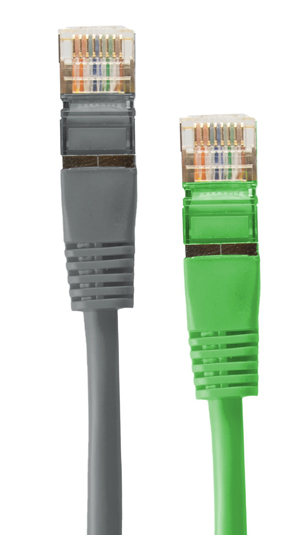
Redundant Internet connections keep you in business.The Danger of Single Point Failure
Any time we’re dependent on one key element, we’re subject to what is called “single point failure.” Your entire business could be running like a well oiled machine, with orders being fulfilled and customers pouring in. It’s high efficiency and high profits. Then, the connection goes down and stays down. Computers do nothing. Point of sale terminals are frozen. Business grinds to a halt.

Somewhere, somehow the Internet has stopped cold. But it’s designed not to do that, right? Indeed it is. The technology behind the Internet was designed by the military to keep functioning during a nuclear attack when whole areas were vaporized. No one cable or router can stop the data flow. It simply re-routes to paths that are still functional. Well, except for that last connection. You, know. The one that hooks your business to your Internet service provider. How many lines is that? That’s right… ONE. What happens when that gets cut? Right again. Service to and from the Internet stops cold.

The Value of Redundancy
Redundancy is what protects you from single point failure. For things that are so critical you can can’t do business without them, you need a backup. When you have a primary connection and a backup you have redundancy

A simple example of redundant connections is found with many home based businesses. As a solopreneur, you probably can’t justify having a second fiber optic or cable service just in case one goes down. But you likely do have redundancy. Your desktop computer is connected through the router and modem to the ISP. Rarely do you lose service, but it does happen. What then? No need to call up and order another service, you already have one on your phone. Simply use the personal hotspot feature with your phone to supply cellular broadband to your computer and you’re back in business.

There are a couple of fine points here. First, you wan’t to get back to your primary service as quickly and you can or you may get overage charges on your cell phone bill. You typically get only so may GBs per month before they start tacking on extra fees. Second, is your primary Internet service a Fixed Wireless Access from the same provider as your phone service. That might be a great money saver but likely not a redundant connection. If the tower you are accessing is off the air, your phone goes dead and your FWA goes dead at the same time. What’s left to do? Pack up the laptop and head for a hotspot. Hopefully that coffee shop has a different ISP and is still Internet ready. Best to check before you settle in and order.

Robust Business Redundancy
Most businesses don’t have the option to flee the office or store and head out for a break to get reconnected at the nearest hotspot. It makes a lot more sense to have redundant service connections with enough speed to keep running no matter what. Also in most offices it isn’t practical to have everyone pair their PC with their smartphone, although that can work for a short period in some cases. It’s better to have a second redundant service available for the network you already use.

What are some things to think about when setting up this redundant connection? Ideally, you want at least automatic failover. That means when one line goes down, the other picks up the load automatically. This is similar to the way a battery backup power supply works. When the line drops, the battery powers an inverter and the computer doesn’t even blink.

Even better than automatic failover is having a dual or multi-port router that can automatically share the load or pick and choose what route to send each packet for best performance. That’s SDN (Software Defined Networking) or SD-WAN (Software Defined Wide Area Network). The beauty of this approach is that instead of one line sitting idle until it is needed, you can make use of all the available bandwidth all the time. Only when one connection goes down does the total bandwidth available get reduced for the duration of the outage.

A good SDN supplier will ensure that you have truly redundant services, but here are a few guidelines if you are going to set this up yourself. First, don’t just have a pair of lines going from your location to your iSP using the same route. Chances are they run in the same bundle. If a backhoe cuts the bundle, you lose all your connectivity at once. Instead, use diverse pathways so that no one disaster can take out all your lines.

You may also want to have different providers for each service. They can be fiber, cable, wireline, fixed wireless, or satellite. At least use two different providers and you may want to consider two different technologies that are unlikely to be affected by a particular outage… be that wire cut, storm, or power loss. It’s valuable to have battery, generator, or solar power backup for your own equipment as well as redundant Internet.

Have you experienced Internet outages or concerned that a sudden loss of service could damage your business? If so, speak with a technology expert and see what redundant Internet options are available for your situation.


Click to check pricing and features or get support from an expert technology specialist.


Follow Telexplainer on Twitter


Wednesday, July 22, 2015

Backing Up Broadband

By: John Shepler

In the last couple of decades, broadband Internet access has gone from being a marginally used business tool to a critical infrastructure for most companies. Both speeds and traffic have increased by orders of magnitude. So, answer this question: “what happens if your broadband goes down?”

If you think that Ethernet makes the world go round, you might just be right. Find products with this design nowWe’ve Quietly Become Dependent
The conversion from traditional to automated business processes and digital communications have taken place so gradually that many companies don’t quite realize what would happen if it all suddenly went dead. You know what happens if you lose power. That facility is temporarily out of business. You know what happens if your data center loses power. Your computer-based processes are out of business. If that’s not acceptable, then what have you done to ensure continuing operations?

The Danger of Single Point Failures
What is the communications equivalent of battery and diesel generator backup for electrical power? It’s one or more redundant communications paths. If you have a single broadband line powering your network, you have what’s known as a “single point failure”. That’s one place where a failure of any sort puts you out of business. You can have all sorts of extra computers, printers, servers, battery backup and people cross-trained to take over whatever is a priority task regardless of who gets sick. It’s all for naught if yours is an online business and there is no way you and your customers can connect.

Start With the Best Line You Can Get
There are broadband services and then there are broadband services. They really break down into two categories. There are telecom services designed for high reliability and often available with service level agreements, a type of performance guarantee. Then there are “best effort” services designed for low cost and no performance guarantees. Which do you suppose is best for your critical operations?

Telecom based services, such as T1, DS3, SONET, Ethernet over Copper and Ethernet over Fiber are examples of dedicated high reliability services. So are MPLS networks if you want to create a private “Intranet” among your own facilities. DSL, Cable, Cellular and other broadband services popular with consumers generally fall into the “best effort” category. Best effort means just that. The carrier will make their best effort to keep you up and running, but there is no guarantee of what that will wind up being.

The Need For Redundancy
Even the best technology can go awry. Amplifiers short out, backhoes cut through copper and fiber cables with alarming regularity, and technicians make mistakes, perhaps disconnecting your circuit instead of the one they intended. Accidents will, indeed, happen, but that doesn’t mean your business has to be the victim.

One tried and true way to protect yourself from equipment failure is to have a backup in place. If one fiber optic line is good, two are better… with some caveats. Redundant lines really need to be independent. Ideally, you want to get them from different carriers who run them in different cable bundles that even leave your facility in different directions.

I remember a few years ago when our Cable company had one of those backhoe mishaps. It took two days to get TV and broadband restored because they had to splice over 100 fiber strands to complete the repair. You could have leased ten of those strands to make your connection redundant and you would have lost everything in one big chop.

Can Cable Backup Fiber?
Business cable broadband can actually be a very good way to get redundancy into your communications without doubling the budget. Cable services have gotten a lot more reliable since they switched from large coaxial trunks to fiber optic runs to the curb or neighborhood.

The DOCSIS 3 standard, that is now almost universal, offers bandwidth capability in the hundreds of Mbps, even up to 1 Gbps in some locations. The cost per Mbps is just a fraction of what you’d pay for Ethernet over Fiber or legacy SONET. That’s because cable service is, indeed, “best effort”, the bandwidth is shared, not dedicated, and the bandwidth is asymmetrical. That is, download speeds are much higher than upload speeds.

Taking all that into account, you may sleep a lot better at night knowing that if your premium dedicated fiber takes a hit, you can continue operations uninterrupted with broadband cable that is unrelated to your main service. You simply need a way to ensure automatic failover so that your employees and customers won’t see a service interruption.

Other Options
Some companies are quite happy to have T1 lines, Ethernet over Copper, two-way satellite, or even 4G LTE wireless as backup services for their main channel. Any channel that is completely independent is a good backup candidate. The only real limitation to any of these is the amount of bandwidth available and latency low enough not to impact what you are doing with the broadband connection.

Are you feeling that a single high capacity line is leaving you vulnerable to a service interruption? Why not look into an affordable broadband backup service for peace of mind?

Click to check pricing and features or get support from a Telarus product specialist.


Note: Products with the theme "Ethernet Cables Earth" shown on this page are available through the Gigapacket Zazzle Store.


Follow Telexplainer on Twitter

Monday, February 04, 2013

3 Types of Clouds You Should Know About

You’ve heard the buzz and have started thinking that you might be missing something by not moving your IT services to the cloud. To help you with that decision, we’ll take a look at the 3 basic types of clouds available and some of the applications that make sense to be cloud-based.

Learn about the different types of clouds that support your business needs...It seems like just about everybody is in the cloud business these days. They are basically offering their own versions of 3 different cloud architectures. These are the public cloud, private cloud and hybrid cloud. All of the different cloud services run on one or more of these cloud models.

The most popular and prevalent type of cloud is the public cloud. This is a special purpose data center owned and operated by a cloud service provider who seeks to provide services to many paying customers simultaneously. The cloud data center is the type of data center we’d all like to have, but few can afford. It is in a large secure facility with fire suppression and a couple of layers of backup power. There are multiple fiber optic lines connecting to the outside world for redundancy.

In fact, redundancy is a key to successful cloud operations. One of the key selling features is reliability. In fact, many business oriented cloud companies offer Service Level Agreements (SLAs) that define the uptime you can expect, how fast service will be restored in the rare event it is lost, and what compensation you’ll receive for not having your cloud service available. These SLAs are similar to what telecom carriers offer and distinguish enterprise level cloud providers from consumer type services.

Redundancy means multiple everything. That includes servers, batteries, diesel generators, Ethernet switches, routers, wireline connections, environmental control, and staffing. Any decent cloud company has a full time technical staff ready to address issues around the cloud.

The companion to redundancy is virtualization. This is the real magic behind the cloud. Virtualization became popular with IT departments because so many applications don’t use the full capacity of the server. They either run at a fraction of the maximum throughput or occasionally burst to more than the server can handle. By connecting multiple physical servers in a virtualized environment, each application can take the resources it needs at any given moment without hogging an expensive server that mostly idles. The load can be spread among multiple physical servers automatically to handle peak loads.

In fact, this is how you can build the second type of cloud yourself. Set up your own data center as a virtualized environment of servers, storage and WAN connections and you can provide computing for your entire organization including remote business locations.This is the private cloud. You own it. You maintain it. You keep all the resources for yourself.

Economy of scale suggests that public cloud with multiple tenants are going to cost you less than running your own private could. You may want to go with the private option anyway when you have high security requirements or heavy regulatory compliance requirements. The other reason is if you have a unique environment that requires specialized hardware, software or operating systems.

A fairly new wrinkle is the private cloud in the public data center. In this case, the cloud service provider sets up a fully dedicated infrastructure that serves only your needs. It is not interconnected with the public cloud facilities. An advantage of this approach is that you can maintain the privacy of having your own cloud without the capital investment and maintenance headaches of ownership.

The third type of cloud is called the hybrid cloud. It is a combination of private and public clouds. For instance, you may use a public cloud for many of your applications but keep a smaller private cloud in-house for your most sensitive or proprietary functions. You can decide how much cross-connection occurs so that the private and public clouds can share information. You may even want a cloud service company to create a hybrid cloud for you using their public cloud infrastructure and special facilities for your dedicated private cloud.

Are you still scratching your head trying to decide what, if any, cloud services make sense for your company? Get free consulting advice and a wide range of competitive quotes for enterprise level cloud services now.

Click to check pricing and features or get support from a Telarus product specialist.


Follow Telexplainer on Twitter