Showing posts with label data center. Show all posts

Friday, April 10, 2026

Data Center Opportunities For Your Business

By: John Shepler

Data centers are certainly in the news these days. Most of it focused on the near-viral expansion of AI hyperscale facilities that are overwhelming local power and water utilities, resulting in a contentious standoff between concerned citizens and massive tech innovators. But that’s just a small part of the data center industry. Your business is unlikely to go hyperscale, but you can still benefit from data center services. In fact, it’s likely you need them.
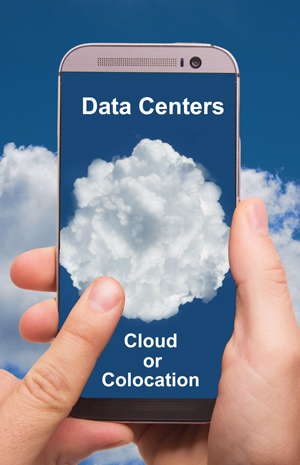
Choose your data center services, cloud or coloWhat is a Data Center?
A data center is where you find data, right? That’s correct. But it’s also where you find the computing, storage, networking and facilities to store and make use of that data. If all you have and use is a single computer, the data center is right inside. But, if you need to support a website, sell online, interconnect multiple computers or process files too big for a single machine, you’ll be using a data center. Even that single computer might want online backup.

Types of Company Data Centers
Data centers come in various sizes, depending on your needs. The simplest is an in-house data center, once called the server closet. It may be as simple as a single rack with a few servers, network disk storage, backup power supply and ventilation or cooling. Security is a lock on the door.

Larger companies create whole rooms or special buildings dedicated to their computing resources. These are enterprise data centers. They are under the control of a single company and dedicated to its needs. Often this facility will be in the same building or on the same campus as other company buildings. However, it may make sense to locate the enterprise data center a distance away for protection from disasters such as fires, floods and earthquakes.

When you get this much equipment, you’ll likely need larger scale HVAC environmental control, fire suppression, security monitoring, and building maintenance. Now the question is whether to provide all this yourself or outsource it. A managed data center is an enterprise data center that is run by a third party. This operator may own the facility and provide the staff. They may also handle IT tasks such as software updates and server maintenance.

Moving Out to a Colo Data Center
A colo or colocation data center is a multi-tenant version of the single company enterprise data center. The colo operator provides the facility, security, environmental control, backup batteries and generators, rack and cage space, and wiring. They also generally have multiple carriers with a presence in the building. You get easy access to massive amounts of bandwidth that might be harder to come by where you are located. That includes fiber, wavelength, and dark fiber services depending on your needs.

The advantage of colocation is that you are saving money vs running and/or owning the facility yourself. That’s the upside of sharing costs. It likely won’t affect a small to medium scale business because you’ll have your own racks and perhaps a cage to house them in for security. When you need to make updates, you just visit the facility.

Some colo companies offer extended services. They will maintain the servers, patch the software, add disks and so on using their in-house tech staff. They may also offer to lease you servers, disks, switches and the like so you don’t have to bear the capital expense. Pick and choose the level of support you want. That’s especially great for smaller companies that don’t have large tech staffs.

Cloud Data Centers
They say there is no cloud. It’s only somebody else’s server. That’s about right. The thing we call the cloud looks a lot like a colocation data center. The difference is that the cloud operator owns and runs everything. Resources are shared among tenants but not segregated like in a colo. Instead, most everything is virtualized. You don’t necessarily know what server is running your process or what disk your data is stored on. It’s likely that many companies are sharing all the facilities.

The cloud might offer even greater cost savings than colo. The massive facilities also have reserve capacity so that you can easily scale up or down as your needs change. It is possible to make this automatic or “elastic” so that you pay for what you use on a moment by moment basis.

This is what is known as the public cloud. There are also special versions of cloud data centers. A private cloud uses the same virtualization as the public cloud, but all resources are dedicated to one company. That can be located within your own facilities or in a third party location that might have many other private clouds physically separate in the same building. A hybrid cloud is a mixture of public and private clouds that share data and applications. You may want privacy for sensitive data but a public cloud for web traffic.

What type of data center is the best match for your business? Compare capabilities and costs for general hosting, managed, colocation and cloud data centers to see what works for you.


Click to check pricing and features or get support from an expert technology specialist.


Follow Telexplainer on Twitter


Thursday, October 16, 2025

Is Network as a Service Right For Your Business?

By: John Shepler

Running a company network can be a big operation. Perhaps too big. You need lots of capital expenditures for switches, routers and software. Then you need staff to plug everything together, deal with system failures and constantly keep on top of updates, security patches and incoming threats. But, hey, isn’t that just the price in being in business today? There really isn’t any way to avoid all this cost and hassle and still operate, is there? Or IS there?

Get a quote for Network as a ServiceNetwork as a Service
Actually there is a new trend in network management that might work to your advantage. Instead of doing it all yourself, how about buying the network functions and capacity you need as a service?

You’re familiar with the migration of everything data center to the cloud. Now, the network is moving there too. All that stuff you would otherwise buy and manage, including switches, routers, and security appliances, can be had on a pay-as-you-go basis. What’s more, you can easily scale up and down as your business needs change. No more buying equipment like crazy to meet a demand and then trying to offload it as surplus when the need evaporates.

NaaS takes care of acquiring the physical devices needed to make the network function, but also handles ongoing support. It has the smarts to optimize the network for optimum performance and keep everything up to date. In addition, NaaS can support automatically onboarding new users and supporting new locations without a lot of muss and fuss at your end.

What Does AI Have to Do With It?
Artificial Intelligence is the latest buzzword in business productivity with great promise for future profitability. Actually, AI is here already and has been quietly integrated in all sorts of technology behind the scenes. AI is important to Network as a Service in that the network is being virtualized, adding all sorts of complication. But AI can run this, optimizing the network and responding to changes as they arise. As businesses need to integrate multi-clouds and multiple locations, the workload on IT staff can go through the roof. Letting AI handle all this complexity on a real-time basis can give you much more capability without soaring expenses.

But Will It Help YOU?
Could Network as a Service be advantageous for your company? Maybe, maybe not. The way to make a decision is to find out the costs and capabilities of NaaS options suitable for your size business. Get a complementary quote now and see if you can get more for your network dollar.

Click to check pricing and features or get support from an expert technology specialist.


Follow Telexplainer on Twitter


Friday, July 25, 2025

Bandwidth to Support Your Data Center

By: John Shepler

Data centers are hot these days. Oh, not just the temperature of the air exiting the servers. Data centers are hot business. As businesses are transformed digitally and AI is implemented to improve productivity, all eyes are on the data center and what it takes to gain the benefits of this technology.

Get data center connections at great prices.Not Yesterday’s Server Closet
You can see advances in data center technology as information tech has grown in importance. Once a company is big enough to have more than one PC, it needs networking to interconnect computers and shared resources such as storage, printers and servers. Hot and noisy racks of equipment are quickly moved out of the office and into their own room, which might be the size of a broom closet. Hence, the server closet.

Little rooms soon become big ones with lots of equipment, special floors and ceilings for wiring, uninterruptible power and heavy duty HVAC. This is the genesis of the data center. Today’s businesses are dependent more and more on information technology and require substantial data centers and staff to process and serve that data 24/7.

Some companies still choose to maintain their own data centers in-house or at remote facilities. Others outsource that function to colocation facilities or cloud service providers. Still others see the skyrocketing demand for data center services to support crypto and AI and look to get a piece of the action.

What Connections Do You Need?
Even if you keep everything in-house, you’ll need external connections. That’s at least broadband Internet and telephone connections. If you have other locations in the same area, you can’t go trenching your own cables. You’ll need carrier connections from point to point or connect everything via the Internet.

There are two flavors of Internet access. They are called dedicated and shared. Dedicated Internet Access or DIA offers the highest performance. Dedicated means that the connection is for your use only and no other company is on the same circuit… at least until you get to the core of the Internet. Since most of the congestion occurs in that first mile, DIA can avoid many slowdowns during peak usage times. Fiber optic DIA is available from 10 Mbps to 10 Gbps, with 100 Gbps available in some areas.

Shared Internet Access is what is available with Cable broadband and Fixed Wireless Access. Your cost is lower because you are not the only one using the line. How well this works depends on how sensitive you are to interruptions and how many high volume users are sharing the same link.

Your data center servers will also likely need Internet access. Most colocation and cloud facilities have multiple carriers serving their facilities. This give you the option to have redundant connections so that if one goes down, another service provider is unlikely to be out at the same time. You can set up an arrangement like this for your own in-house data center. Just be sure that the two or more Internet Service Providers are not sharing the same fiber or other facilities or you may lose all service with a single point failure.

You can also get dedicated Ethernet point to point fiber optic service between two or more of your own locations. This gives you high performance networking without the security issues and variable performance seen on the Internet.

Connecting to the Data Center
If you choose to place your equipment in a colocation facility or contract for cloud services, you’ll need a way to connect from your company building to the remote data center. Some companies choose to do this through the Internet, but you can get much higher performance and better security with a dedicated point to point line also called direct cloud access. This is a private fiber optic circuit that runs from your facilities to the cloud service provider no matter how far away. You’ll generally have lower latency and more consistent performance than connectivity via the Internet.

Do you need a high performance connection to a data center or cloud service or Internet service to the Internet? If so, get highly competitive prices and availability of connection services for your business locations now.

Click to check pricing and features or get support from a Telarus product specialist.


Follow Telexplainer on Twitter


Wednesday, February 21, 2024

Colocation Hosting Offers Lower Costs and More

By: John Shepler

Traditionally, having your own data center has been the way to go for medium and larger businesses. It may still be the best answer for your needs. However, there are advantages to moving at least some of your equipment and data to a colocation hosting facility. Let’s have a look at why this might be a great idea.

Colocation Hosting offers advantages for your business. Just What is Colocation?
Colocation sounds like it means having two or more operations in one location. That’s pretty much it. Colocation facilities were originally called carrier hotels. Multiple service providers would locate equipment in the same building run by one of the carriers or a third party who provided common services such as HVAC, AC power, backup generator power, and connectivity as needed. It was a way for carriers to easily exchange traffic on neutral turf and not have to each pay for their own building.

Nowadays colocation facilities or “colos” serve businesses as well as carriers. They are still a great way to connect to the Internet with as much bandwidth as you need at the best prices and connect to various carriers who also happen to be in the facility. Compare that with trying to get 10 Gbps or 100 Gbps out in the boonies.

In addition to bandwidth, colocation centers offer rack space, cabinets, cages and the power, cooling and connections to go with them. You generally bring your own servers and storage and take responsibility for maintaining your equipment. Many colos also now offer expanded tech services to monitor and service equipment 24/7 and may even lease you servers and other equipment you would normally buy.

Why Pay Someone Else to Host My Servers?
It may seem logical to keep everything under one roof, but that doesn’t necessarily give you everything you need. For one thing, you have no redundancy in the event of a disaster. A tornado, hurricane, earthquake or flood can wipe out your data center and you’ll be out of business for awhile. If you keep all your backups in the same data center, that could take a long while and very expensive to recreate all the data you need.

By having at least some of your servers and storage offsite, you gain the advantage of redundant facilities. It works even better if your sites are geographically dispersed.

As mentioned previously, you’ll likely find much better connectivity at better prices in a colocation center. Carriers go where many potential customers are clustered so that they can quickly and easily provide service. It’s just a cable run in the colo.

Are you able to provide tech service 24/7? Most colocation facilities have their own tech staffs available round the clock to handle their equipment and often provide a suite of services to their customers.

Think about the cost of expansion. If you are running out of space now, you have a make or buy decision to face. Making means building or leasing a larger facility to accommodate your growing needs, including more backup power, tech support, and security. Buying means avoiding the capital investment in facilities and leasing from a colo, likely at much lower cost that doing it all yourself.

Another area where colos shine is being physically close to your customers to reduce transmission latency. That’s more important if you have latency sensitive real-time applications and if you are selling your service nationwide or worldwide. Some of the larger colos have multiple sites so that you can disperse your equipment as needed.

Is your business growing and creating a need for additional data center capacity or would you simply prefer to lease rather than buy the IT facilities you need? If so, consider the advantages of colocation hosting and get competitive quotes now.

Click to check pricing and features or get support from a Telarus product specialist.


Follow Telexplainer on Twitter


Friday, November 10, 2023

When It Comes to Computer Networks, Trust No One and No Thing

By: John Shepler

Network security is a major headache for business. It almost makes one long for the days of one computer per desk and nothing connected to anything else.

Almost. Those air-gapped computers weren’t all that secure either. Sneaker networks, meaning running around with floppy discs, allowed malware to spread and sensitive files to be copied. It’s just that today’s networks with LANs, local data centers, multi-clouds, and the Internet make it really hard to know who’s sneaking in where and what they are up to.

One breach in a corporate network can run up a cost in the millions. If ransomware is involved, the bill can be a lot higher… and a lot more disruptive. What can you do? Don’t be so trustful. Make sure your system is suspicious of everybody and everything all the time. The buzzword for that is “zero trust security.”

Protect your castle with better network securityWhat is Zero Trust and How is it Different?
Traditional network security is sometimes compared to a castle with a moat. The castle is your corporate network. Everybody inside the castle is considered to be friendly and trustworthy. Everybody beyond that moat is suspected to be an enemy. The drawbridge is your firewall. It works to keep the bad actors away from the castle while allowing trustworthy visitors access. It assumes that everything bad is going to come through the Internet.

There are a couple of weak links with this approach. First is that some bad actors can already be inside the castle. There are spies and infiltrators and even trusted employees that have turned rogue. Of course we want to trust our colleagues, and that’s how we get in trouble. Even worse when we automatically trust our vendors and customers.

Then there is the famous tale of the Trojan Horse. Gee, it sure looks safe enough. Let’s open the firewall and bring it in. You can just imagine some well-meaning but naive individual in your company doing just that. Of course the gullible Trojans got the worst of that deal since once the Greeks were inside they had the run of the city.

Moral of the story: It’s too easy to have your organization destroyed by one little misstep. Trust no one and no thing. Network security is not an insult to your integrity. It’s a way to make everyone more secure and prevent little slips from becoming major disasters. That means high security processes both inside and outside the network.

What Makes Zero Trust Work?
It starts with having everybody and every thing, meaning anything attached to the network, prove that it is approved for access and what they are approved for. You can’t really say that because someone has been cleared by, say, logging-on, that they should be able to access all the files and every peripheral on the net.

Oh, no. You must have a need to know for everything you want to access. That leads to segmenting the network into much small pieces that each have to be accessed separately. You may have access to one set of information to be able to do your job, but no way are you getting into some of the companies trade secrets or even financial data. Access to HR files? Fat chance… unless you are specifically authorized to see them.

Each use and each device will have a profile constructed that says what they can do and where they can do it. These lists will be used by the network administration to grant or refuse access. You may find that your access times out and you have to log in again to keep using a particular resource. Multi-Factor Authentication, like password plus a code sent to a mobile phone or a hardware key that must be plugged-in, is especially valuable for access through the Internet or to highly sensitive data.

Zero Trust Security does take some doing to implement and maintain, but it can also be the means that keeps hackers and scammers of all sorts from stealing your information or damaging your systems. Are you feeling vulnerable? Learn more about how to secure and safeguard your network and get a complementary quote appropriate for your business.

Click to check pricing and features or get support from a Telarus product specialist.


Follow Telexplainer on Twitter


Tuesday, February 21, 2023

Colocation Hosting vs Cloud Data Centers

By: John Shepler

You’ve run your own in-house data center for years, but business is growing and you’ve hit the limit on what your server room can support. Now you’ve got a choice to make. Lease new space for the additional servers, storage and other appliances you need or consider moving everything to the cloud. It’s a big decision and one that needs careful consideration before funds are committed.

Choose colocation instead of cloud hosting.Isn’t Everyone in the Cloud?
If you read the tech headlines and articles, it looks like everyone is clearing out the old server room and simply leasing cloud services. That does have a lot of attraction. With your data and applications deep within the cloud, you no longer have any capital investment, no power bills, no physical security worries, no HVAC worries, and perhaps less IT support staffing. If you need more bandwidth, server processing or storage, you simply ask the cloud to increase your allowance, perhaps even automaticlly.

Why Wouldn’t You Join the Stampede to the Cloud?
Perhaps you’re feeling a little uncomfortable. You’ve heard that joke: “There is no cloud. It’s just somebody else’s computer.” What it really amounts to is somebody else’s thousands of computers, all nicely divvied-up to share among thousands or millions of clients. The promise of the cloud is that it looks to you like you have your own computing resources all by themselves.

Does that sound exciting or does it give you a bit of a twinge? After all, you’re really happy with how responsive your IT staff is and the control you have over all the equipment and software. There are no other companies sharing your facilities. Security involves keeping bad actors out of the building and on the far side of the firewall. So, is your only choice to bite the bullet and lease a new building for expansion?

Consider the Colo Option
Perhaps a third option is best. Lease space in someone else’s specialized building but keep your computing resources to yourself. This is the idea behind Colo or colocation hosting. These facilities were once called carrier hotels when their tenants were primarily telecom carriers. Now colo is popular with businesses of all sizes.

A colocation facility provides the physical building with controlled access and security personnel. It is staffed 24/7, which may even be more than you are able to provide now. Massive redundant power lines feed the facility so there is never a question of having enough amps to power new equipment. Moreover, that power is backed up by emergency generators and often batteries to keep things running no matter what.

With all that power, you are also going to need to get rid of the heat generated by the electronics. That is handled by redundant HVAC equipment to provide cooling air to the servers and other equipment. Air filters keep the facility dust-free.

What about connectivity? That’s one reason why companies move out of their own facilities and to a colocation center. With so many clients wanting so much bandwidth, major carriers have a presence in the colo. Often you have multiple carriers to choose from and they each have multiple fiber links for dedicated access and Internet service. Not every business is served with high bandwidth fiber yet, but the colocation centers are. They’ll get you as many Gbps as you need along with IP addresses.

Moving to a Colo Facility
When you move to a colo, you lease racks with power and cooling plus connections for bandwidth. Want more security? You can have those racks installed within a locked cage that keeps everybody but your staff out. Your people can come and install their own equipment, do maintenance, and make upgrades as needed.

Many colo facilities also offer additional services if you want them. You can have the colo tech staff monitor, troubleshoot and repair your equipment. You can even lease servers and storage from the colo instead of buying them yourself.

Are you outgrowing your tech facilities but want to explore options other than simply relocating to a cloud? Consider colocation data center facilities as an option that gives you more control but saves money compared to leasing your own dedicated buildings.

Click to check pricing and features or get support from a Telarus product specialist.


Follow Telexplainer on Twitter


Tuesday, July 14, 2020

Yes, You ARE Overpaying For Your Phone and Data Lines

By: John Shepler

With the economic future highly in question, every business needs to take a long, hard look at what it takes to survive. With future income uncertain and likely reduced, a good place to focus is on reducing expenses. Telecom lines, including data, telephone and Internet, can be a major monthly bill. It’s highly likely that right now you are paying more, perhaps much more, than you could be for the same quality of service.

Save on your telecom costs now.Who’s Gouging Me?
Probably no one is cheating you or even taking advantage of your business. If you like, blame it on the gremlins. You know, those sneaky little critters that make everything break at the worst possible time. They also know how to bleed your budget without you ever knowing.

First, Get Rid of the Waste
You are paying for stuff you don’t need. I suspect you are paying for stuff that you don’t even use. How can that be? Anyone who has ever cleaned house has discovered all sorts of unopened christmas presents, products still in their original packaging, and food way past its safe date. The same is true in business. Things get bought. Some never get used. Others are used awhile, then the situation changes and they are set aside… just in case. Just in case never comes back again.

The worst offenders are subscriptions and contracts you pay for monthly but don’t get any value from. Right now, pull the bills for the last few months related to computing and telecom services. Services are especially sneaky at bleeding your budget because they are often out of sight and out of mind. You don’t trip over them like you do a big piece of equipment.

Now, grab a cup of coffee and go to a quiet space with your bills and some highlighters. You have to walk through these from top to bottom and question everything. Are there lines installed that aren’t being used anymore? Are there cell phone numbers that stopped being used when people left long ago? What about special fax machine lines, alarm connections, direct lines to buildings you got rid of? More DID numbers than you can possible use today? Toll Free numbers you don’t even advertise? Highlight them all. They’ve got to go.

Save a Bundle on What You DO Need
Now that you’ve made arrangements to delete all that extra costly clutter that adds no value, you’re left with the essentials. Of course you need phone lines and broadband service. You may need a direct connection to a cloud service provider or another office. You may well want managed security instead of having to keep someone on staff to fend off cybercriminals. Don’t cut so far to the bone that you hurt your ability to do business. Just get a better deal.

There’s a little secret about telecom services that escapes notice most of the time. Business lines, especially the dedicated ones like T1, DS3, SONET and Carrier Ethernet, are sold on contract. Usually you commit for at least a year, but probably take a 3 year contract for better pricing. Nothing wrong with that. It’s what happens at contract expiration that matters.

You might be tempted to simply renew the same contract at the same price, figuring you are lucky to avoid price inflation. Wrong. This industry is highly competitive and technology is advancing constantly. That translates into lower prices, not higher. For the same money you should get more bandwidth. Otherwise you should get a lower price for the next 3 years at the same bandwidth.

When New is Cheaper
Upgrading your technology could actually save rather than cost. Still nursing an old PBX system that needs maintenance and has pricy replacement parts? Have a look at
VoIP cloud service providers and let them manage the switching gear. All you need is phones and a SIP trunk to the cloud. You also gain new features that old analog desk phones can’t support.

Fiber optic bandwidth connections used to cost an arm and couple of legs. Not anymore. If you are in a built-up, not rural, area there is probably lots of fiber in the ground and overhead. Even the cable companies are leasing out extra fiber capacity. You might find that an upgrade in bandwidth could cost less than you pay for copper service now.

Running your own servers used to be the only way to go. Not anymore. In fact, it’s hard not to save money by pulling the plug and getting your infrastructure in the cloud. This is especially true if you need special high capacity lines to handle customer traffic. That bandwidth is likely cheaper at the remote data center and you’ll only need a lower bandwidth connection to manage the cloud services from your location.

Well, what do you think? Is there opportunity for cost saving in your business? Give these ideas at least a good look before you decide you are doing as well as you can. That includes getting a new current set of competitive quotes on all your line services, telephone, wireless and cloud services to see what might be available that you don’t know about.

Click to check pricing and features or get support from a Telarus product specialist.


Follow Telexplainer on Twitter

Wednesday, September 11, 2019

You Need a Black Cloud Software Defined Perimeter

By: John Shepler

Secure your network with black cloud SoftwareAre you a trusting person? Too bad. That’s going to get you hacked. Respect and privacy are admirable things, but they are not guaranteed by today’s Internet. In addition to all the incredible employees, partners, suppliers and customers that you hold in high regard, there is a dark underbelly of professional criminals, hobbyist & mercenary hackers, mischief makers, psychotics, and nation states with agendas all trolling the same network. Some are looking for victims of opportunity. Others have you in mind as a target. Can your firewall and VPN fend them off?

The Virtual Hopefully Private Network Connection
The VPN or Virtual Private Network was designed to make the Internet act more like a private line or MPLS (Multi-Protocol Label Switching) network. Even if you have a T1, DS3, OC3 or Ethernet private line at the office, you have a big security hole when an employee out on a sales or repair call stops by the coffee shop and connects back using the free Wi-Fi provided by the store.

Free really means free and open. That guy in the corner staring at his laptop is watching your traffic. He either hacked the shop’s WiFi or created his own look-alike “free” WiFi network that you connected to instead of the real one. This is called “man in the middle” and it is what VPN was designed to protect against. The VPN creates an encrypted connection called a “tunnel” from your employee’s computer to your office server. That makes it pretty hard for someone to get in the middle of the conversation unless they have the private key… and they don’t.

VPN Weaknesses
Not all VPNs have a rugged 256 bit military-grade encryption. Some use protocols that are relatively easy to crack with available hacker tools. PPTP (Peer to Peer tunneling Protocol) is over 20 years old and is desirable because it is fast and easy to setup and use. It’s also more vulnerable than protocols with stronger encryption.

Not all VPN vendors are equally capable. Weak ones may have back doors in their servers or other weaknesses that make it easy to hack the VPN server in the cloud and get everybody’s data. You won’t know until you are hacked and can’t figure out how.

An overall weakness of VPN is that it just protects the tunnel into your company. If that is compromised one way or the other, your entire network and everything on it is wide open to explore and perhaps attack. it would be better if only a small part of the company assets were exposed instead of everything all at once.

The Software Defined Perimeter Black Cloud
The idea behind a Software Defined Perimeter (SDP) is that trust is minimized by allowing access to resources user by user on a need to know basis. The research was done by the U.S. Department Information Systems Agency (DISA) and has come to be known as a “Black Cloud.” The black designation means that the network infrastructure is hidden within the cloud. There are no visible DNS or IP addresses.

SDP authenticates each user and only gives them access to the resources you have approved for that particular user so they can do their jobs. The user or IoT device has no idea what else is on the network. They can’t see it. If they can’t see it, they can’t get access. Someone impersonating that user can’t either.

A system of SDP Hosts and Controllers communicate and verify the authorizations. The Controller has the job of connecting the Initiating and Accepting Host data channels through a Gateway, once authentication and authorization has been completed through the control channels.

The SDP is not only between clients and the data center. It is also deployed within the data center to partition the network to isolate high-value applications. Only a limited number of users with have access to the highly protected application or even know it exists.

Encryption and cloaking are key to SDP security. The usual network probing, such as port scanning, won’t work because nothing will show up in the scan. In a way, SDP is creating virtual networks on a user by user, session by session, basis. What goes on behind the curtain is a complete mystery.

The End of Networks As We Know Them?
The TCP/IP network that has served us so well for decades has to go underground to keep its relevance in today’s high threat environment. We can no longer do business without the Internet and there are just too many bad actors on the public Internet. Technology must evolve to provide the illusion of a simple open Internet but with none of the familiar network topology visible.

Has your company network been hacked or are you concerned about the business disruption this might cause? Right now would be a good time to see what advances have been made in network security, especially managed security solutions in the cloud.

Click to check pricing and features or get support from a Telarus product specialist.


Follow Telexplainer on Twitter

Wednesday, January 25, 2017

SD-WAN is Your Super LAN

By: John Shepler

Are you caught in the great cloud migration? You can almost hear the giant sucking sound of racks and servers being vacuumed up and sent packing to remote data centers. OK, that’s a little dramatic. Even so, the trend of moving more and more telecom and IT functions from in-house to cloud providers is clear. The problem is how to reconnect over vast distances as efficiently as you could with a few hundred feet of Cat6 cable.

SD-WAN is your ladder to the cloudThe New Internet is SO Much Bigger
The Internet we became comfortable with starting in the mid 90’s is an electronic text messaging system and distributed library of text and images, accessible from anywhere. That has been expanded, of course, to include video content and e-commerce. Even with 20 years of improvements, the traditional Internet experience hasn’t changed that much. You still access what you want through an email client or Web browser. It’s the next morphing of the Internet that makes it so much more comprehensive. This is the expansion of Internet functions to include remote applications and their associated databases, and unified communications in place of the venerable office phone.

The Cloud is a Huge Data Center… But You Can’t See It
There’s really nothing magical or even spooky about “the cloud”. It’s just a metaphor for an enormous data center well beyond your line of sight. Inside the cloud are probably servers, storage drives, routers, switches and miles of cable similar to what you used to have. It’s just the scale that is so jaw dropping. The cost savings that is driving this change of IT operations is due to the multi-tenant nature of clouds. You and a hundred or a thousand of your best friends and total strangers are sharing the same facilities and divvying up the costs.

Where the Internet Goes Horribly Wrong
What we’ll call the legacy Internet is a network of incrementally increasing speed. It mirrors the evolution of the PC. How much have we shelled out over the years to get higher and higher MHz processors, then more and more cores, Kilobytes… Megabytes… and now Gigabytes of RAM, and similar storage capacity that is now in the Terabytes? Similarly, Internet access has gone from a few Kbps dial-up to X.25 connections to DSL, T1 lines, DS3, Cable Broadband, SONET Fiber Optics and now Gigabit Ethernet, 10 GigE and even 100 GigE. You may need some or all of this capacity to support your growing functions in the cloud, but can you afford it?

The problem with your traditional Internet access is that it evolved in parallel with the traditional Internet services. What’s happened with this cloud paradigm is that there has been a step-change in functionality without a corresponding step-change in connectivity. If you try and move your phones to hosted PBX and your applications to Software as a Service over the same old Internet connection, you can find yourself with an office that hardly functions at all. Voice communications are choppy and even dropped. Video tears up and stops. Your apps still work, but it seems to take forever to get a response from the system. Worst case, you could rue the day you ever tried to save a buck with all this new technology.

Can You Put Humpty Dumpty Back Together Again?
It IS possible to get back to the time where everything worked seamlessly and the systems were invisible to everyone using them. Employees want appliances to do their jobs, not finicky tech that may or may give the same result twice in a row. For that to happen, you need to make what’s going on in the cloud act like it’s located right now the hall and not thousands of miles away. What that takes is more appropriate connectivity.

The Internet is a two-edged sword. It’s attractiveness comes from being able to connect anywhere to anywhere, anytime, at dirt-cheap prices compared to private telecom lines and networks. The downside is that it is a public resource where everybody and everything is moving around in one big swarm. You can get clogs where it all moves at a snail’s pace. Some of the information just mysteriously disappears. How you are getting from point A to point B is a mystery and the routing changes by the minute for no discernible reason. That’s OK if you are just looking something up in Wikipedia or buying some parts from a wholesaler. The system was designed to work accurately as long as you can be a little flexible on how fast things run. It’s real time functions like telephone, video conferencing and interactive apps that can’t take the variability in performance without choking.

This is why a lot of the bigger companies have gone to direct cloud access using private point to point connections like Fast Carrier Ethernet or GigE fiber. These lines provide the closest you can get to what you had on your local network. Traditional Internet access is handled by a separate connection that is a lot less expensive for uses that are a lot less demanding.

SD-WAN To The Rescue
A new approach to handling the Internet has appeared in the last few years to improve the performance of broadband connections so they can work with the new cloud applications but not break the bank. It’s a clever mash-up of connectivity that takes advantage of the fact that no two connections over the Internet are likely to experience the same problems at exactly the same time. One broadband service may vary all over the place with speed, latency, jitter and packet loss. Combine several diverse connections and an electronic traffic cop and you’ll have one much, much better service. The cost of two or three cheap wireline, wireless, Cable or satellite services can be a LOT less expensive than a single dedicated line service, but give you nearly the same experience.

What’s happening in the Software Defined Wide Area Network, as it’s called, is that each path through the Internet is monitored constantly as to how it is performing. When the next packet enters the network, the system decides right there and then which path to use. The next packet in line may go the same way, or it might get routed on a different connection if that one is better at that particular instant. There’s a lot of decision making going on in this SD-WAN, but it is invisible to you. You’ve got one connection from your local network, just like you did before.

Are you dissatisfied with using the Internet to support your business, but can’t cope with the eye-popping cost of a dedicated fiber line? Perhaps an SD-WAN approach could give you the performance you really need at a fraction of the cost. Get pricing and learn more about how SD-WAN can make the cloud work so much better.

Click to check pricing and features or get support from a Telarus product specialist.


Follow Telexplainer on Twitter

Monday, July 21, 2014

Carrier Neutral Connectivity at Colocation Data Centers

By: John Shepler

Companies feeling starved for bandwidth may not realize that they’re doing it the hard way. Instead of making the carriers come to you, there are advantages in you going to where the carriers are.

Find Colos and Clouds as an alternative to your local data center.It’s All Happening at the Colo
The places where carriers flock are called colocation or colo centers and carrier hotels. These are large data centers that are meant to serve a variety of tenants. Contrast that with the typical data center that serves only a single company. In fact, most companies want nothing to do with renting out space in their data centers. The security issues alone make them blanch.

Why Do Colocation Centers Exist?
It has to do with economy of scale. Say you have 100 companies and each one needs a data center. They may well construct their own in-house data centers sized to meet their needs. This involves creating a dedicated space that is environmentally controlled, secure, with fire protection and backup power. Uninterruptible power supplies based on batteries and inverters cover short term power glitches. Anything over a few minutes depends on diesel or gas generators outside.

Data Center Costs
As you might expect, there is considerable cost involved in building and running a data center. Aside from the initial capital investment, there are constant operating costs involving air conditioning, electric power and support personnel. These costs persist regardless of business level and the equipment may sit idle for two-thirds of the day. Smaller companies often can’t justify the expense of round-the-clock tech support.

Connectivity Counts
What level of bandwidth you can get and how much it will cost are largely a function of where you are located. If your offices are in a smaller town or rural area, you may have only a single provider to pick from and severe bandwidth limits.

Economy of Scale
Now, what if those same 100 companies decided it would make more sense if they all moved into a single much larger data center that would serve all of their needs. You might think the overall total cost would be similar, but actually they would be much lower.

It’s the economy of scale that saves. Each company only needs racks and cages large enough to house its servers and other equipment. A few larger backup generators can supply emergency power when needed instead of 100 smaller generators on standby. A common security force can handle access control and monitor intrusion sensors. A common tech support group can handle the occasional needs of all companies 24/7.

From Owner to Renter
The tenant companies switch from an ownership to a rental model. They don’t need to overbuild, because they can always rent more or less facilities as needed. The colo operator takes the responsibility of building the facility, providing utilities, security and tech support.

A Magnet for Carriers
Have you ever had a carrier tell you that it’s just too expensive to bring fiber optic service to your company? They might do it, but you’ll be responsible for the construction costs and they can be eye-popping. The colo center, howler, acts like a carrier magnet. They see 100 potential customers for their service and make their fiber available. Most colo centers are near populous areas, making the construction relatively easy.

Will you have a carrier to provide you bandwidth service at the colo? Most likely, you’ll have at least several and perhaps a lot more. Each carrier has its own colo space with racks and cages. It costs them little more to bring in high bandwidth service for 100 companies than a single customer. That, plus the competition of having multiple carriers bidding for your business, makes pricing more attractive than it might be to your own facility.

Meet Me for Service
Colos have an ingenious setup called the “meet me” room or MMR. This is an area dedicated to making cross-connections. The colo operator runs copper or fiber cabling to your racks from the MMR. They also run copper or fiber from the carriers to the MMR. When you contract for bandwidth, the colo patches you to the carrier and you’re all set. If you change your mind, you can work out the next contract with a different carrier and the colo will simply move your patch cord.

One additional advantage of using an MMR is that there is no “local loop” charge because the colo is providing the “last mile” or, in actuality, “last foot” connection.

Two Types of Colos
You should know that there are a couple different types of colos. One is operated by a single carrier. They build the facility for their own needs and then rent out extra space. You can get really high bandwidth and reasonable prices in such a facility, but you may have only one or a few carriers to pick from.

The second type of colo is operated by a third party who is in the colocation business and doesn’t favor any customer or carrier. These are often called carrier neutral facilities because you aren’t required to connect to any particular bandwidth provider.

Clouds and Colos
Cloud services are often located in colocation facilities. This gives the cloud provider a facility to support their extensive servers and storage. If you are collocated within the same facility, then it’s a simple wire or fiber connection to hook you up with one or more cloud service providers.

Are your data center costs higher than you would like or are you having trouble getting the WAN bandwidth you need to support your business? This would be a good time to investigate what’s available from a number of colocation centers and cloud service providers.

Click to check pricing and features or get support from a Telarus product specialist.


Follow Telexplainer on Twitter

Monday, July 07, 2014

How Your Internet Connectivity Works

How much do you know about the technical inner workings of the Internet? We tend to think of it as a very, very large cloud… and it is. Let’s take a peek inside, courtesy of this fascinating Internet Infographic from Telex:

Data Center - Behind the Internet Cloud

What Connectivity Do You Need?
To take full advantage of what the Internet can actually do, you need a solid connection from your business location to the backbone of the Internet. This is what a Tier 1 service provider can give you. You can’t afford to make that direct connection, but a large carrier can. What you order is called “dedicated Internet access”. That’s bandwidth that is assigned to your operation and no one else. With DIA, you’ll get the most consistent bandwidth along with the lowest latency, jitter and packet loss available. It the next best thing to a private network or a direct point to point line service.

Click to check pricing and features or get support from a Telarus product specialist.


Follow Telexplainer on Twitter

Monday, February 25, 2013

Private Cloud In a Kit

The benefits of cloud computing are being widely touted as the next generation of Information Technology. You’ve read a lot about this, but are still somewhat apprehensive about moving your valuable proprietary applications into a public multi-tenant cloud. With security somewhat unproven, you’d really like to keep everything privately under your control. Does this mean abandoning the competitive advantages offered by the cloud?

Is the private cloud right for your company?Not at all. Remember that there are actually 3 types of clouds readily available. The public cloud is the most talked about and the pioneer in popularizing cloud computing. The other clouds are the private cloud and the hybrid cloud. A hybrid cloud is a combination of public and private, with some applications running in a private cloud and other, less sensitive, applications running in the public cloud.

Even if you are cloud savvy, there is still the question of cost. Public cloud cost savings are well documented and promoted. They’re based on premise that a large special purpose data center operator serving thousands of simultaneous clients can offer IT services at lower cost that each of those clients running their own data centers. But what about the private clouds? Can they really save you anything?

You can build your own private cloud right in your data center. It’s a matter of virtualizing all those servers and disk drives so that act as a pooled resource. This prevents the utilization problems of many low demand applications owning expensive hardware resources while high demand applications run out of capacity under peak loads.

Now you can also rent private clouds offered by major cloud service providers. These providers have acknowledged that the public cloud isn’t for everyone and that it makes sense to include private clouds within their data centers. The private cloud consists of a set of servers, disks, racks and so on for the exclusive use of a single client. Whatever capacity you aren’t using at the moment idles. In a way, this is very similar to using dedicated private lines for communication instead of shared bandwidth consumer-oriented connections.

What’s the advantage of renting private cloud services over building and running your own facilities? It comes down to capital and operating expenses. Renting instead of buying lets you avoid the capital investment needed to acquire expensive servers and peripherals. Operational costs may also be lower because the technical staff at the cloud provider can support your equipment as well as many others. Small companies might not even be able to justify 24/7 technical staffing for their data centers. The cloud service provider has multiple experts on duty at all times.

Another advantage common to all cloud services is that you pay as you go for only the resources you actually use. The size of the cloud data center guarantees that there are more resources than you can possibly use yourself. Contrast this to running out of processing power and having to wait for more equipment to be delivered or over-provisioning and paying way too much for the capacity that is in daily use.

CenturyLink, a major telecom and cloud services provider, has created an affordable and easy to use private cloud environment that is suitable for small as well as large businesses. Smaller companies may have avoided the migration to the cloud simply because they lack the understanding and expertise to make it all run effectively. Century’s savvisdirect AppGrid is the answer to this dilemma. It lets you get up and running in less than two business days, select the CPU, RAM , storage space, management & reporting tools, firewalls, load balancers, switches and databases you need. You configure all of this with an online graphical interface to make cloud setup almost trivially easy.

AppGrid is Platform as a Service (PaaS) that lets you develop your cloud applications and then put them into production without having to move to a different infrastructure. If your needs change, you can easily reconfigure your private cloud to meet those new requirements.

Are you interested in learning more about the merits of cloud services and the tradeoffs among the various types of clouds? Get free consultation, features and pricing for cloud services that meet your business needs.

Click to check pricing and features or get support from a Telarus product specialist.


Follow Telexplainer on Twitter

Monday, February 04, 2013

3 Types of Clouds You Should Know About

You’ve heard the buzz and have started thinking that you might be missing something by not moving your IT services to the cloud. To help you with that decision, we’ll take a look at the 3 basic types of clouds available and some of the applications that make sense to be cloud-based.

Learn about the different types of clouds that support your business needs...It seems like just about everybody is in the cloud business these days. They are basically offering their own versions of 3 different cloud architectures. These are the public cloud, private cloud and hybrid cloud. All of the different cloud services run on one or more of these cloud models.

The most popular and prevalent type of cloud is the public cloud. This is a special purpose data center owned and operated by a cloud service provider who seeks to provide services to many paying customers simultaneously. The cloud data center is the type of data center we’d all like to have, but few can afford. It is in a large secure facility with fire suppression and a couple of layers of backup power. There are multiple fiber optic lines connecting to the outside world for redundancy.

In fact, redundancy is a key to successful cloud operations. One of the key selling features is reliability. In fact, many business oriented cloud companies offer Service Level Agreements (SLAs) that define the uptime you can expect, how fast service will be restored in the rare event it is lost, and what compensation you’ll receive for not having your cloud service available. These SLAs are similar to what telecom carriers offer and distinguish enterprise level cloud providers from consumer type services.

Redundancy means multiple everything. That includes servers, batteries, diesel generators, Ethernet switches, routers, wireline connections, environmental control, and staffing. Any decent cloud company has a full time technical staff ready to address issues around the cloud.

The companion to redundancy is virtualization. This is the real magic behind the cloud. Virtualization became popular with IT departments because so many applications don’t use the full capacity of the server. They either run at a fraction of the maximum throughput or occasionally burst to more than the server can handle. By connecting multiple physical servers in a virtualized environment, each application can take the resources it needs at any given moment without hogging an expensive server that mostly idles. The load can be spread among multiple physical servers automatically to handle peak loads.

In fact, this is how you can build the second type of cloud yourself. Set up your own data center as a virtualized environment of servers, storage and WAN connections and you can provide computing for your entire organization including remote business locations.This is the private cloud. You own it. You maintain it. You keep all the resources for yourself.

Economy of scale suggests that public cloud with multiple tenants are going to cost you less than running your own private could. You may want to go with the private option anyway when you have high security requirements or heavy regulatory compliance requirements. The other reason is if you have a unique environment that requires specialized hardware, software or operating systems.

A fairly new wrinkle is the private cloud in the public data center. In this case, the cloud service provider sets up a fully dedicated infrastructure that serves only your needs. It is not interconnected with the public cloud facilities. An advantage of this approach is that you can maintain the privacy of having your own cloud without the capital investment and maintenance headaches of ownership.

The third type of cloud is called the hybrid cloud. It is a combination of private and public clouds. For instance, you may use a public cloud for many of your applications but keep a smaller private cloud in-house for your most sensitive or proprietary functions. You can decide how much cross-connection occurs so that the private and public clouds can share information. You may even want a cloud service company to create a hybrid cloud for you using their public cloud infrastructure and special facilities for your dedicated private cloud.

Are you still scratching your head trying to decide what, if any, cloud services make sense for your company? Get free consulting advice and a wide range of competitive quotes for enterprise level cloud services now.

Click to check pricing and features or get support from a Telarus product specialist.


Follow Telexplainer on Twitter

Monday, October 01, 2012

Secure To The Core Cloud Hosting

Moving to cloud based solutions is making sense for more and more companies. The cloud offers easy scalability, near-infinite resources, high performance, no maintenance headaches and the opportunity to avoid capital investments and pay only for what you use. The one nagging issue is how secure is the cloud, really?

Move up to highly secure cloud and network services.MegaPath, a major player in private networking and hosted IT services, has taken a big step toward assuring businesses that their data and business process will remain private by introducing a concept it calls “secure to the core.” Just what does secure to the core mean and how can it work for your business?

Nearly every cloud service provider touts its security. This generally centers around the data center itself. Many are SAS 70 Type II and SSAE 16 compliant with physical security that include biometric scanning, a full time security staff, video surveillance and a walled fortress. Inside there are redundant power and cooling systems, fire suppression and multiple WAN connections to the outside world. However, this last group is really more about reliability than security.

With proper personnel screening and all the physical and technical barriers to entry, it’s not that hard to physically keep people out who don’t belong in the data center. It’s more difficult to keep them out when they come in through the Internet.

The Internet is a weak link when it comes to any data security program. The most motivated and talented of wrong-doers operate in this domain. They eagerly stalk potential targets to penetrate and make off with intellectual property, credit card numbers, personal data that can be used for identity theft and anything else of value. It takes talented network security people and an array of firewalls and security appliances to protect high value business, organizational and government assets that face the Internet.

This is where MegaPath has a leg-up on a lot of cloud service providers. They also have the latest in high security data centers that meet stringent industry compliance standards. What MegaPath has that most providers don’t is a large private network completely independent of the Internet.

When you think about it, companies with multiple locations or Intranets that include key suppliers and customers don’t really need the Internet for internal communications. In fact, it is highly desirable to keep internal communications on a private network for both security and performance. MegaPath makes this affordable for all size businesses through their nationwide MPLS (Multi-Protocol Label Switching) fiber optic network. The label switching technology of MPLS makes packet forwarding simple and efficient. It also allows customers to chose from eight levels of QoS (Quality of Service) so that time sensitive packet streams get the priority they need to maintain integrity end to end. This is ideal for enterprise VoIP telephone systems and video conference or telepresence.

MegaPath can offer you MPLS network connections throughout the United States plus Managed SSL VPN, Retail Access SSL and Business Continuity SSL. Their compliance services help companies meet regulatory requirements such as PCI DSS, FFIEC/NCUA, HIPAA/HITECH, GLBA and SOX.

Of course, you probably want Internet connections as well to serve the general public and commercial buyers, and for employee access to the vast information resources available worldwide. MegaPath offers a comprehensive security array called UTM or Unified Threat Management. This includes advanced firewall, intrusion prevention, anti-virus protection, Web filtering, anti-spam, Web application control and data loss protection. These UTM services can be implemented within the cloud, at the customer’s premises or in a hybrid configuration.

Are you looking for cloud services that have rigorous physical and network security protections? Get features and pricing for secure network and cloud services from MegaPath and other high quality providers.

Click to check pricing and features or get support from a Telarus product specialist.


Follow Telexplainer on Twitter

Tuesday, July 10, 2012

Virtual Computing, Storage and Security for Latin America

Infrastructure as a Service (IaaS) and managed hosting have experienced rapid adoption by enterprise users in North America and Europe. Level 3 Communications is now offering a new set of data center services to enterprises in Latin America.

cloud computing and high performance conections for Latin America...The countries of Latin America span North America (Mexico), Central America, the Caribbean and the continent of South America. This is an area of over 8 million square miles and 14% of the land surface of the globe that’s home to a population of almost 600 million. It’s also a region where major economic sectors include, banking, agriculture, manufacturing, commodities and tourism.

Level 3 Communications has a major commitment in Latin America, with operations in Argentina, Brazil, Chile, Columbia, Ecuador, Panama, Peru, Mexico, Venezuela, the United States (Florida) and the Caribbean region. They already have 15 world-class data centers located in the main business centers of Latin America. The connectivity is in place to support communications in-country, between countries and to the rest of the global community. Options include SDH Private Line, Wavelengths and Ethernet Wavelengths, Ethernet Transport, IP VPN, high speed Internet Protocol and more.

What’s exciting now is the opportunity for virtualized services in the cloud to replace local data center operations. Cloud computing, storage and security have the advantages of being quickly scaled, and paid for as an operating rather than capital expense.

Level 3 Dynamic Enterprise Computing offers virtual computing, storage and security elements with dynamic pricing based on resource consumption. Resource availability is assured, but not limited. You can rapidly scale, or burst, to cover unforeseen business activities. All the while, you are paying for what you actually use, rather than having to provision resources that may sit idle just to ensure that you have enough online to keep up with demand peaks.

Level 3 is a major force in cloud computing with the advantage of also being a major worldwide telecom carrier. You have a choice of public, private or hybrid cloud arrangements. You also have the connectivity you need. You can connect to the public cloud through Level 3’s core Internet backbone. For a private cloud, Level 3 offers MPLS, private line and wavelength connections.

One thing you might want to consider is converging your network to support both voice and data. This has the advantage of eliminating the redundant telephone network, but the options it opens up go far beyond simple wiring. Once you’ve substituted IP phones for the analog desk sets you have now, your voice communications will all take place over your local network and the WAN connections you have in place with branch offices and other remote business locations. This lets you bypass the telephone industry toll charges for interoffice calls.

The biggest change of all comes when you abandon the large and expensive in-house PBX telephone system in favor of a hosted PBX solution in the cloud. It works like a virtual server, only for voice communications. The service provider takes care of trunk lines to the public telephone system. All other calls stay on-net. You also have the option of integrating your smartphones and other mobile devices into a unified communications system. You’ll have the same services available in the field as you do in the office.

Do you do business in Latin America, North America or elsewhere in the world and need the high performance connectivity and data center services that help make an enterprise successful? If so, have a look at the suites of cloud computing and networking services available from Level 3 Communications and other top rate service providers.

Click to check pricing and features or get support from a Telarus product specialist.


Note: Map of Latin America image courtesy of Wikimedia Commons.


Follow Telexplainer on Twitter

Friday, May 18, 2012

Payroll Software In The Cloud For Small Business

There’s a myth that’s grown up with cloud computing that suggests that the cloud only works for large companies. Nothing could be further from the truth. That story probably got started because major enterprises pioneered the move to the cloud. Today, the cloud is as much or more benefit to the SMB as to multinational corporations.

Online Payroll Software starts at just $10/moOne good example is the SaaS (Software as a Service) Patriot Software. Patriot offers payroll software, tax filing, time and attendance, employee self-server, and human resources software for businesses operating with 50 or fewer employees in the United States. What all this software has in common is that it is hosted in the Patriot data center cloud, not on your PCs or local servers.

You don’t need IT infrastructure to run your payroll system. An Internet connected computer will give you the access to the cloud that you need. That means you aren’t stuck at a dedicated terminal or your desktop computer. You can take your laptop with you and run payroll from wherever you need to be at no additional charge.

Patriot PAY lets you pay your employees the way you want to. You can define your pay frequency, create an unlimited number of earning codes, define your overtime multiplier, and pay with multiple methods such as cash, handwritten checks, printed checks, direct deposit and payroll debit card. Create an unlimited number of user-defined deductions, such as medical, 401K, expenses, etc. Also create company match / contribution rules that can stand alone or be tied to deductions. All of this is done quickly, easily and securely online.

If you are running a small business, you may have gotten started with a manual system and then switched to a software package that runs on your PCs or servers. You know that there are costs above and beyond the initial cost of the hardware and software that is needed to keep your payroll system up to date. This can get into a considerable amount of labor to run nightly and weekly backups to protect your data, maintenance fixes and version upgrades to the software, loading new payroll tax tables and repair and upgrade of the computer equipment.

All of that grief goes away with cloud hosted solutions, also known as Software as a Service. The actual payroll software runs on a sophisticated cloud server system within the Patriot Software data center. All of the data and servers are housed in a SAS 70 Type II compliant facility that features redundant telecom backbones to the Internet, battery backup augmented by diesel generator backup, and full security. The operations center runs 24/7 to ensure that any problems are caught and fixed quickly. Most small companies have limited security on their systems and little or no support after business hours.

Besides physical security, there is electronic security to protect your data. In this case, Patriot Software uses secure socket layer (SSL) encryption just like banks and credit card companies. The data is protected by 256-bit encryption during transmission. The data servers that save your information are not directly connected to the Internet, so no one else can access your information unless they are physically standing in front of the servers.

What you need to ensure access to the system is a robust dedicated Internet access service with a second way to connect, wired or wireless, to ensure that you can get to the cloud when you need to. Everything else is provided for you on a cost per “seat” or “license” per month basis. This gives you the advantage of knowing your costs and buying only the level of service you need to support current business activity. When things pick up substantially, you simply add order up more capability from the cloud. There is no need to go out and invest in an expensive server system and software to run it just so you’ll have the capability when needed. Cloud services are on a pay as you go basis.

Patriot goes one step further by not requiring any long term contracts for their payroll system. If you want to cancel you can do that without penalty and go back to the way you did business before. Chances are, once you move to the cloud, you’ll like it enough to stay in the cloud.

Are you intrigued by this advanced approach to handling payroll but unsure if it’s for you? Try the system free for 7 days using a sample account pre-filled with sample data that you can experiment with. If you like the way it works, you can go ahead and become a customer. Otherwise, the sample account will be deleted at the end of the trial period and you own nothing. You don’t even need a credit card to give it a try. Go ahead and try Patriot PAY cloud-based payroll software now.

Click to get more information and view sample videos.


Follow Telexplainer on Twitter

Tuesday, May 08, 2012

Benefit From The Great CAPEX to OPEX Migration

There’s a great migration underway as we speak. This isn’t a physical movement of people or animals, it’s a change in the way business does business. The migration is from a CAPEX or capital expense model to an OPEX or operational expense model. If you haven’t been swept up yet, you might think that this is something pretty subtle as movements go. It’s actually a major turning point that will eventually encompass every business, including yours.

Can you gain moving from CAPEX to OPEX?All businesses have both capital and operational expenses. The operational kind are what it takes to keep the business running day to day. Your utilities are operational expenses. So are your office supplies. So are your salaries and wages.

Capital expenses are your investments for the future. If you go out and buy a building, that’s a capital expense. So are major pieces of equipment. Your in-house PBX telephone system is a capital expense and one that may soon become an operational expense instead.

What characterizes a capital expense is that it involves a large sum of money that is plunked down to acquire the asset. You derive the benefit of that asset over the years and may wind up paying for it over the years. Another approach is to go to the bank and extract some of your savings or take out a loan so that you can pay for the asset up-front.

Either way, your money is tied up for a long period of time regardless of how well your business is doing. Your cost is the same in lean times or boom times. You can hire or lay off employees. It has no effect on your capital items unless you decide to sell some off or acquire more.

What’s more, many capital expenses have operational expenses that accompany them. That new data center requires people to run it and additional cost for electricity. There are maintenance and upgrade costs to keep your asset up to date and functioning at peak efficiency.

All of this suggests that capital expenses are something of a gamble. You do your best trade studies to make sure you are buying the right thing, sized correctly to support your current and expected level of business. If you guess wrong, you either have to buy another one or rip out the one you bought and replace it with something that suites your changed requirements.

The last decade of rampant volatility has convinced many businesses that they need to be far more agile in riding the waves of business activity. One technology that is making this more possible for all size businesses is the cloud. The “cloud” is shorthand for any service that is performed remotely by a specialized service provider and purchased on a pay as you go basis. Many cloud services are priced by the “seat” or user by the month.

There are two advantages to this cost model. First, your costs vary with your level of activity. When times are lean, you cut back and use fewer services. You pay less each month. When business picks up, you use more services and add more “seats” as you add more employees. You pay more, but the increased income from your increased business activity covers this. At no time do you run to the bank to withdraw savings or take out a loan. The cloud is the epitome of OPEX.

What kind of services are available in the cloud? Certainly your computing services, including anything you would run in a data center yourself plus security for your networks. Also, your telephone system. Remember the expensive PBX acquisition? That’s gone for good with Hosted PBX services. Your phones work the same as they always did, probably with more features, but you only pay per phone per month. Sometimes the phones themselves are included, obsoleting any need for CAPEX at all.

Should you be joining the migration from CAPEX to OPEX, at least where technology is concerned? Find out the range of cloud services and pricing available for your business needs. Then see if it still makes sense to continue with capital expenditures.

Click to check pricing and features or get support from a Telarus product specialist.


Follow Telexplainer on Twitter