Showing posts with label mobile Internet. Show all posts

Wednesday, April 30, 2025

Today’s Best Business Broadband Options

By: John Shepler

If you are still using a copper wireline service, such as DSL or T1, for your business Internet connection, it’s time to upgrade your service… before you are forced to.
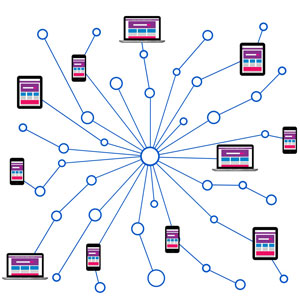
Find today's best Internet connections for businessForced to? Why would that be? Fact is, the major telecom companies are all in the process of decommissioning their copper wire assets. Basically anything that uses century-old twisted pair wiring is on the way out.

Technology marches on. T1 lines were once considered broadband. They don’t even qualify with today’s standard. DSL? Pretty much an obsolete system that was once a good way to re-purpose standard telephone lines for fast Internet access.

AT&T and others have made it clear that they are either pulling up old copper lines or abandoning them to rust in place. The wire centers or central offices that connect to these lines are being repurposed as data centers for the insatiable needs of AI.

So what are better options? Surprisingly, one of the best is also an older technology that has continuously upgraded to keep it competitive with the times.

Cable Broadband Is a Great Deal for Small Business
That coaxial cable that plugs into the back of a set-top box or cable modem has been a familiar tech standard for many decades. Physically, it’s the same. What’s changed is the signal that comes out that center wire.

Cable was originally analog, just like TV signals back in the day. When the Internet came along, some of the unused TV channels were set aside for digital transmission using a standard called DOCSIS or Data Over Cable Service Interface Specification, an invention of the industry’s R&D organization CableLabs. The current standard is DOCSIS 3.1 with a migration underway to DOCSIS 4.0.

Today’s cable modems are cable of gigabit speeds, with common service levels of 300 Mbps downstream, 30 Mbps upstream. That’s fast enough for pretty much all web browsing, video streaming and data transfer. What’s hard to beat at those speeds is the price. Cable is easily affordable by both consumers and smaller businesses, often with telephone service included.

Wireless Broadband is Now Both Mobile and Fixed
Like cable, cellular wireless had humble beginnings as a mobile telephone service, but has kept up with the times through multiple technology advancements. The first standard that really supported broadband as well as telephone was called 3G. That’s evolved to the current standards of 4G LTE and 5G. With 300 Mbps or so, an iPhone has all the bandwidth it can really make use of.

That high bandwidth, which can reach a Gigabit per second near some of the 5G towers, is easily competitive with fixed broadband services. The capacity limits have been largely eliminated with 5G buildouts and the extra spectrum acquired from government auctions of unused television bandwidth. Now the wireless companies are in a competitive battle to roll out cellular modems that work like cable modems but without the wires. You can put one at a construction site or a pop-up store in minutes. If you move soon, take it with you and have connectivity at your next location.

Cable broadband is being built into laptop computers and tablets and other devices, called the Internet of Things. Remote data acquisition and control are now possible in remote areas that have cell towers but no other connectivity.

Fiber, The Gold Standard and Secret Backbone
The magic that makes cable and cellular broadband so fast is the fiber optic lines that feed these services. It’s all behind the scenes, of course. Even so, you may want to connect directly to fiber yourself.

What’s the fiber advantage? Nearly unlimited bandwidth for one thing. Today’s service levels run from 10 Mbps to 10 Gbps just about everywhere, with 100 Gbps service available in some metro locations. That’s important for medium and larger enterprises with many employees who need simultaneous Internet access.

Another big advantage is symmetrical bandwidth That means if you have 1 Gbps downstream, you also have 1 Gbps upstream. Contrast that with most cable and wireless services that offer much higher download than upload speeds. If you need to transfer files up and down regularly or have demanding video conferencing requirements, this can be important.

A third advantage is very low latency and jitter with minimal congestion. This is because fiber is usually a dedicated service, not shared like cable and cellular. For even higher performance, consider a dedicated line between your company and your cloud service that bypasses the Internet completely.

Need the ultimate in performance? Dark Fiber that you “light” with your own equipment gives you complete control of protocols and bandwidth allocation. It’s like having your own network extended across town or across the country.

Do you need a replacement Internet connection or are ready for a bandwidth upgrade or perhaps even a cost saving? Check out the Business Broadband Options available right now.


Click to check pricing and features or get support from a Telarus product specialist.


Follow Telexplainer on Twitter


Tuesday, May 26, 2009

Novatel MiFi 2200 Makes YOU a WiFi Hotspot

If that's a WiFi hotspot in your pocket, they're going to be glad to see you. That is, if you're willing to share. For making instant friends, the MiFi has more potential than a box of hot donuts. Just be the only one on the bus or in the waiting room with broadband connectivity and you'll have them eating out of your hand.

Novatel MiFi 2200 Intelligent Mobile Hotspot. Click for details. What's a MiFi? It's the latest mobile Internet gadget, and perhaps the product introduction of the year. You've seen those little portable routers that you can carry in your briefcase? This is better. This is a WiFi hotspot that slips into a shirt pocket. With it you can provide 3G connectivity to up to 5 WiFi devices within a 30 foot radius.

How does it work? The Novatel MiFi combines a wireless modem aircard with a wireless router in a package smaller than a touchscreen cellphone or a good size candy bar. It measures a mere 2.5" x 2.3" x 0.4" and weighs-in at 2.1 oz. In addition to the aircard and router, there's a rechargeable Li-Ion battery good for 4 hours of continuous use and 40 hours of standby. There's also a micro-USB connector so that you can plug the MiFi into a computer and charge it or use the handy wall charger as needed.

The way it works its magic is that the wireless modem aircard connects to a cellular broadband signal, in this case one from Verizon Wireless towers. Verizon has been a leader in 3G wireless for cell phones using the EV-DO data standard. The MiFi will run on just about any Verizon tower signal it can get, although some out in the boonies might be on the slower 1XRTT standard. That means that anywhere you can get reliable Verizon cellular service, you can have an Internet connection for your hotspot.

Now, you have a choice. You can keep the MiFi hidden discretely in your pocket or bag and just say that your laptop computer is configured to pick up cellular broadband. Or you can be generous and offer to share your mobile Internet signal with up to 4 other grateful nearby users. That's the function of the built-in wireless router. It works just like the one at home, except no wires.

What are the hottest cell phone deals available right now, including free cell phones? Use the Cell Phone Plan Finder to check out the top phones and associated wireless service plans.


Follow Telexplainer on Twitter

Tuesday, January 27, 2009

How Aircards Work For Mobile Computing

Broadband Internet access has become a standard utility for nearly all businesses and home office users. DSL and Cable Internet is readily available and reasonably priced for individuals. T1 lines, DS3 bandwidth, and Ethernet connections are the choice for most business locations. But what do you do when you leave the desktop environment and venture outside? Are you cast into a disconnected limbo between WiFi hotspots? How can you take your presentations, inventory access and order entry to a client's office when they all require a broadband Internet connection? For that you need a little accessory called the aircard.

An aircard or air card is a wireless modem that gives your laptop or notebook computer a 3G cellular broadband connection to the Internet. Generally, any place you can get cell phone reception you can get Internet access. Both the voice and data signals are coming from the same towers. Each cellular carrier has a certain number of channels available at each tower site. Some are assigned for voice calls. Some are assigned for broadband data. But you need a smartphone or plug-in aircard to access the data channels that supply Internet service.

Most aircards offered today are designed for 3G access, but will fall back to the slower 2.5G or 2G speeds if reception is poor or a particular tower site hasn't been upgraded for 3G. The largest carriers, AT&T, Verizon and Sprint, have been in a frenzy to get their tower site base stations upgraded over the last few years. There is a booming market for 3G access, both by aircard users and also for many of the newer smartphones that have 3G access built-in. The Apple iPhone and BlackBerry Storm are just a couple of examples. Broadband service is necessary to support streaming video as well as web-enabled applications and full HTML browser surfing. You can still get by with lower speeds for email and text messaging.

Aircards are specific to a particular carrier, just like cell phones. They also require service contracts, just like cell phones. Wireless service plans for aircards are currently running around $60 a month.

There are differences in the technology used to transmit cellular broadband. Verizon Wireless aircards, Sprint PCS aircards, and Alltel aircards run CDMA networks and use a technology called EVDO. The baseline EVDO service is similar to entry level DSL and offers download speeds of around 700 Kbps with bursts up to 2.4 Mbps when the network is lightly used. The upload link is much slower, typically around 150 Kbps. This network was designed for basic Web access and video clip download. The newly upgraded EVDO Rev A networks increase cellular broadband speeds to cable modem levels of 3.1 Mbps download bursts and a faster uplink of 1.8 Mbps.

AT&T aircards use a different technology called GSM that is more of a worldwide standard. Their basic wireless broadband service is called EDGE and runs at around 250 Kbps. This is the technology used by the first Apple iPhone. But AT&T has now moved to a faster network called HSUPA that has download burst speeds up to 7.2 Mbps with uploads as fast as 2 Mbps. Typical speeds in heavily used metropolitan areas are slower that this, but equivalent to what you'll get on the EVDO networks.

So how do you get an aircard for your laptop computer? That's easy enough. You can comparison shop for aircards by model and carrier right online. In addition to being carrier-specific, there are two styles of wireless modem available. The traditional form factor is a PCMCIA card that plugs into a slot on your laptop computer. But many newer laptops are smaller and have done away with the PCMCIA slots. For those you select the USB models that simply plug-into a USB port just like a USB flash drive. Take some time to check the features of each card you are interested in. Some work only with PCs. Others support both PC and Mac. Some of the USB aircards also have a slot to install microSD memory cards so you can use them as a flash drive as well as an aircard.


Follow Telexplainer on Twitter