Showing posts with label cellular. Show all posts

Wednesday, April 30, 2025

Today’s Best Business Broadband Options

By: John Shepler

If you are still using a copper wireline service, such as DSL or T1, for your business Internet connection, it’s time to upgrade your service… before you are forced to.
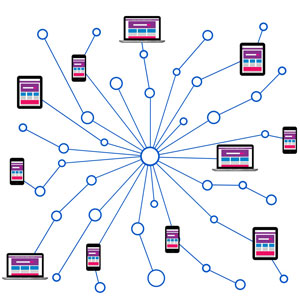
Find today's best Internet connections for businessForced to? Why would that be? Fact is, the major telecom companies are all in the process of decommissioning their copper wire assets. Basically anything that uses century-old twisted pair wiring is on the way out.

Technology marches on. T1 lines were once considered broadband. They don’t even qualify with today’s standard. DSL? Pretty much an obsolete system that was once a good way to re-purpose standard telephone lines for fast Internet access.

AT&T and others have made it clear that they are either pulling up old copper lines or abandoning them to rust in place. The wire centers or central offices that connect to these lines are being repurposed as data centers for the insatiable needs of AI.

So what are better options? Surprisingly, one of the best is also an older technology that has continuously upgraded to keep it competitive with the times.

Cable Broadband Is a Great Deal for Small Business
That coaxial cable that plugs into the back of a set-top box or cable modem has been a familiar tech standard for many decades. Physically, it’s the same. What’s changed is the signal that comes out that center wire.

Cable was originally analog, just like TV signals back in the day. When the Internet came along, some of the unused TV channels were set aside for digital transmission using a standard called DOCSIS or Data Over Cable Service Interface Specification, an invention of the industry’s R&D organization CableLabs. The current standard is DOCSIS 3.1 with a migration underway to DOCSIS 4.0.

Today’s cable modems are cable of gigabit speeds, with common service levels of 300 Mbps downstream, 30 Mbps upstream. That’s fast enough for pretty much all web browsing, video streaming and data transfer. What’s hard to beat at those speeds is the price. Cable is easily affordable by both consumers and smaller businesses, often with telephone service included.

Wireless Broadband is Now Both Mobile and Fixed
Like cable, cellular wireless had humble beginnings as a mobile telephone service, but has kept up with the times through multiple technology advancements. The first standard that really supported broadband as well as telephone was called 3G. That’s evolved to the current standards of 4G LTE and 5G. With 300 Mbps or so, an iPhone has all the bandwidth it can really make use of.

That high bandwidth, which can reach a Gigabit per second near some of the 5G towers, is easily competitive with fixed broadband services. The capacity limits have been largely eliminated with 5G buildouts and the extra spectrum acquired from government auctions of unused television bandwidth. Now the wireless companies are in a competitive battle to roll out cellular modems that work like cable modems but without the wires. You can put one at a construction site or a pop-up store in minutes. If you move soon, take it with you and have connectivity at your next location.

Cable broadband is being built into laptop computers and tablets and other devices, called the Internet of Things. Remote data acquisition and control are now possible in remote areas that have cell towers but no other connectivity.

Fiber, The Gold Standard and Secret Backbone
The magic that makes cable and cellular broadband so fast is the fiber optic lines that feed these services. It’s all behind the scenes, of course. Even so, you may want to connect directly to fiber yourself.

What’s the fiber advantage? Nearly unlimited bandwidth for one thing. Today’s service levels run from 10 Mbps to 10 Gbps just about everywhere, with 100 Gbps service available in some metro locations. That’s important for medium and larger enterprises with many employees who need simultaneous Internet access.

Another big advantage is symmetrical bandwidth That means if you have 1 Gbps downstream, you also have 1 Gbps upstream. Contrast that with most cable and wireless services that offer much higher download than upload speeds. If you need to transfer files up and down regularly or have demanding video conferencing requirements, this can be important.

A third advantage is very low latency and jitter with minimal congestion. This is because fiber is usually a dedicated service, not shared like cable and cellular. For even higher performance, consider a dedicated line between your company and your cloud service that bypasses the Internet completely.

Need the ultimate in performance? Dark Fiber that you “light” with your own equipment gives you complete control of protocols and bandwidth allocation. It’s like having your own network extended across town or across the country.

Do you need a replacement Internet connection or are ready for a bandwidth upgrade or perhaps even a cost saving? Check out the Business Broadband Options available right now.


Click to check pricing and features or get support from a Telarus product specialist.


Follow Telexplainer on Twitter


Wednesday, January 19, 2022

Fixed Wireless As Fiber Backup

By: John Shepler

You need large amounts of rock solid bandwidth to enable your business systems, including telephone, conferencing and business process software in the cloud. Normally, that says fiber optic connectivity. But what if that fiber gets cut (it happens) or just can’t be installed soon enough or the construction is just too expensive? Then what? If you happen to be located in the right areas, fixed wireless can be your best solution.

Take a look at fixed wireless microwave as a backup or substitute for fiber optic connectivity.What is Fixed Wireless?
Cell phones have brought mobility to all of us, including having both a phone and a small computer in our pockets. This is wireless mobility. Each device has a modem and radio that communicates with the nearest cell tower. As you move, the session keeps getting handed off to the next towers as you get closer to them. All of this is imperceptible to you, the user. The complexities of handling mobile signals is hidden in the cellular network.

Perhaps you’ve tethered your phone to your PC to keep working when your cable or landline Internet service was interrupted. That’s an example of fixed wireless. It’s the same as mobile wireless, but you’re not moving.

Cellular Fixed Wireless
Ideally, you’d like to tether your entire network to your phone during an outage rather than just one PC. Some phones allow this by acting as WiFI hotspots. In a small business, you may find this work-around to be just fine for short periods of time. Not being able to walk away with your phone can be a real inconvenience. Running out of minutes and getting cut off or big overage charges can be an even bigger inconvenience.

Fortunately, there are fixed cellular services designed for exactly this use. The box you receive looks something like a Wi-Fi router. It has better antennas than your phone, an Ethernet jack to feed your network, and, perhaps, built in WiFi routing. Some have provisions for mounting an antenna outside in weak signal areas.

Best of all, fixed cellular wireless services for business know that you can’t get by with a few Gigabytes a month. You can order 100 GB and more, even unlimited (within reason) usage. Services include 4G LTE and, now, 5G to give you the speed you need to run your business.

Microwave Fixed Wireless
The big brother to cellular is point to point microwave fixed wireless. This is a modern version of the old telco point to point microwave relay. You get a small dish or other microwave antenna that attaches to the side of your building or sits on the roof. It points directly at the provider’s antenna at their central location. This is a line of sight service and generally limited to metropolitan areas.

A major advantages of this type of service is that it is private and dedicated to business use. You won’t be competing with everybody else’s cell phones for bandwidth. The bandwidths can be as high as 1 Gbps or even 10 Gbps. They can also be symmetrical, unlike cellular. With many services your upload and download speeds are the same and your bandwidth is guaranteed. Usage limits? Not usually an issue.

You might even think of microwave fixed wireless as fiber optic without the fiber. Ditching the physical fiber means fewer construction headaches and delays. It is possible that you can have service installed in as little as a few days compared with weeks or months if your building isn’t already lit for fiber.

An unexpected benefit is that fixed wireless can have lower latencies than fiber services with the same bandwidth. That’s because the wireless signal is a direct beam from provider to you. Fiber systems tend to weave all over town with lots of switching gear in the path. Lower latency is critical to some businesses, especially in financial trading. It’s a boon for improving the quality of VoIP phone calls and video conferencing, and for interactive processes running in the cloud.

Cellular broadband uses the Internet and whatever latencies and congestion exist. Fixed Wireless can avoid the Internet and its limitations, or be connected to the Internet so that you can easily connect to customers and suppliers.

Why Not The Best of Both Fiber and Wireless?
Perhaps the best arrangement for your business is a combination of fiber optic service and fixed wireless service. Why both? One reason is to get service started fast with fixed wireless and then add fiber when you can get it installed.

Once you have both running, consider keeping your fixed wireless as a backup to the fiber. Fiber interruptions, often caused by the cable being cut during unrelated construction work, can take days to repair, leaving you high and dry. With automatic failover installed, your traffic will simply move to the wireless link without interruption. When the fiber comes back online, the system will switch back.

Note that fixed wireless offers a true diversity path to fiber. That means fiber and wireless are very unlikely to exhibit failures at the same time. Some businesses think they have this in place by ordering redundant fiber lines or even fiber services from two separate providers. What they don’t realize is that all the fiber serving their location runs in the same bundle or conduit and can all be taken out at the same time by one accident.

Do you need fast installation of high speed business connectivity and/or a robust backup to the fiber you already have? Consider microwave fixed wireless service for your bandwidth needs.

Click to check pricing and features or get support from a Telarus product specialist.


Follow Telexplainer on Twitter


Monday, November 16, 2020

Wireless Business Internet Options

By: John Shepler

We live in a wired world. Your business is tethered to infrastructure of electrical power, telephone and Internet by a variety of copper cables. Electric power and landline phone are almost universally available, thanks to national plans and regulations.

Wireless Business Internet solutions for you.Internet? Not so much. While copper and fiber optic broadband are readily available in metro and suburban areas, as you get farther from the city center you options go down. Out in rural areas? There’s often no such thing as wired Internet infrastructure. You either go without or… go wireless.

Point to Point Microwave
Think of point to point microwave as fiber optic without the fiber. At high enough frequencies that could be an actual light beam from a laser, although it is much more common to use the centimeter and millimeter wave bands.

PTP microwave uses small dish antennas at the sending and receiving ends. This is a fixed, not mobile, service and you need the antenna on your building high enough to see the other dish without obstructions. These high frequencies don’t penetrate objects well, but they can supply high bandwidths of a Gigabit per second or more.

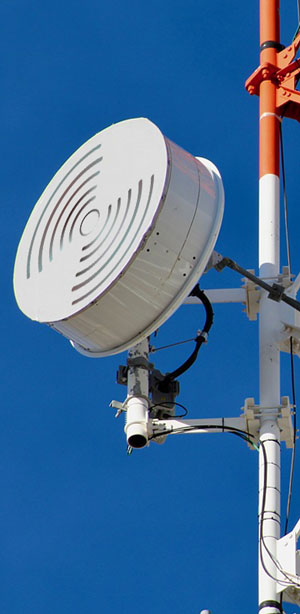
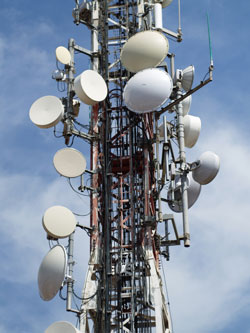
While PTP microwave established itself in dense metro areas that might be expensive to add fiber or cabling or take too long for construction, you see these little dishes on cell towers out in the country for the same reason. If there is a provider serving your area, you might be in luck for this service.

Wireless Internet Service Providers
A WISP, as it is known, is a centrally located tower that provides wireless Internet service to a small service area circling the tower. This is point to multi-point rather than a dedicated PTP link. Think of WISPs as high powered WiFI outdoor routers. Like PTP, you’ll need an outdoor antenna, perhaps one of those small dishes, pointed at the tower. They may operate in licensed or unlicensed spectrum and deliver typical broadband speeds.

WISPs are popular where fiber and cable don’t reach, but they are local operations. You may or may not have one that serves your location.

Cellular Broadband Service
Just about everyone has a smartphone these days and making phone calls is the least of the services we expect. No, it’s the broadband Internet connection feeding a myriad of apps that keeps us glued to the screen. That same broadband can be harnessed for business applications using an access point that has all the circuitry needed for broadband but minus the screen and telephone capability.

For limited or infrequent use, you might pick up one of these access points at a big box store. Have it set up for the carrier of your choice. These work well in areas where the cellular signal is strong and usually come with fairly limited usage plans. Plug the access point into your router or buy one that comes with a WiFi router and you can serve your entire business.

A more robust version designed especially for business uses specially designed antennas for better signal pickup or an outside antenna that will give you a strong signal even in rural areas. These business grade access points are usually 4G LTE or 5G where available. They also come with more extensive data plans, some even unlimited… just what you need to run a business with employees.

What makes this really attractive is that the cellular infrastructure is already widespread and extending out into many rural areas and smaller towns. If your business needs to move from job site to job site or your operate pop-up stores, cellular broadband may be the only reasonable option that will follow you.

Satellite Broadband
Yes, there are areas really out in the boonies where there is no cellular service and even landline phone and electric power are hard to come by. You can still get Internet, though. How? With a satellite dish pointed at the southern sky where the geostationary communication satellites are parked. Newer high power satellites offer high speeds, reliable service, reasonable data plans for business and reasonable prices.

The big limitation of satellite business broadband is the latency that is inherent in the long distances that the signal must travel up to the bird and back down. This half to one second or so delay can be an annoyance for business processes that use the cloud or VoIP phone calls and video conferences. For email, web browsing, remote data acquisition and file transfers, latency might not be much of an problem at all.

The latency issues will likely be solved by the new constellations of Low Earth Orbit or LEO satellites. These orbit hundreds rather than tens of thousands of miles up and support latencies similar to cable or long haul fiber. SpaceX is first to market with an extensive fleet of broadband satellites that will provide worldwide coverage, even at sea, in a few years. Other providers will likely follow, as the potential market for connecting the disconnected is enormous.

Are you in serious need of reliable broadband Internet service for your business at a reasonable price? Find out what wired and wireless solutions are available for your locations now.

Click to check pricing and features or get support from a Telarus product specialist.


Follow Telexplainer on Twitter


Friday, April 17, 2020

Business Grade 4G LTE Broadband for Work at Home

By: John Shepler

All of a sudden, everybody is working from home… or at least trying to. One of the big challenges is trying to get enough high speed, low latency bandwidth into a remote business or home office instantly. The more isolated your location, the tougher it gets. Well, thanks to the wide coverage of 4G LTE cellular broadband and high performance modem/routers, you can get the bandwidth you need fast, at low cost and with no long term commitment. Does that sound interesting?

Get business grade wireless broadband now.The Secret is Wireless
Forget having wires or, worse, fiber run to your location. That’s not going to happen fast and it might cost you a small fortune in construction fees plus a multi-year commitment. For a situation that may only last a few months to a year, it’s tough to take on a contract like that. Fortunately, you don’t have to.

Wireless broadband is now just about everywhere with any population at all. Can you get a decent cell phone signal? Then you are pretty much assured of having broadband Internet access. The cellular phone system started out as a replacement for voice-grade landlines, but has morphed into a broadband Internet service that also supports phone calls. The current widely deployed iteration is 4G LTE. Signals are strong and bandwidth is similar to many cable services. All you really need is a way to connect.

Instant Desktop Broadband
Here’s a little secret that I use to backup my own cable broadband. Your iPhone will act as a personal hotspot. Just turn that feature on, select that network name on your desktop WiFi and enter the password the phone gives you. Voila! Your desktop computer in on the Internet. No wires needed.

This works great for short term outages, but if you are going to use this service day after day, there is always the nasty issue of data limits. You may have 20 GB on your wireless plan, but typical monthly use is more like 250 GB. Your cellular plan won’t cut it for the long term. You need something designed for business.

Business Grade Wireless
Instead of a cell phone, you need something that looks more like a WiFi router but with 4G LTE driving it instead of DSL or Cable. These are made by companies like CradlePoint with service from business broadband providers like For2Fi.

A single box has a 4G LTE modem with antennas and a WiFi signal router. Some models include firewalls, Ethernet ports, and even Power over Ethernet (PoE). Unlike a cell phone, you can add an external antenna to boost the signal in areas with weak coverage.

Enterprise Grade Service
Would unlimited usage (subject to 300 GB acceptable use policy) at 20 to 50 Mbps download and 5 Mbps upload with low latency and low packet loss work for you?

You will be able to do the usual web browsing and email, but also video conferencing, file collaboration, teams and unified communications as a service (UCaaS).

But what does this cost? It’s about what you’d pay for business grade cable broadband and likely less than a 1.5 Mbps T1 line (sometimes the only other solution in rural areas). That’s with no contract. You just pay as long as you use the service.

For businesses that are really on a budget, there is also a basic plan with 1, 5, and 10 GB plans at a bargain rate. If you go over the limit, you pay a fee per GB used.

Are you faced with having to suddenly support a scattered workforce with no time to install the usual connections and in locations that might not even support high speed wireline or fiber installations? Get up and running in days, not months with a flexible enterprise grade wireless broadband solution. Use the handy online form or call toll free 888-848-8749 now.

Click to check pricing and features or get support from a Telarus product specialist.


Follow Telexplainer on Twitter

Wednesday, June 26, 2019

How to Feed a Hungry WISP

By: John Shepler

We’re a wired nation, except when it comes to locations that are a bit off the beaten path. That includes farms, rural households, businesses beyond the city limits, new subdivisions and some industrial parks. While they may have telephone, thanks to universal service, the availability of broadband Internet access is less of a sure thing. This is where the wireless broadband supplier or WISP fills the gap.

Get the best bandwidth pricing for your WISP.Why WISPs?
WISP or Wireless Internet Service Provider is similar to a cell phone provider, except specializing in high speed Internet access. While even 4G cell service has fairly low usage limits, WISP services are much more generous and try to emulate the type of service you’d get from cable, telco or even fiber optic lines. The real cost to hooking up less populated areas is trenching cable bundles or flying them on utility poles. The WISP eliminates the wires and their associated cost. The tradeoff is that you generally need a small dish antenna and receiver outside to pick up the signal from the WISP tower.

Where Do WISPs Get Their Broadband?
While the WISP distributes broadband much like WiFi, the broadband they serve must come from somewhere. When the Internet was young, T1 lines did an excellent job of feeding the WISP, just like they did feeding cell towers out in the countryside. The beauty of T1 is that it can be sent virtually any distance over standard twisted pair telephone wiring. The downside is that the bandwidth is fixed at 1.5 Mbps per T1 line. Higher speeds can be accomplished by adding or bonding additional lines to double, triple or quadruple the speed. The practical limit is around 10 to 12 Mbps. Pricing goes up linearly as you add each line.

Higher Speed Copper Lines
A newer technology that also runs over twisted pair copper is Ethernet over Copper (EoC). This service offers higher speeds, say 20 or 30 Mbps or even higher. Transmission is distance limited, but EoC is now more available beyond the city limits. Cost is much more attractive per Mbps than T1, if moderate speeds are adequate for what you need.

Business Cable Broadband can provide hundreds of Mbps these days but has suffered from very limited deployment outside of metro areas. That has changed somewhat as the cable has been extended to outlying subdivisions and business parks. If you can get this service and the Cable Company is OK with using it for a WISP, the cost will be very attractive.

Fiber Optic Service
The new gold standard of bandwidth service is fiber optic lines. These used to be few and far between, but provider competition has made them far more common even in rural areas. You can thank 4G cellular for providing the incentive to trench fiber conduits into rural areas. Prices have come down dramatically with Ethernet over Fiber (EoF) services. These are highly reliable and easily scalable up and down in bandwidth to meet your needs. Bandwidths of 10 Gbps up to 100 Gbps are common now.

Microwave Transmission
Why not feed wireless with wireless? That’s not a crazy idea and is being used more and more as telco companies upgrade to 5G towers. Microwave is a point to point wireless service. You mount a small dish on your tower and point it toward the service provider. It’s like fiber but without the fiber.

SDN Combines Bandwidth
What if you need more bandwidth than any one supplier can provide? One option is to combine them using a technique called SDN or Software Defined Network, also known as SD-WAN or Software Defined Wide Area Network. The SDN controller manages traffic to get the best performance for each packet. You can combine T1, EoC, cable broadband, microwave, fiber optic lines and even satellite Internet to create a higher speed robust feed for your WISP tower.

Do you operate a WISP service or have one in the planning stage? Find out what bandwidths and pricing are available for your desired locations now. A friendly consultant will help you sort through the options.

Click to check pricing and features or get support from a Telarus product specialist.


Follow Telexplainer on Twitter


Wednesday, September 19, 2018

Rural Doesn’t Mean Broadband Wasteland Anymore

By: John Shepler

Running a business in a rural area or even locating in a business park outside the city limits presents a challenge that urban companies seldom have to face. That is, how to get adequate broadband service at an affordable price.

Find rural broadband now.Is What I Need Even Available?”
Years ago, you could run a decent size business with a few phone lines and electric power service. Now you can hardly serve even local customers without broadband in addition to or combined with your telephone service. The performance you must have varies with the size and nature of your operation.

Small retail and service businesses have it easiest. A traditional T1 line at 1.5 Mbps can get you by. Prices have dropped dramatically, so you may only be looking at a few hundred dollars a month even in the unwired boonies. That’s because T1 uses the same twisted pair wiring that delivers analog and ISDN PRI PBX telephone service.
T1’s 1.5 Mbps may seem pretty pokey these days, but it’s enough to handle email, credit card verification, online ordering and operation of simple web sites on remote servers. You can often double or triple this bandwidth, at double or triple the price, by bonding multiple T1 lines together.

A competing service called Ethernet over Copper uses the same infrastructure but a more advanced technology to deliver 10 or 20 Mbps on the same telco lines. It’s less expensive than T1, but doesn’t deliver the higher bandwidths over long distances. If you are on the edge of a metro area, this can be a good solution.

The gold standard of broadband is now fiber optic service. Fiber has long been available in metro areas, but rarely out in the countryside. That’s changing fast. The killer app is 5G cellular wireless. High bandwidths are needed for 5G and even 4G LTE. That means every tower must get served by fiber or point to point wireless. With all that fiber being trenched and lit, the chances of a fiber optic connection at a reasonable price has gone up dramatically.

How About Cable?
DOCSIS Cable Broadband has traditionally stopped at the city limits. However, these lines are being strung farther and farther from town to serve new subdivisions and industrial parks. If the cable runs by your property, chances are excellent that the cable company can provide you with a drop at little or no construction cost.

Cable has also gotten a new lease on life with DOCSIS 3.0 and 3.1 modems. It’s fairly easy and inexpensive to get 100 Mbps downloads and 1 Gbps service is becoming more and more common.

When There Are No Copper or Fiber Lines
Some areas still aren’t being served. That’s especially true of small farming communities, farmsteads and ranches and any business located on historically rural property. Your option in this case is to go wireless. If you have a small home-based business you might even get by with cellular broadband. You can buy a wireless access point with this service installed or use your phone as a Wi-Fi hotspot to feed your computer and tablets. The main hitch with this approach is strict data limits of 20 GB or so per month. You have to buy more capacity or have your service slowed or cut off if you exceed your carrier’s limits.

Point to Point wireless broadband provided by WISPs (Wireless Internet Service Providers) offer higher data limits and higher bandwidths than cellular. There are no national providers. You have to be in the footprint of a local or regional provider to get service.

Business satellite can now give you the higher bandwidths you desire, even up to 100 Mbps with decent data packages. All you need is power and an open view of the Southern sky. Prices are similar to T1, cable and wireless. The remaining limitation is the half-second or more of latency as the signal goes up to the bird and back down. If what you are doing is OK with that delay, it is an option that works in the remotest of locations.

Don’t assume that just because your area wasn’t built out for broadband years ago that it still isn’t. Progress is happening rapidly in this field, often helped by federal programs to expand rural broadband. Check your rural broadband options now and see what may have become available recently.

Click to check pricing and features or get support from a Telarus product specialist.


Follow Telexplainer on Twitter

Wednesday, July 08, 2015

Broadband for the Bandwidth Starved

By: John Shepler

To say that we live in a connected society sounds like belaboring the obvious. It’s seems clear that everyone, and especially everyone in business, has pretty much claimed their piece of the bandwidth pie. But… not so fast. We’re not ALL connected the way we need to be. There are pockets of broadband wasteland out there that are still starved for bandwidth. If you find yourself in this situation, what hope is there?

Do you also need more bandwidth? Products with this theme are available. Click to see the selection.Yes, Virginia, There IS Broadband
Earlier in the century, there were islands of broadband access and vast areas where dial-up access was all that was available. That situation has pretty much reversed. Today, there is almost nowhere you can’t get at least some broadband Internet access. It’s just a question of what type of broadband service is available and how much you are going to pay.

Fiber Optic - The Cadillac of Bandwidth
I’ve said it before and I’ll say it again. We’re heading toward an almost all-fiber world. There really isn’t anything else that has the capacity of glass fiber strands. Try sending 10 Gbps down a copper pair. That’s only going to happen within a building. That signal is certainly not going to make it across town. The same 10 Gbps is child’s play for fiber. One strand with one laser can provide that bandwidth. You can easily multiply that by 10 to 100 times using WDM or Wavelength Division Multiplexing.

Fiber Everywhere?
You might think it’s fiber, fiber everywhere and not drop to drink. Actually, it might be not a drop to be had. Fiber really is everywhere. That long country road? There’s a good chance there’s fiber buried in the utility right of way. Highways, railroads and pipelines are popular routes for fiber conduit. The reason most of this fiber is invisible is because there are few drops, or places to connect with all that fiber.

That’s changing. What’s happening is that both consumer and business applications have become more bandwidth intensive. The cloud? You don’t dial-up into the cloud. You better have a decent bandwidth connection or you’ll wish you kept those servers at home.

The Fiber - Mobile Connection
Another big driver is mobile broadband. Feature phones are pretty much extinct. Everybody has an iPhone or an Android. Now they’ve got to have a 4G LTE smartphone. The latest apps and streaming content demand 10, 20 or 30 Mbps of bandwidth. In the future, even that capacity will seem like dial-up.

What’s fiber got to do with mobile? What gets transmitted from the towers has to get to the towers in the first place. That’s where fiber comes in. The T1 lines that have traditionally fed 2G and 3G cellular don’t have the capacity for 4G and the 5G to come. Carriers have long since realized this and have have been in a building frenzy to get fiber to the towers. In-town that’s no big deal. Out in the boonies? It’s a major construction project. No matter, there is a lot of fiber going in the ground and connecting to cell towers here, there and everywhere.

The end result is two-fold. One, wireless broadband speeds are going up like crazy (wireless is becoming the fiber for portable and mobile applications). The other benefit is that the actual fiber is becoming available in many, many more locations.

What Fiber is Available?
The ancient standard in fiber optic connectivity is called SONET. It’s far from obsolete, since many if not most long haul networks run over SONET rings. SONET makes a great backbone, but it’s often not the best connectivity for business.

The newer standard is called Carrier Ethernet. It’s an extension of the Ethernet that runs on your LAN. Because they are on the same technical standard, you simply plug your LAN into the Carrier Ethernet WAN and your network connects across town, to another state or around the world. Connect to the Internet using fiber and you have high speed access to your employees, suppliers and customers.

Carrier Ethernet comes in two flavors. Ethernet over Copper is the low speed standard. It runs on twisted pair copper and is good for 10 Mbps or so. Ethernet over Fiber starts at 10 Mbps and goes up to 10 Gbps and beyond. That’s the advantage of fiber Ethernet. It’s pretty hard to run out of bandwidth no matter how big your company grows.

Another advantage is scalability. You can start out at 10 Mbps and go to 100 Mbps or 1000 Gbps any time you want. The fiber can handle it. If you install a fast enough port, chances are that you won’t even have to replace equipment. Just call your provider and request a bandwidth increase.

What If There Still Is No Fiber?
Don’t write off fiber until you’ve gotten a new set of quotes. The fiber footprint for every carrier is changing daily. Just because you got turned down last year doesn’t mean you are still in the middle of nowhere. But… sometimes you still are.

For smaller or less bandwidth demanding businesses, such as small retailers and some farms and ranches, the trusty T1 line may still get the job done. You get a solid 1.5 Mbps up and down. That’s certainly good enough for email, much casual web browsing, and even online ordering. Video? Not so much. But, maybe that isn’t your critical need.

The beauty of T1 lines is that they are available nearly everywhere you can get a landline phone. They can also be bonded to double or triple your bandwidth. In some cases, 10 Mbps is entirely possible. That’s about the limit. Prices per line are a fraction of what they used to be, so you might find T1 is your most affordable option.

Can We Ditch The Wires?
Wireless is also more of an option than it used to be. Those same cell towers that are powering 4G smartphones can also feed a fixed receiver at your location that will give you broadband over your LAN. Today, most businesses are within good signal range of at least one cell tower.

For a lot of applications, bandwidth won’t be your problem. Usage will be. Wireless is a scarce resource, so even the so called “unlimited” plans have “fair usage” limits. If you go over, you’ll pay overage charges or have your service rate limited or cut off. Even so, many businesses are still not Internet-intensive and can get their online jobs done without going over, say, 10 GB per month.

Bird Is The Word
If you are so out in the woods that nothing else will work, there’s always satellite. Yes, you do need to be able to peek through the trees to see the southern sky. Yes, you do need to power the satellite equipment. If neither of those is a big problem, you can get broadband service for sure.

Satellite broadband used to be something of a joke. Bandwidth was pitiful and usage limits were paltry. Newer generations of bigger, higher power satellites have made a lot of those problems go away. You can get decent broadband levels, although nowhere near fiber capability. Still, 5 to 15 Mbps is reasonable for many businesses. Like cellular, there are usage limits on satellite and 10 GB per month is not untypical, although there are higher usage plans available. Once again, this is for web access and email, not video streaming.

The other issue you should be aware of is latency. The big birds are flying some 23,000 miles up there and it takes even a radio wave a half-second or more to get up, down and back again. Latencies of 500 mSec to 1 Sec or more mean that telephone calls over satellite are more like two-way radio conversations. You have to wait your turn. The same is true for video conferencing. Expect other cloud services to be similarly sluggish over geosynchronous satellite broadband.

What Flavor of Broadband Will Satisfy Your Bandwidth Appetite?
Options available to many locations include fiber, T1, cellular wireless and satellite. One of these should be usable for your applications. In many cases, you have more than one choice. Sometimes even cable broadband or high speed fixed point to point fixed wireless service are additional options. How do you know what’s available? It starts with a no-obligation quote from multiple service providers that you can request in just a minute or so.

Click to check pricing and features or get support from a Telarus product specialist.


Note: Products with the humorous theme "I Definitely Need More Bandwidth" shown on this page are available through the Gigapacket Zazzle Store.


Follow Telexplainer on Twitter

Tuesday, April 28, 2015

Why Business Needs Unified Communications

By: John Shepler

Time was when there was only one method of electronic communication. It was that heavy black phone on your desk. Now look what we have. Sure, there’s still a black phone on your desk, but it’s a lot lighter thanks to modern plastics and solid state electronics. There’s also a raft of other ways we communicate electronically. How many of these do you use: email, text messages, mobile phone calls and video chats? How about the platforms: desktop computers, laptops, tablets, smartphones and soon… a watch?

Let's Unify Our Communications mousepad. Find more products with this theme now.One of the biggest communications issues, especially in business, is that all these different platforms and applications don’t necessarily play together well. One solution is to just make sure you have them all with you. That used to mean a pager on the belt, a cell phone in the pocket, a laptop in the briefcase, and somebody to forward you messages from your office when you were in the field. A better solution soon became a crying need.

Let’s Combine Everything into One
The answer that you might expect is to integrate all of these communications systems into one. That won’t really do. There is no one platform that can handle everything equally well. The desk phone is tethered, as is the desktop computer with the nice big screen. The smartphone screen is way too small for a lot of serious work. The tablet makes a ridiculous telephone held up to your ear.

There are forces still pulling in that direction. Enter the “phablet.” It’s a giant cell phone that’s almost, if not really, too big for your pocket. Tablet computers now have clip on keyboards so you can touch type from the coffee house. Laptop computers are shrinking, getting lighter and some have screens that detach from the keyboard and act like tablets. If there was only a way to get a great big screen that you can actually see along with keys that fit your fingers along with a telephone that lets you take calls privately, handles email and text messaging, and all fits neatly in your shirt pocket.

Well, there isn’t. There isn’t even anything on the horizon that fits this description. Someday, the QWERTY typewriter keyboard may become as quaint as the crank telephone. Siri might actually become your best friend and be able to read your mind as well as understand everything you’re mumbling. Something akin to Google Glass may project that big screen in front of your face anywhere. That’s not today, though. Today we need a solution that let’s us communicate anyway we like anywhere we happen to be.

It’s Called Unified Communications
The development that takes what we have and makes it into the closest approximation of what we really want is UC or Unified Communications. The “unified” part means doesn’t mean trying to get one platform to do everything. It recognizes that each device has its strong points and weaknesses. The master solution is to make all of this stuff play together well. In fact, so well that you needn’t be afraid that you are missing out just because you don’t have a particular platform with you at the moment.

A simple example is the lowly telephone call. Every business is still dependent on the telephone simply because it is the only universal medium of voice communications. For a long time, this meant having a business number that you printed on your business cards and a separate home phone number that was printed in “the book.” If you were at home you didn’t get your business calls unless you had a secretary working late to give the caller your home number or forward the call. You came in the next morning and found a raft of pink “while you were out” call sheets on the your desk.

The introduction of the cell phone only made matters worse. Now you’ve got a third phone number that only certain people know. What if they call the office instead of your cell when you are out? Will you miss the sale? Could be.

Unified communications starts with voice mail to replace the secretary and the telephone message sheets. You don’t have to fear missing a call because they’ll leave a voice message you can pick up anywhere. Even better is a “find me follow me” service that routes your calls to wherever you happen to be. With this type of automation you can hand out a single phone number and have it try your office phone, your cell phone or go to voice mail. You can even have it send you an email with the audio file of the call. Toll free number? Just have it routed to your unified business number.

The Technology Behind UC
The most popular platform for implementing unified communications is the cloud. Why? Because the cloud provides a common place to collect and distribute everything with near-infinite resources. All that processing power can easily handle everything from an independent professional up to the largest corporation. You don’t need to make a big capital investment or try to keep up to date on installing the newest features. The cloud provider takes care of that.

Cloud UC is driven by computing power and that computing power understands IP or Internet Protocol. The “Internet” part of IP doesn’t necessarily mean the public Internet. It just means the technical protocol that is also used by the Internet. For security and highest voice quality, you may not want your internal communications on the Internet at all. You will, however, want access to the Internet both in the office and on the road. That can be done carefully so that you use the Internet when you want to but private channels when you don’t.

What UC Can Do For You
Unified communications can be a gateway to both productivity improvement and cost reduction. It augments or replaces your in-house PBX phone system with a more powerful VoIP system that uses a common network with your computers and other digital devices. You can get tools for ease of collaboration among employees as well as the obvious single phone number benefits. Your laptop becomes your desktop with remote desktop access. Voice and video conferences can take place anywhere with a diverse group scattered in offices and hotel rooms around the globe.

Will all this cost a fortune? It’s probably cheaper than you think and may even offer all the new benefits at a lower cost than you are paying now. There’s only one way to find out. Get a set of competitive quotes for unified communications solutions and review the benefits and costs specific to your situation.

Click to check pricing and features or get support from a Telarus product specialist.


Note: The humorous mousepad about unified communications, along with many other items in the same theme, is available from the Gigapacket Zazzle store.


Follow Telexplainer on Twitter

Friday, October 31, 2014

Business Phone Line Options

By: John Shepler

One thing every business, large or small, needs is at least one telephone line. Phone lines may seem pretty mundane, but you may have more options than you think. Are you sure that you have the right phone line for your business?

You have multiple options for business phone lines.Plain Old Telephone Service
The historical phone line that we’re all familiar with is the analog phone line, also called POTS for Plain Old Telephone Service. It’s that vanilla.

POTS lines are as simple as they come. They consist of a single twisted copper pair that runs from a standard RJ-11 phone jack on your wall all the way back to the telephone company central office. The phone conversation is carried by a varying current in the wires.

What you may not realize is that POTS is a self-contained phone system. Phones were traditionally made of passive electrical components. They got their power right off the phone line… and still can. The value of this is that even if the electrical power goes off at your location, you still have phone service.

What’s happened lately, however, is that even single line phones have gone electronic and require AC power supplies and/or batteries to power the circuitry. This is especially true of cordless phone systems with multiple handsets. You can still get dial tone during a power outage, but you need to have a backup battery supply to operate the phone, not the line.

Multiple LInes
You are not stuck with just a single POTS line. You can have as many as you want. Mind you, there is no economy of scale. There is a fixed price for each line whether you have one phone per line or share the outside lines using a Key Telephone System or PBX.

Wireless as an Option
Can you get rid of the telephone line completely? That’s what cellular phone service is all about. No more “landline”. Everything is done with cell towers instead of wires. Wireless can work just fine for independent professionals who are always out of the office anyway. With a data plan you can have both Internet and voice telephony on the same device. You can enhance your mobile setup with an incoming toll free number, fax transmission and reception, and international dial-around calling. Shared plans can support a small office as well as a single user. Operations larger than that will still need wired landlines.

Moving up to Trunks
A telephone trunk is multiple phone lines coming in on a single cable. There used to be analog trunks, but that technology has all gone digital. The most popular trunks are T1, ISDN PRI and SIP.

T1 lines were devised as replacements for multiple analog POTS lines. Instead of separate wires, T1 lines are multiplexed to divvy up the available bandwidth into 24 independent channels. Each channel can be thought of as a separate phone line.

What if you already have a dozen phones and want to replace all those separate phone lines with a single T1 line? Chances are that you’ll get the same or better service at a lower monthly cost. A box called a “channel bank” handles the conversion between T1 channels and analog lines. Just plug your phones in like you always have.

T1 vs ISDN PRI
ISDN PRI or Primary Rate Interface is a variation on the T1 line. It uses the same channelization scheme, but dedicates one channel to dialing and switching for all the others. That means you have a maximum of 23 outside lines available on a PRI trunk. The tradeoff is that your phone calls will switch faster on ISDN PRI. That’s important for call centers and others who need highly efficient telephone operations.

Most PBX systems now have the interface circuitry for T1 and ISDN PRI already built-in. You simply plug in the trunk line and the system handles all of the necessary conversions.

SIP Trunks
Many, many companies are considering switching to VoIP technology or have already made the move. SIP trunks are the natural complement to VoIP phone systems. Their advantage is that they use the same protocol, SIP, as the phone themselves. Remember that VoIP or SIP phones connect directly to an Ethernet LAN, usually shared with computers, printers and other network devices. The SIP trunk extends the network so that it also connects to the VoIP service provider.

Like T1 and ISDN PRI, SIP trunks support multiple simultaneous telephone conversations. The difference is that these conversations consist of packet streams all combined on one line instead of breaking the line into separate channels.

Another advantage of SIP trunks is that they can carry Internet traffic as well as phone calls. After all, everything is in packet format. What’s important is that the trunk be setup to prioritize telephone traffic over data traffic to ensure voice quality. This is called Class of Service or Quality of Service.

What phone line is best for your business? One way to find out quickly is to get multiple competitive quotes for everything from POTS through SIP Trunking as business phone line options.

Click to check pricing and features or get support from a Telarus product specialist.


Follow Telexplainer on Twitter

Monday, November 18, 2013

Why Wireless Is The New Copper… But Not The New Fiber

By: John Shepler

Part of the world went incommunicado a couple of weeks ago. No, this had nothing to do with repressive regimes or criminal hacking. It’s a condition that is all too frequent and all too overpowering. Nature strikes and part of the planet goes dark… at least for awhile. It could be earthquake, volcano, hurricane, wildfire, tornado or flood. This one was named Haiyan and it was a massive typhoon that descended on the Philippines. Thousands dead, millions homeless and communications gone.

Typhoon Haiyan as viewed from the International Space Station courtesy of NASA.A characteristic of natural disasters is that they demolish infrastructure. That’s buildings and roads, certainly. It’s also radio towers, power lines and telephone wires. This infrastructure took months and years to install and it will take months and years to restore.

So, what happens in the meantime? It’s emergency communications and it’s almost always wireless. The nice thing about wireless is that, in its simplest forms, it can be deployed on a moment’s notice. Two way radio is a good example. The first communications to be re-established between Tacloban in the Philippines was ham radio. You can hear the story on Sunday’s Weekend Edition on NPR.

Hams, or amateur radio operators, have a long tradition of being first responders when electronic communications is needed. Each year they have a practice session called “Field Day” to test their ability for quickly establish working voice and data facilities in the middle of nowhere. Hams are also invaluable as storm spotters to keep taps on rapidly developing tornadoes.

What allows hams to step in when nothing else works is that they are self-contained. A fully functioning transceiver can be held in your hand and run on batteries, yet communicate for hundreds and even thousands of miles. The infrastructure is small, portable and easily deployed.

Cell phones are even smaller, more portable and self-contained. Plus, everybody’s got one. You don’t need any special training or licensing. It wireless communications for the masses that theoretically has no distance limit. Indeed, text messages and tweets have made it out of the world’s political hot spots when nothing else can.

The Achilles heel of cellular is the network of towers and switching centers that make the system work. A good strong blow from mother nature will level these and stop all communications indefinitely. Well, not indefinitely. These weaknesses have been recognized and workarounds created. One is satellite phones that don’t need local facilities. Another is a portable cell tower called a COW or Cell On Wheels. It a complete base station and antenna that can be towed in quickly to bring up phone service within a small service area.

How about traditional landlines? They go down for the count. There are just too many thin plastic coated copper wires stretched over too many miles to replace quickly. Some are buried, some were on utility poles shattered in the storm. Landlines got the jump on wireless because they were low tech, cheap and dependable compared to anything else in the first century of electronic communications. But now wireless has the advantage. It’s much quicker, easier and less expensive to install in developing nations that don’t have an existing landline infrastructure. They never will.

How about fiber? That’s a different story. Fiber optics span the globe and provide an especially important link under the seas. They co-exist with LEO (Low Earth Orbit) and geosynchronous satellites that also carry electronic communications. Despite the cost of deploying thousands of miles of fiber and built-in amplifiers from reels on specialized ships, fiber optic installations are increasing rather than decreasing. This is happening at the same time that satellite and other wireless systems are also growing. Why?

The answer is bandwidth. Nothing has bandwidth like fiber. Wireless capacity is limited by the extent of the electromagnetic spectrum and how clever we are at modulating it. Fiber is also electromagnetic in the sense that light waves carry the data bits. What’s different is that if you run out of capacity in a fiber strand you simply light up another strand. Common fiber cables have dozens if not hundreds of separate fiber strands. Each carries an electromagnetic spectrum of its own. Moreover, fiber can span hundreds or thousands of miles with the same carrying capacity. Wireless is limited to local cells interconnected by… you guessed it… fiber optic trunk cables.

The reason that landlines aren’t all fiber rather than copper is historical. Copper got there first. It’s all been paid for so the costs are strictly for maintenance plus upgrades in the terminal equipment that squeeze more bandwidth out of those copper pair. That will keep copper in business for decades to come, but it’s surely going away. In fact, much of the copper plant that was destroyed in New Jersey’s Hurricane Sandy won’t be replaced. Fiber and wireless will take over the job. Once it’s gone, it is no more likely that copper lines will return than will new steam engines.

Business network connections in the form of copper lines, fixed wireless and fiber optic cabling are readily available and less expensive than ever before. If you could use a bandwidth upgrade or simply more capacity for the same or less expense, get pricing and availability on voice and data circuits, plus cloud services now. For immediate service, you can call toll free (888)848-8749 for today’s best deals.

Click to check pricing and features or get support from a Telarus product specialist.

Note: Photo of Typhoon Haiyan as viewed by the International Space Station courtesy of NASA on Wikimedia Commons.


Follow Telexplainer on Twitter

Friday, March 18, 2011

Unlimited International Landline Calls

You know that International phone calls are expensive. That’s why you find making calls on the Internet so compelling. As long as you are making a computer to computer call, you don’t have to pay anything beyond your broadband charges. But what if you want to call from your regular phone line or from your cell phone? Is there any way to talk as much as you want for one low fee?

Check out unlimited international long distance calling now. Click for plans and availability.There is now. The service you want is IBNtel Unlimited Long Distance. It’s a new calling service that works with the phones you have. No need to have the computer turned on or be anywhere near it. You won’t be using your computer for this service. It’s an unlimited long distance telephone service that includes international destinations.

Even long distance calls in the USA are expensive if you simply use the default long distance service from your local phone company. That’s why many landline users have one service for local dial tone and another for long distance calls. Cellular plans pretty much cover all calls within the United States as part of the minutes plan. Just try and call across the border, however, and you’ll get a nasty surprise. Either your call won’t go through at all or you’ll get a big fat charge on your next phone bill.

This is why you need an add-on international calling service. If you call from the US to any other country and need to talk for long periods of time or just make a lot of calls, you’ll get nickeled and dimed to death by most long distance services and most prepaid calling cards. They’re just plain expensive when you don’t use them all at once and a nuisance to keep buying or refilling. Why deal with that hassle when you can just pay one low monthly fee and talk all you want for free after that?

Technically speaking, IBNtel Unlimited Long Distance service is what is called an international dial-around long distance service. What that means is that you “dial around” your current telephone services when you want to make those international calls. You won’t be switching you present local, long distance or cellular service providers. Those plans will still work the way they do now. You simply register the phone you’ll be using and dial a special local access number to get those free US long distance and international calls. Yes, you can register your cell phone can make unlimited international calls. You won’t get charged extra, but you’ll likely be using minutes on your cellular plan as with any other call.

With IBNtel’s unlimited LD service, you make unlimited calls to any landline or cellular phone in the USA, Canada, China, Hong Kong, Puerto Rico, Singapore or Thailand. For the remaining of the 60 countries on the list, you can make free calls to landline destinations only. Calls to cell phone or calls to countries not on the list have additional charges, although you may find them cheaper than what you are paying now.

How much does this unlimited long distance cost? It’s just $17.50 a month with a 1 year commitment or $19.50 a month with no annual contracts. If you are currently spending hundreds of dollars a month on international long distance, you should check this out at your earliest convenience. It’s just too good a deal to pass up.

Please note that this is a new service and has not rolled out everywhere just yet. To see if your local area qualifies, check for service availability now. If your location isn’t hooked up yet, try back in a few weeks, as new local access codes are in the process of being added.


Follow Telexplainer on Twitter

Friday, December 10, 2010

Sell Your Free Cell Phone For Cash

You were smart about where you bought your new cell phone and got a state-of-the-art smartphone for free with your service order. You didn’t pay more for service because you know those plans are the same price no matter where you get them. It’s the price of the phone that varies from store to store.

Recycle your free smartphone for cash.Now your contract has expired and it’s a good time to upgrade to a newer model phone. Once again, you want to shop around and get the one you want free or at a deeply discounted price. But, what about that phone that just came off contract? What are you going to do with it?

Most people toss their old cell phones in a drawer, figuring they’re too good to throw in the trash and might be useful someday. We’ll at least they don’t go in the trash. There are materials inside those phones that become toxic when they decay in the environment. But once in the drawer, a cell phone rarely goes back into service. Hey, it was a free phone so who cares? It’s not worth anything, right?

Nothing could be further from the truth. Just because YOU didn’t pay for the phone doesn’t mean it has a lower value. That marvel of technology may have cost hundreds of dollars to manufacture. You took good care if it and everything works just as well as it did a couple of years ago when it was new. That gadget has residual value that you can extract, once again because you are smart.

Here’s the smart thing to do with a free phone that has just come off of contract. Move as fast as you can to sell your cellphone for cash online. Technology has a limited shelf life. The older it gets, the less it is worth. The very best you can do is sell your unwanted phone immediately after you are done using it. Pocket the cash and use it for whatever you want. After all, you’re getting your new phone free too.

It’s an easy process. All you have to do is look up the particular make and model phone you have, check a few boxes about the condition of the device and what accessories you still have, and request an offer. You’ll get an instant online offer for your phone. If you like what you see, then click through and request a postage paid shipping box so you can send it in at no cost to you. Once your phone has been checked out, you’ll get a check in the mail. Mmmm. Money in the mailbox for something you didn’t pay for. Does it get any sweeter that this?

What about new phones that never went into service? You got a holiday or birthday present from a well-meaning relative, but you have no use for this thing. You don’t want to pay for a contract to put it into service. What to do?

A simple “thank you” will suffice. Then, when you are sure they are not looking, check the value of your gift and send it in for cash. Since it is brand new, it will be worth more than one that’s been used for a year or two and is no longer the latest model. You could be looking at a hundred bucks or more in your pocket if you act quickly.

Here’s another little secret to getting money for stuff you don’t want. Gazelle also offers to buy electronic games, navigation devices, digital cameras, laptop computers and many other recent vintage technology gear. It’s a virtual gold mine right after the flurry of holiday gift giving has subsided. It’s also a way you can regularly get cash for stuff you are upgrading any time of year. Who knew that free electronic gadgets could be worth so much?


Follow Telexplainer on Twitter

Friday, July 30, 2010

Your Ally In The Android vs iPhone Battle

LG’s first Android phone is a winner right out of the gate. The LG Ally for Verizon Wireless offers an impressive array of features and the ability to customize your phone with tens of thousands of apps from the Android Market.

LG Ally Android Phone for Verizon WirelessIs texting or email an important part of your mobile activities? If so, you’ll love the ability to use real keys instead of poking at a glass screen. The LG Ally offers both a 3.2 inch touch screen and a slide out full QWERTY keyboard with nicely sized physical keys. You’ve got 5 home screens to customize, so just go nuts with those Android apps.

This is also a social networking phone. The included LG Socialite widget lets you manage your Facebook and Twitter accounts simultaneously. Why have to choose when you can have both? What fun is voicemail unless you can view and manage it on your cell phone. This one has that capability.

As you can see, the LG Ally has some unique capabilities. But it also has all the standard Internet and multimedia capabilities that you expect in an advanced smartphone. Text message and multimedia messaging are built-in. So is an email client that supports push Gmail and Exchange. The Android Webkit HTML5-based Web browser puts the Web at your fingertips. Verizon’s 3G EVDO Rev A network and WiFi access connect you to the bandwidth you need to access the Web with ease.

You’re all set up to capture what you see with the 3.2 Megapixel digital camera. This one has modes similar to many higher priced digital cameras. You get night mode, macro mode, panorama, smile detection and beauty shot. Flash and auto-focus are part of this camera, as well as the ability to use it as a camcorder to capture videos that you can share with friends or your social network right from the phone.

Other useful features include integrated GPS that provides spoken turn-by-turn directions and real time traffic updates, MP3 player that lets you download MP3s from the Amazon Music Store, streaming multimedia support, Stereo Bluetooth so that you can stream your music in high quality to headphones and other compatible devices, and a lot more.

Does the this sound like the type of smartphone you’ve been looking for if you could afford it? Well, you can. Right now the LG Ally is free when you order it with new Verizon Wireless service. That deal may not last for long, so go for it this is the phone for you.

If you prefer, you can check out all the Android phones and other cell phone special offers now available through Cell Phone Plans Finder.


Follow Telexplainer on Twitter

Tuesday, July 06, 2010

For Free Phone Aficionados Only

Are you insistent that you next cell phone be free? Yes? Then we’ve got a site for you. It’s the free phones section of Cell Phone Plan Finder. What’s it about? Free phone and nothing but free phones. So, if you absolutely, positively insist that your next cell phone be free of charge when you order your service contract, have a look at some of these free phones...

Click to check out today's selection of free phones


Note that this is just a screen shot of a few selections. There are 23 free phones available as of this writing. They’re matched with major cellular service providers, such as Verizon Wireless, T-Mobile, AT&T and Sprint. So, what can you get?

Well, you can get a slew of BlackBerry models, including the Bold, Curve, Storm and Tour. There’s the Motorola BACKFLIP and Cliq XT with MOTOBLUR. The DROID by Motorola and the DROID ERIS by HTC, Nokia Nuron, T-Mobile Sidekick, Motorola DEVOUR, and LG Ally, among others. The Sharp KIN ONE and KIN TWO are also listed, but I don’t know how long those are going to last.

All in all, these are very popular cell phones that you’d gladly pay for in cellular and big box electronic stores. But don’t do that. They’re free online, while supplies last. Just visit the free phones section of Cell Phone Plan Finder and make your choice. You can even compare models side by side if you wish.

Pssst. If you aren’t absolutely insistent on getting a free phone, there are many more smartphones and basic cell phones to choose from at Cell Phone Plan Finder right now.


Follow Telexplainer on Twitter

Friday, March 19, 2010

The Motorola ROKR Rocks On

The original iTunes cell phone was the Motorola ROKR “rocker” phone. It was extremely popular when introduced. Rather than just making a splash and fading from the scene as many cell phone designs have done, the ROKR has morphed into the latest technology as the ROKR E8 for T-Mobile. Does it still rock? You decide.

Motorola ROKR E8 "rocker" phoneNow a sleek black, with glowing red detail, the Motorola ROKR E8 is one hot multimedia phone. In fact, it’s three devices in one. It’s a cell phone, it’s a music player, and it’s a digital camera. The touch sensitive keypad morphs to fit the profile of the device you want to use at the moment.

Any decent music player has a scroll wheel. Most cell phones don’t But the ROKR E8 has this control feature right in the middle of the case, below the display screen. It’s just what you want to control your music, but also helps you navigate other menus.

Does the latest Motorola ROKR model still support Apple’s iTunes? Of course. The built-in music player supports MP3, AAC, AAC+, WMA, WAV and Real Audio files. You can have polyphonic ringtones with up to 48 chords. Hey, it’s a music phone. It should sound like one!

The ROKR E8 is also takes pictures and short video clips. It sports a 2.0 Megapixel resolution for pictures good enough to print as well as send to your friends via multimedia messaging. Of course you can text message and instant message as well.

Will you run out of memory with all this multimedia capability? Motorola planned ahead so you won’t. The ROKR E8 has 2 GB of internal memory, a lot for a cell phone. If you need more, there’s a microSD card slot for additional storage. When you've loaded it up, just plug in your headset and enjoy the music. You have the option to stream your tunes to compatible A2DP Bluetooth stereo headsets or stereo systems for that truly BIG sound.

Does the new “rocker” phone sound like the one you’ve been waiting for? If so, learn more and order your Motorola ROKR E8 Black with T-Mobile service online so you can get it FREE with free delivery via FedEx. This deal isn’t going to last indefinitely, so don’t wait too long if this is the music phone you want.

If you prefer a different make and model cell phone or smartphone, or just want to shop around for the best deals on deeply discounted and free phones, check “Today’s Special Deals” at Cell Phone Plans Finder now.


Follow Telexplainer on Twitter

Monday, August 31, 2009

Is Your Old RAZR Getting Dull?

The Motorola RAZR V3 “razor” phone is one of the most beloved cell phone designs ever offered. Most carriers have offered one or more RAZR models, including some pay as you go services like GoPhone from AT&T. To be sure, the venerable razor phone is still in demand. But if you’ve been eyeing other cell phones and having thoughts about switching models, you should know that the RAZR design hasn’t been standing still. There are upgraded models available that could give you the RAZR you love but with the extra features you crave.

Motorola RAZR 2 V8 for MotorolaOne of the most striking upgrades is the Motorola RAZR 2 V8 w/ myFaves for T-Mobile. The MOTORAZR, as it is also called, is both slightly thinner and more tapered than the decidedly boxy V3 series design. You’ll also notice that the outside screen is larger and is capable of high resolution color display. In fact, both the inside and outside display have the same specs. They are 320 x 240 pixels and display over 262,000 colors.

The 2 inch color high resolution displays are a nice complement to the 2.0 Megapixel digital camera that takes printable photos. it also works as a camcorder for capturing extra long video clips that you can watch on your phone and share through video messaging. This camcorder has a 2 hour maximum length. Say, isn’t that enough for a feature film? Anyone want to be a cellular Ken Burns?

Music is also a feature of the RAZR 2 V8. It includes a Windows Media Player 11 with external mounted controls. That advanced player supports WMA, MP3 Playlists, and album art. You also get stereo Bluetooth streaming so you can send your tunes to a compatible A2DP wireless stereo headset or other compatible device.

Messaging capability is up to date, with SMS text messaging, multimedia messaging, and instant messaging all onboard. So is HTML Web browsing with a T-MobileWeb add on plan feature.

What are the hottest cell phone deals available right now, including free cell phones? Use the Cell Phone Plan Finder to check out the top phones and associated wireless service plans.


Follow Telexplainer on Twitter

Tuesday, August 25, 2009

LG enV Envy Touch Phone Messaging Machine

Are you torn between wanting one of the new touchscreen phones but wanting, perhaps needing, a full QWERTY keyboard with physical buttons? Well, no need to make that choice anymore. The new LG enV Touch is both a touchscreen phone and a messaging phone.

LG enVy Touch, shown closedLook at the “Envy” Touch phone closed and you’ll think it is a standard touchscreen smartphone. Clever disguise. Yes, the external 3 inch display is an 800 x 480 pixel color TFT touchscreen with tactile feedback and customizable shortcuts. But did you know that there is another 3 inch 800 x 400 pixel color display inside? This one isn’t a touchscreen. It doesn’t need to be. You’ll use your inner high resolution display in conjunction with the spacious QWERTY keyboard.

Just open the case lengthwise and you’ll find everything you need for fast, efficient messaging. Advanced features include instant reply and auto-complete. You can send and receive text messages with threaded, chat-style view. Instant messaging is supported, as well as multimedia messaging for picture and video messages. The email client supports popular web-based mobile email accounts such as Yahoo! and corporate email.

Such a well engineered phone should be able to browse the Web in style. Indeed, the LG enV Touch is equipped to do just that. The HTML Web browser is powered by the Verizon Wireless EVDO Rev-A data mobile data network. That means high speed downloads and faster than you might expect uploads. Verizon Wireless 3G offers download speeds of 600 Kbps to 1.4 Mbps and upload speeds of 500 to 800 Kbps. That’s easily competitive with many landline DSL services.

What other surprises does this advanced envy phone offer? You’ll like the 3.2 Megapixel digital camera with auto-focus, flash and image editor, among other features. It also works as a camcorder to record and share video clips with your friends and colleagues.

LG enVy Touch, shown openAs you might expect, multimedia is also well supported in the LG enV Touch. You get an MP3 player that also plays AAC and AAC+ files. You can order stream media plans including V CAST music with Rhapsody and V CAST videos. Multimedia is another reason you’ll be glad you’ve got Verizon Wireless’ 3G network. Listen to your audio and video content through headphones connected to the standard 3.5mm stereo headset jack or make use of the Bluetooth A2DP wireless capability to stream to wireless headsets or other compatible devices.

What cutting edge technology phone would be complete with GPS support? This one has it so you can use the VZ Navigator service and never be lost again.

Memory is expandable using microSD memory cards up to 16GB. That way you’ll have all the room you need for photos and music. You can record voice memos up to one hour in length, so go ahead and dictate your memoirs while you’re at it. Then get back to texting!

What are the hottest cell phone deals available right now, including free cell phones? Use the Cell Phone Plan Finder to check out the top phones and associated wireless service plans.


Follow Telexplainer on Twitter

Friday, June 26, 2009

It's a Sidekick and a Running Mate

The new T-Mobile Sidekick Slide is a messaging addict's best friend. You might want to say it's your favorite "side kick." Since you can't stand to be out of the loop regardless of what you're doing, slip this in the pocket of your sweat pants and take off on your daily jog. If anything happens during that hour or so, you'll be connected. You might consider it your favorite "running mate."

I should mention that this mobile device is a cell phone, although that may not be its most heavily used application. The T-Mobile Sidekick Slide is a rapid access messaging machine. Rapid access because the slide feature presents a full QWERTY keyboard with just a flick of your thumb. Turn it sideways and you have something resembling a miniaturized computer. It has a large 320 x 240 pixel 16 bit full color display. Just below is the QWERTY keyboard with actual buttons, not virtualized pictures on a screen like that i-something-or-other.

The Sidekick Slide is what you might call messaging-intensive. SMS text messaging is just the start of it. There's also multimedia messaging so you can send and receive picture messages. A built-in instant messenger supports AOL, MSN and ICQ. You can also acess Web-based email accounts including Yahoo!, Gmail and others with a Sidekick plan.

What's a Sidekick plan? It's the messaging and Internet access service plan for your T-Mobile Sidekick Slide. It's different than a voice plan. The voice plan provides traditional cellular phone service with a basket of monthly minutes. The Sidekick plan gives you messaging and Web access. If you want both you can order both. But you do have the option of ordering just a Sidekick plan if you rarely make or receive telephone calls. In this case you can still use your Sidekick as a phone. You'll just pay by the minute for phone calls.

What else does this handy little gadget offer? How about a 1.3 Megapixel digital camera that takes photos good enough to print? You'll also get a MP3 player so you can listen to your favorite music while you're waiting for the next text message to arrive. There's 128 MB of internal memory available for user storage. You can add additional memory for more music and photos by adding a 4 GB microSD memory card.

What are the hottest cell phone deals available right now, including free cell phones? Use the Cell Phone Plan Finder to check out the top phones and associated wireless service plans.


Follow Telexplainer on Twitter

Tuesday, April 14, 2009

Do You Have The Instinct For Covert Ops?

Do you have what it takes to be secret agent? Do you know Jack? Jack Bauer, that is. You watch his moves on the Fox series "24". Don't you fantasize about being right in the action with that crew? Well, fantasies are good. What you need is access and a special phone, of course. That phone: The Samsung Instinct.

Samsung Instinct phone. Click for special discount pricing.The Instinct phone from Samsung in special agent black (what else?) is one of a new generation of cell phones that give you more features than ever before. It starts with an extra large high resolution touchscreen color display. You'll have confidence that you are making the right selections because this screen provides tactile or haptic feedback in the form of a slight vibration when you press the screen or use the stylus.

A screen with the ability to display over 262,000 colors needs an equally powerful digital camera, don't you agree? The 2.0 Megapixel camera that is built into the Instinct has a resolution of 1600 x 1200 pixels. That's good enough to print as well as send to your friends. With multimedia messaging you can take and receive both picture and video messages. Your videos are captured in QVGA resolution at 15 frames per second using the MPEG4 format. How long can you record? That's limited only by the amount of available memory. The expandable memory slot lets you load microSD cards to make sure you have enough.

The Instinct is also an Internet connected device. It operates on the Sprint EV-DO Rev A network, the really fast one, with downloads up to 3.1 Mbps. That's better than many DSL and Cable broadband services. What do you need this level of speed for? To watch Sprint TV, for one thing. You can also browse the Internet with full HTML support and the tactile user interface experience. Your QWERTY keyboard appears on-screen with virtual touch keys.

Any agent worth his or her salt needs voice communication, Internet access to download building plans and other documents, and navigation to avoid getting lost. The Samsung Instinct has built-in GPS to take advantage of Sprint Navigation Services, so you'll always know where you are in the action.

Now that you know about the Instinct, you've got to have one for yourself. Right? Well don't pay retail when with a little research you can get an excellent discount. Here's a clue: Learn more about the Samsung Instinct with Sprint PCS service and order yours online at this site at a price we won't share with any bad guys. Note: Evil doers, go buy your phone in a store.

Fans of the show "24" have a special Operation Instinct site available from Fox to download screen savers and get weekly sneak peeks beamed to your Sprint phone. There's also a training maneuvers game and a sweepstakes where you can win prizes related to the show.

Not into the whole special agent thing or just want to shop around for the best deals on cell phones? No problem. You'll find the Instinct and many others available at special discounts, some even free, at Cell Phone Plan Finder.


Follow Telexplainer on Twitter

Friday, March 27, 2009

Craving the Motorola ZN4 Krave

This phone must have been inspired by one of those space movies where the astronauts flip their helmet visors down for protection and up to speak to their companions. The Motorola Krave ZN4 has such a protective visor. Flip it up and you have access to the complete menu of icons on the 2.8 inch color touchscreen. Flip it down and the transparent visor, called a "touch cover", lets you see what's on the screen and access key functions such as the camera, picture gallery, live TV, music, GPS navigation. You can also view pictures and text messages with the cover down. Hey, it's transparent after all.

If you've been stewing over whether to get a flip-phone or one of the newer touch screen phones, the Motorola Krave for Verizon Wireless might be your answer. Unlike most flip phones, it's got a BIG screen. Big screens are nice for watching TV and video on the go. They're also good for getting the most from a high resolution digital camera, like the 2.0 Megapixel camera built into the Krave. It has 4x digital zoom and a viewfinder that works in portrait or landscape mode.

This phone is designed to take advantage of the cellular broadband capabilities of the Verizon Wireless network. EV-DO, with download speeds up to 700 Kbps, supports add-on wireless plan features such as V Cast Mobile TV for live streaming television. You can also watch videos on demand or stream or download music with the V Cast Music player. Don't worry about having enough capacity to store your videos and music. The expandable memory supports microSD/TransFlash cards p to 8 GB.

That EV-DO mobile broadband lets you enjoy full mobile browsing using the on-board HTML Web Browser. There's an email client, of course, as well as capability for instant messaging, standard SMS text messaging and multimedia messaging.

The optional VZ Navigator service works with the phone's GPS support to give you turn by turn directions. Your phone is also a navigation system and one that fits in your pocket.

What are the hottest cell phone deals available right now, including free cell phones? Use the Cell Phone Plan Finder to check out the top phones and associated wireless service plans.


Follow Telexplainer on Twitter