Showing posts with label Internet. Show all posts

Tuesday, September 20, 2022

Two Internet Connections For Consistent Phone Calls

There are forces at work changing the way business phone systems connect. Plain old analog telephone service and traditional PBX switching systems are giving way to mobility, computer integration and cloud services that bear little resemblance to Alexander Graham Bell’s network of the last century. The new features can greatly enhance business performance… as long as the fundamentals of high quality robust voice communications aren't lost. Can we have both advanced technologies and quality of service?

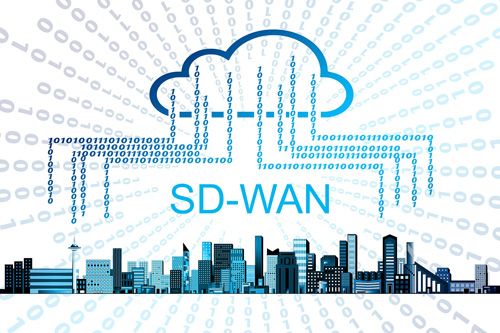
Get higher quality phone calls with SD-WANWe have to. There’s really no going back. If you are still tethered to an analog twisted pair or ISDN PRI, obsolescence is coming for you… and soon. It’s time to embrace digital voice and the cloud services that it enables.

What’s The Internet Got to Do With It?
Telephone networks were purpose built for telephone sets. When the Internet started, it glommed onto the phone network with dial-up modems because that was the only universal connectivity available. Fast forward to today and the Internet has moved on to high bandwidth fiber optics as a core network and last mile connectivity. Mobile telephony has developed its own wireless cellular system. That leaves the original phone network to rust in peace.

Business telephones are connecting more and more to the company IT network rather than run a separate phone network based on legacy wiring technology. For those calls to leave the company and connect to the greater world, a decision has to be made. Do you install a PBX system that connects those internal phone sets directly to the phone company using telco lines, or stick with the digital network system and connect to a phone service supplier via a dedicated private line or the Internet?

The Internet is a compelling answer. It has already been built-out to interconnect just about everybody, everywhere. Costs to reach them are as low as you can get. You already use the Internet and probably cloud business services for computer applications and file transfers. Why not let your phone calls ride along on the same network?

The fly in the ointment is that voice calls don’t have the robustness that file transfers enjoy. If the connection slows down a bit or gets little jittery, the data will get through just fine. The voice on the other end of the phone calls will cut in and out, become garbled or just disconnect. That’s unacceptable for business and a major impediment to adopting VoIP telephone systems.

How to Fix the Internet for Phone Calls
A solution to getting high quality business phone service along with the benefits of digital telephony is called SD-WAN. A WAN or Wide Area Network is any connection, such as the Internet, that goes outside your business. The SD part is called Software Defined. That means adding intelligence into the WAN connections to manage sensitive traffic for quality and reliability.

The most basic operation of SD-WAN appliances is to combine two or more WAN connections. That can be two broadband Internet lines, such as Cable, DSL, fiber, T1, 4G LTE or 5G cellular, or fixed wireless access.

The idea is that every connection has it own performance characteristics and variations that are different from other types of connections. That’s typical of the Internet. It varies all over the place from instant to instant, but not on all connections at the same time.

The SD-WAN appliance constantly monitors the characteristics of each connection. What is the speed, packet loss and jitter? Has the line gone dead or so congested it might as well be? With two or more lines to choose from, SD-WAN can route packet by packet through the best connection at each moment. Phone calls get priority over your other traffic so they get the absolutely best connectivity at all times.

There are other intelligent features that are also running to ensure voice quality. Forward error correction duplicates each voice packet so if one is lost, the other can take its place at the far end. That gets rid of a lot of the choppiness you hear in digital phone calls. Calls are also smoothed out using dynamic jitter buffering that collects the packets and delivers them smoothly in spite of variances in transmission time.

How about security? The Internet is notorious for terrible security issues compared to private lines and the traditional PSTN phone network. By encoding the voice streams and including a firewall and other intrusion preventing measures, even the Internet can be made acceptably secure.

SD-WAN Also Improves Your Other Applications
What helps improve voice calls is also a major benefit for all your network traffic over the Internet. As companies move more and more applications to the cloud, robust connectivity is becoming essential to productivity and customer satisfaction. SD-WAN can make all of your Internet interactions faster, smoother and more reliable. It comes down to having enough high quality links for the system to always have solid connections. Those links will be used efficiently since lower demanding traffic, such as backups and low priority file transfers, can traverse even slower and more jittery connections.

Are you frustrated with the quality and performance of your current business phone system or face disconnection of legacy services? If so, find out what high quality enterprise VoIP and Universal Communications options are available for your business.


Click to check pricing and features or get support from a Telarus product specialist.


Follow Telexplainer on Twitter


Wednesday, March 16, 2022

Upgrade your ISP to GigE and 10GigE

By: John Shepler

Regardless of whether your business is strictly e-commerce or a traditional bricks and mortar operation, Internet access is essential to conducting business these days. One thing we never seem to have enough of is bandwidth. This is the right time to upgrade your broadband connection to handle the throughput you really need to efficiently get the job done. Surprisingly, it may be more affordable than you think.

Dramatically increase your broadband speed to 1 Gbps or 10 GbpsHow Much Do You Need?
Small businesses, including home offices, single person professional offices, small retail stores and the like, may find that 100 Mbps Fast Ethernet service is plenty. You might even get by with less than that… for now. For every other situation, you’ll want to look at bandwidth fast enough to be transparent. Transparent means you don’t even know it is there. There’s always enough that you won’t get slowed down no matter what you are doing. That’s the gigabit range. Consider Gigabit Ethernet (GigE) and 10 Gigabit Ethernet (10GigE).

Why speeds so much higher than you’ve expected over the years? Today’s business is different. Much of what we call content is high consumption video versus email messaging. Images are much larger, if not in physical size then in Mbps. Databases are huge. They don’t call it “big data” for no reason. On top of all this, most processing has moved or is moving to the cloud. Those high speed Ethernet cables that connected you in-house have to be replicated between you and your cloud provider.

Really Fast Connections Readily Available
Fortunately, the networking industry is keeping pace. The incentives of greater business demand, 4G and 5G wireless, and consumer cord cutting has pushed providers to expand their networks and lower the cost per Mbps and Gbps. You likely have multiple options to get the bandwidth you need at a price you can afford.

You should know that Internet Server Provider (ISP) bandwidth comes in multiple flavors, each with its own characteristics and pricing. There’s a reason why they don’t all cost the same. The first reason is provider competition. The more options that are available in a particular area, the more competitive pricing will be, especially on the higher end business connections.

Another reason is whether you can live with shared bandwidth or need to have exclusive use. Your lower cost options, of which cable is the biggest provider by far, have the bandwidth multiplexed or shared among many users. You’ll notice that your bandwidth is “up to 1 Gbps” rather than guaranteed to be that speed at all times. The idea is that not everyone is using the line to full capacity at all times. In fact, that’s highly unlikely. So, while you are reading something online, somebody else is downloading a file… and vice versa.

If you are running a server or running business critical software in the cloud that needs to hesitate as little as possible, you’ll want Dedicated Internet Access (DIA) at a minimum. In fact, you may even need to upgrade to a direct connection between you and your cloud provider to get the performance you desire. That gets you off the Internet and its vagaries completely. Dedicated Internet Access keeps you on the Internet, but you don’t share your “last mile” bandwidth. That’s where most of the congestion occurs anyway.

Another consideration is whether you need symmetrical bandwidth or not. Most Internet services that offer shared bandwidth are also asymmetrical. That means the download speed is much higher, sometimes 10x higher, than the upload speed. It makes sense if you are mostly accessing web sites or downloading videos, like most consumers. However, if you run cloud processes where you upload as much as you download or do large backups to remote storage, you’ll want symmetrical bandwidth options.

Your ISP Bandwidth Options
So, what’s available? Cable broadband using DOCSIS 3.0 or 3.1 standards will get you 100 to 1000 Mbps shared bandwidth Internet access, usually asymmetrical. It’s quite reliable these days and you can’t beat the price.

If you are out in the boonies where there is no cable, you might get by with 4G or 5G wireless broadband. Yes, it’s the same broadband that runs your smartphone, but with a special modem that connects an office network. Another option is satellite business broadband. This will work just about anywhere and offers decent bandwidth. Latency can be an issue, especially for VoIP telephony and video conferencing, but otherwise may be just the ticket. Note that both of these wireless options have limited resources so that you may run into usage limits.

Fiber optic bandwidth is the gold standard these days. It’s more available than ever before and you can generally get as much bandwidth as you care to. This is where you find DIA and symmetrical options. You'll also find the services to directly connect you to your cloud provider or other business locations.

Fixed Wireless Access used to be very limited and only in major downtown metro areas. It’s expanded quite a bit recently and can often function as fiber optic without the fiber. That works to your advantage when fiber construction costs are high or you can’t wait long for service installation.

Should you upgrade your ISP to GigE or 10 GigE? Perhaps even 100 GigE? If your current Internet service is stifling your business you really can’t afford not to. Check high speed business Internet and direct connection prices and availability now to see what is available for your business locations.

Click to check pricing and features or get support from a Telarus product specialist.


Follow Telexplainer on Twitter


Monday, November 16, 2020

Wireless Business Internet Options

By: John Shepler

We live in a wired world. Your business is tethered to infrastructure of electrical power, telephone and Internet by a variety of copper cables. Electric power and landline phone are almost universally available, thanks to national plans and regulations.

Wireless Business Internet solutions for you.Internet? Not so much. While copper and fiber optic broadband are readily available in metro and suburban areas, as you get farther from the city center you options go down. Out in rural areas? There’s often no such thing as wired Internet infrastructure. You either go without or… go wireless.

Point to Point Microwave
Think of point to point microwave as fiber optic without the fiber. At high enough frequencies that could be an actual light beam from a laser, although it is much more common to use the centimeter and millimeter wave bands.

PTP microwave uses small dish antennas at the sending and receiving ends. This is a fixed, not mobile, service and you need the antenna on your building high enough to see the other dish without obstructions. These high frequencies don’t penetrate objects well, but they can supply high bandwidths of a Gigabit per second or more.

While PTP microwave established itself in dense metro areas that might be expensive to add fiber or cabling or take too long for construction, you see these little dishes on cell towers out in the country for the same reason. If there is a provider serving your area, you might be in luck for this service.

Wireless Internet Service Providers
A WISP, as it is known, is a centrally located tower that provides wireless Internet service to a small service area circling the tower. This is point to multi-point rather than a dedicated PTP link. Think of WISPs as high powered WiFI outdoor routers. Like PTP, you’ll need an outdoor antenna, perhaps one of those small dishes, pointed at the tower. They may operate in licensed or unlicensed spectrum and deliver typical broadband speeds.

WISPs are popular where fiber and cable don’t reach, but they are local operations. You may or may not have one that serves your location.

Cellular Broadband Service
Just about everyone has a smartphone these days and making phone calls is the least of the services we expect. No, it’s the broadband Internet connection feeding a myriad of apps that keeps us glued to the screen. That same broadband can be harnessed for business applications using an access point that has all the circuitry needed for broadband but minus the screen and telephone capability.

For limited or infrequent use, you might pick up one of these access points at a big box store. Have it set up for the carrier of your choice. These work well in areas where the cellular signal is strong and usually come with fairly limited usage plans. Plug the access point into your router or buy one that comes with a WiFi router and you can serve your entire business.

A more robust version designed especially for business uses specially designed antennas for better signal pickup or an outside antenna that will give you a strong signal even in rural areas. These business grade access points are usually 4G LTE or 5G where available. They also come with more extensive data plans, some even unlimited… just what you need to run a business with employees.

What makes this really attractive is that the cellular infrastructure is already widespread and extending out into many rural areas and smaller towns. If your business needs to move from job site to job site or your operate pop-up stores, cellular broadband may be the only reasonable option that will follow you.

Satellite Broadband
Yes, there are areas really out in the boonies where there is no cellular service and even landline phone and electric power are hard to come by. You can still get Internet, though. How? With a satellite dish pointed at the southern sky where the geostationary communication satellites are parked. Newer high power satellites offer high speeds, reliable service, reasonable data plans for business and reasonable prices.

The big limitation of satellite business broadband is the latency that is inherent in the long distances that the signal must travel up to the bird and back down. This half to one second or so delay can be an annoyance for business processes that use the cloud or VoIP phone calls and video conferences. For email, web browsing, remote data acquisition and file transfers, latency might not be much of an problem at all.

The latency issues will likely be solved by the new constellations of Low Earth Orbit or LEO satellites. These orbit hundreds rather than tens of thousands of miles up and support latencies similar to cable or long haul fiber. SpaceX is first to market with an extensive fleet of broadband satellites that will provide worldwide coverage, even at sea, in a few years. Other providers will likely follow, as the potential market for connecting the disconnected is enormous.

Are you in serious need of reliable broadband Internet service for your business at a reasonable price? Find out what wired and wireless solutions are available for your locations now.

Click to check pricing and features or get support from a Telarus product specialist.


Follow Telexplainer on Twitter


Friday, October 16, 2020

Lower Cost Last Mile Fiber

By: John Shepler

What is the most critical part of the Internet? To you, the user, it’s that last mile connection to your place of business. That’s usually the limiting factor and where most of the problems are. What you need is a better connection, and fiber is the gold standard.

Get a fiber optic last mile Internet connection now.Last Mile Limitations
Don’t get me wrong. There are no guarantees on the Internet. Your priority is the same as everyone else’s. When nodes get congested or name servers go down, the people connecting on a shoestring and the well-healed are both affected. That said, the Internet has matured to the point where the backbone networks are highly reliable and have plenty of bandwidth.

If you need the ultimate in connection quality between multiple business locations, you need to look to private solutions, such as point to point dedicated connections and MPLS networks. These have much stricter control of bandwidth, latency, jitter and packet loss. They are pricey and they don’t connect to the general public. That’s why the Internet is indispensable for nearly all businesses for sales and customer service.

The last mile connection is where pricing and quality vary all over the place. The biggest differentiator is shared vs dedicated bandwidth. Dedicated bandwidth means that you have exclusive use of the line capacity. What you don’t use simply idles until it is needed.

Seems like that’s the way it should always be, but the Internet wouldn’t have expanded geometrically the way it has if everyone had to pay for a dedicated line. Instead, carriers such as cable and wireless companies, buy high capacity dedicated lines and then multiplex them to share among many users. The idea is that not everyone is online at the same time and even if they are, most are not uploading or downloading at a given moment.

Prior to so many people working at home, most of the heavy consumer activity took place in the evening and business use was limited to daytime. Now, daytime demand is heavy for everyone using shared bandwidth. When it gets too heavy, line speed for everyone is reduced until the load lightens.

Dedicated High Speed Connections
Your best performance will come through a dedicated, symmetrical high speed link. Symmetrical means that upload and download speeds are the same. That tends to be case with dedicated lines. Shared bandwidth tends to be asymmetrical with much higher download than upload speeds.

You also want to connect through a top tier Internet Service Provider. These are larger companies that pay to connect directly to the Internet backbone. Smaller ISPs pay transport fees to the larger companies to connect through them to the Internet. It’s one more link in the chain.

You can get dedicated lines in both copper and fiber technologies. There are some microwave service providers who can deliver an equivalent connection wirelessly. These tend to be short range line-of-sight connections in major metro areas.

Copper solutions include the traditional T1 and DS3 (also called T3) lines. Newer technology is Ethernet over Copper which uses the same twisted pair cabling as T1 lines, but can support much higher speeds, although bandwidth tends to decrease with distance to the central office.

Fiber used to be a rare and expensive proposition, but that has all changed in recent years. Even cable companies have deployed fiber as their main transport network and some will sell you dedicated fiber optic Internet connections in addition to their more typical coaxial copper shared bandwidth services.

Fiber solutions include traditional telco Optical Carrier services such as OC3, OC12 and OC 48. The newer technology is Ethernet over Fiber. it’s generally much less expensive and highly scalable. That means you aren’t stuck with the bandwidth you first installed. You can start off with 10 or 100 Mbps and easily scale up to 1 Gbps, 10 Gbps or even 100 Gbps as the need arises. That alone is a great cost saver. The competitive nature of today’s fiber marketplace has greatly reduced the price of bandwidth far below what you might expect.

The buildout of cellular towers for 4G LTE and 5G has created a fiber construction boom. Many buildings have also been connected by fiber for business use. These are great places to have an office because the heavy construction costs of bringing in fiber have already been paid. If you don’t have fiber in your office yet, it may still cost little or nothing to bring a fiber bundle in. That’s because there is likely a point of presence fairly close and carriers each want to be first to “light” a building and garner the business of the tenants.

Do you need a reasonably priced highly reliable last mile connection to the Internet? Get multiple competitive quotes now and see how much bandwidth you can really afford.

Click to check pricing and features or get support from a Telarus product specialist.


Follow Telexplainer on Twitter


Tuesday, November 19, 2019

Is Connection Latency Important to Your Business?

By: John Shepler

We may be inclined to think that connection speed is the most important consideration for private lines and Internet access. If web pages are loading slowly and files take forever to move, then clearly the network is starved for bandwidth. Just order more Mbps or even Gbps and everything will straighten out, right? Sometimes, yes. Sometimes no. There is another network consideration that can affect your business big time. That is latency.

Improve your line latency now.What Does Latency Mean?
Latency is a time lag. Nothing happens instantaneously, but if the time lag is short enough it will seem that way. You know the expression, “in the blink of an eye”? That’s low latency.

In computing, you experience latency as applications that just don’t keep up with what you are doing. If you press a key and it doesn’t appear on the screen for a split second, you’ve got latency. If you type a command and nothing happens for a second, that’s latency.

When operating on local area networks and in-house data centers, latency may not be all that noticeable. Programs are responsive. Video is nice and smooth. Files move quickly. If the system can keep up with you, latency just isn’t an issue.

When Latency is Noticeable
You often get your first taste of latency when you connect to the Internet or the cloud. Suddenly things seem to be a tad sluggish. It gets destructive when the system is so slow to respond that it interrupts your workflow. You almost feel like you’ve gone back to the days of batch processing where you submit a program and wait for the results to print out.

Worst case latency shows up in real-time processes. VoIP telephony gets a bad name when latency exceeds a hundred milliseconds or two. On a phone call, you expect to carry on a normal conversation. That includes both sides talking at once sometimes. If you ask a question and don’t get a response immediately, you might start taking agin. Right then, you hear the other person’s response just as you say something else. It quickly becomes intolerable. If you are stuck with the situation, you can work around it by consciously taking turns, like you would with a two-way radio.

Higher Bandwidth, Lower Latency
One cause of latency is network traffic jams or congestion. In any size WAN pipe, expressed by bandwidth in Mbps or Gbps, you can only send so many packets per second. If you try to send more, they pile up in a transmission buffer or, worse, get dropped. The fix for this type of latency problem is to simply add more capacity. If your T1 line is full, a 10 Mbps Ethernet line may be way more than enough. Likewise you may really need 100 Mbps or a full Gigabit per second for the connection to appear transparent.

Another way to relieve latency-induced madness is to prioritize traffic. Real time processes like VoIP telephony and teleconferencing take highest priority and can work great on even limited capacity lines. As long as there is still some bandwidth left, you should prioritize business applications in the cloud next and file transfers and backups last. If you run out of bandwidth so that the lowest level processes never finish or take forever, you need to add more bandwidth, pure and simple.

Higher Bandwidth, Same Latency
What happens if you increase your bandwidth by 10x or 100x and nothing improves? “Hello, is this line working?”

With congestion relieved, something else must be slowing things down. Remember that latency is simply a time delay between transmission and reception and that nothing happens instantly. Signals can move only as fast as the speed of light, which even at 186,000 miles per second turns out to be 186 miles per millisecond. If both ends of the connection are 1,860 miles apart, you’ve got a built-in transmission time of 10 mSec each way or 20 msec total. If you need lower latency than this you’ll just have to move closer.

Know that light through fiber optic cable and transmission equipment may impose an additional penalty over a third more than ideal latency. Still not a big problem, as latencies in the tens of millisecond range are not bothersome for nearly all processes. But, what if that connection goes to a geosynchronous satellite? Now you are talking maybe 500 msec round trip. That’s most definitely noticeable and probably a show-stopper for most phone calls and some cloud services. This is why the new Low Earth Orbit satellite constellations are so eagerly anticipated. At distances of a few hundred miles up instead of thousands, latency can be back to nearly fiber optic line performance.

Other latency issues can be traced to network equipment that isn’t working correctly or the inherent nature of the good old Internet. Remember that the Internet was designed by the defense department to be robust and not particularly efficient. Packet routing can take long and convoluted paths and suffer various levels of congestion within the Internet. If you are using a shared bandwidth service, such as cable broadband, DSL, satellite or cellular broadband, other users can clog the link and up goes your latency. Even more maddening, performance can vary from minute to minute so you have no consistency. Dedicated direct connections to your cloud provider can dramatically improve performance if this is your problem.

Are you having network performance issues, especially if you’ve recently moved from an in-house data center to the cloud? Your cloud service can be working perfectly well even though it seems to drag. You might be surprised by ping testing your line and discovering that it is the weak link in the system. Find out now what low latency bandwidth options are available and what it costs to upgrade and relieve your performance issues.

Click to check pricing and features or get support from a Telarus product specialist.


Follow Telexplainer on Twitter

Wednesday, June 26, 2019

How to Feed a Hungry WISP

By: John Shepler

We’re a wired nation, except when it comes to locations that are a bit off the beaten path. That includes farms, rural households, businesses beyond the city limits, new subdivisions and some industrial parks. While they may have telephone, thanks to universal service, the availability of broadband Internet access is less of a sure thing. This is where the wireless broadband supplier or WISP fills the gap.

Get the best bandwidth pricing for your WISP.Why WISPs?
WISP or Wireless Internet Service Provider is similar to a cell phone provider, except specializing in high speed Internet access. While even 4G cell service has fairly low usage limits, WISP services are much more generous and try to emulate the type of service you’d get from cable, telco or even fiber optic lines. The real cost to hooking up less populated areas is trenching cable bundles or flying them on utility poles. The WISP eliminates the wires and their associated cost. The tradeoff is that you generally need a small dish antenna and receiver outside to pick up the signal from the WISP tower.

Where Do WISPs Get Their Broadband?
While the WISP distributes broadband much like WiFi, the broadband they serve must come from somewhere. When the Internet was young, T1 lines did an excellent job of feeding the WISP, just like they did feeding cell towers out in the countryside. The beauty of T1 is that it can be sent virtually any distance over standard twisted pair telephone wiring. The downside is that the bandwidth is fixed at 1.5 Mbps per T1 line. Higher speeds can be accomplished by adding or bonding additional lines to double, triple or quadruple the speed. The practical limit is around 10 to 12 Mbps. Pricing goes up linearly as you add each line.

Higher Speed Copper Lines
A newer technology that also runs over twisted pair copper is Ethernet over Copper (EoC). This service offers higher speeds, say 20 or 30 Mbps or even higher. Transmission is distance limited, but EoC is now more available beyond the city limits. Cost is much more attractive per Mbps than T1, if moderate speeds are adequate for what you need.

Business Cable Broadband can provide hundreds of Mbps these days but has suffered from very limited deployment outside of metro areas. That has changed somewhat as the cable has been extended to outlying subdivisions and business parks. If you can get this service and the Cable Company is OK with using it for a WISP, the cost will be very attractive.

Fiber Optic Service
The new gold standard of bandwidth service is fiber optic lines. These used to be few and far between, but provider competition has made them far more common even in rural areas. You can thank 4G cellular for providing the incentive to trench fiber conduits into rural areas. Prices have come down dramatically with Ethernet over Fiber (EoF) services. These are highly reliable and easily scalable up and down in bandwidth to meet your needs. Bandwidths of 10 Gbps up to 100 Gbps are common now.

Microwave Transmission
Why not feed wireless with wireless? That’s not a crazy idea and is being used more and more as telco companies upgrade to 5G towers. Microwave is a point to point wireless service. You mount a small dish on your tower and point it toward the service provider. It’s like fiber but without the fiber.

SDN Combines Bandwidth
What if you need more bandwidth than any one supplier can provide? One option is to combine them using a technique called SDN or Software Defined Network, also known as SD-WAN or Software Defined Wide Area Network. The SDN controller manages traffic to get the best performance for each packet. You can combine T1, EoC, cable broadband, microwave, fiber optic lines and even satellite Internet to create a higher speed robust feed for your WISP tower.

Do you operate a WISP service or have one in the planning stage? Find out what bandwidths and pricing are available for your desired locations now. A friendly consultant will help you sort through the options.

Click to check pricing and features or get support from a Telarus product specialist.


Follow Telexplainer on Twitter


Tuesday, February 26, 2019

So Many Locations, So Little Budget


By: John Shepler

Your company has lots of locations and guess what? They all need to be connected. That has traditionally meant big bucks and some pretty heavy IT staffing to make sure that all the phone calls, file transfers and applications run transparently for your employees and customers. It’s more than possible that you’ve long settled for less capability than you really need just because of the sheer cost involved. Does it still need to be that expensive to get connected? Perhaps not so much anymore.

Get better multi-location business connections at lower cost now.Why Connecting Business Locations Cost a Fortune
The traditional business connection has been the telecom private line. These started out as T1 lines when 1.5 Mbps was big bandwidth and moved up to DS3 and then OC3 and higher bandwidth SONET fiber as capacity needs increased. All of these were sold as point to point dedicated private lines. One line from headquarters to each remote site. The more sites, the more lines.

Dedicated private lines weren’t cheap to begin with. There is also no economy of scale. Two lines cost twice as much as one line. Lines in rural areas cost more, perhaps a lot more, than the same line downtown in a big city.

How do you interconnect a dozen sites so that they can all talk and exchange data? You set up routers and PBX or IPBX systems at HQ and have your IT team operate a fully meshed network.

Let Someone Else Run the Network to Save Money
MPLS or Multi-Protocol Label Switching networks were designed to let you outsource the big multi-site network. A private operator runs a multi-tenant network using a proprietary protocol that routes traffic only on this dedicated network. It’s reasonably secure and has all the bandwidth you need.

Best of all, you are only using part of the network’s capacity so you only have to pay a fee for the portion you need. You also don’t have the network management headaches. The MPLS operator handles everything. You still have the cost of private lines from each location to the net, but not the expense of private interstate or international long lines.

The Cheapest Network of All
The big, beautiful public Internet connects just about everyone, everywhere. There’s more capacity than all of us will ever need. Plus, it’s cheap. Your small fraction of the cost of running the Internet is built into your connection charge. It’s inherently a mesh network, so all you need to do is get a broadband connection at each of your locations and whatever servers you need back at the home office. You might even rent servers in the cloud and offload that responsibility.

Now, the downside. Cheap doesn’t mean cheap and perfect. You and everyone else in the world are on this network and your critical business apps have no more priority than than binge watchers in a video feeding frenzy. Security is a joke. Every scam artist has tools to hack the web or make your life miserable by jamming your servers if they can’t rob you blind. Is this Internet really worth the trouble?

Mix and Match to Optimize Cost / Performance
A plain vanilla Internet connection may not be all you need for your business. It depends. SSL security makes it possible for millions of people to use their browsers to bank and buy things with confidence every day. You can install security appliances in line with your servers to mitigate denial of service attacks and intrusions. You can even outsource this complication by ordering managed security in the cloud.

How about priority service for sensitive applications like VoIP telephone calls and business critical cloud services? You may or may not find Internet performance good enough. One tradeoff is to use dedicated last mile connections versus shared low cost broadband. The core of the Internet runs pretty fast. It’s that local connection, especially the lowest cost ones, that get oversubscribed and bog down.

Why not get the best compromise by using both? Your really, really sensitive packets may not be all that bandwidth demanding but are highly latency dependent. Meanwhile, the bulk of file transfer activity, video streams, email, and page views work just fine over low-end broadband connections and are good with typical broadband latency. A newer technology called SD-WAN or Software Defined Wide Area Networking employs a smarter router connected to two or more Internet connections to pick and choose what packet goes down what path. Dedicated T1 lines or a low capacity MPLS network service can handle phone calls while a higher speed cable broadband line takes care of general web access.

If you have been frustrated by the high cost of connecting your multiple business locations, it’s time to take another look as line prices have plummeted and new technology offers higher performance from cheaper connections. See what’s available in the way of cloud communications, SD-WAN, MPLS networks and dedicated and shared broadband lines that can give you a lot more capacity for your limited budget now.

Click to check pricing and features or get support from a Telarus product specialist.


Follow Telexplainer on Twitter


Thursday, January 10, 2019

SD-WAN vs MPLS Networks

By: John Shepler

Information Technology has changed dramatically in recent years, as has the business enterprises it supports. Most dramatic has been the move to cloud based computing and everything as a service. Last to change, however, has been the way everything connects together. Now that is also being transformed, driven by cost and cloud architectures.

SD-WAN cloud for high performance connectivity


WAN Networking via Individual Lines
Before MPLS, there were dedicated point to point line connections. Every company had one or more T1 lines and eventually DS3 bandwidth and fiber optic OCx circuits. Connecting two business locations together is pretty straightforward. Just order a line that runs directly between them and use that as another portion of your network.

Where it gets complicated and expensive is when you add line after line after line to connect far-flung offices, factories and warehouses. Each of those lines has a monthly lease fee dependent on distance and bandwidth. Each has to be integrated into the network as one big mesh or segmented for traffic control. You soon find yourself becoming a virtual telecom office running your own WAN (Wide Area Network).

The Solid Performance of MPLS
Two competing technologies have been developed to make long distance data connections more available and less costly. The first is the Internet. It’s a public network that is nearly universal and cheap as chips, as they say. The problem is that performance is erratic and security is non-existent.

The other is a smaller private version of the Internet called MPLS or Multi-Protocol Label Switching networks. Instead of one giant internet, you have a multiverse of smaller networks, each operated by an independent commercial vendor. It’s strictly pay to play. Being on one MPLS network generally does not give you access to any other, although there are services that will mesh or combine diverse MPLS networks. More often, you pick the particular MPLS network that has nodes near locations you need to connect.

The beauty of MPLS networks is that performance is guaranteed and security is orders of magnitude above the Internet. In fact, MPLS is sometimes called MPLS VPN just because the unique protocol makes it harder to hack. Your connections are pre-determined so that you can only talk to your own locations. Others have no way to access your data and you don’t even know that you are sharing the network. All of this comes at a price, but it is a much lower price than owning a multitude of leased private lines.

How About That Internet?
For those who don’t have the budget or need to connect with anyone and everyone around the world, especially the general public, the Internet is really the only decent option available. You have access to your customers and suppliers wherever they may be. Connectivity and core bandwidth have improved to the point where performance is generally pretty decent if your applications aren’t too demanding and you don’t mind some variability. Even security can be beefed up to an acceptable level by employing VPN technology such as SSL used in browsers.

SD-WAN, Best of Both Worlds
What SD or Software Defined WAN offers is a hybrid of private line, semi-private MPLS network and public Internet connections all at once. Each has their advantages and disadvantages. Private lines are rock solid, limited to one path only, and pricey. MPLS networks offer a lower cost while maintaining circuit performance and a wide area of connectivity. The Internet is low cost bandwidth and connects just about everywhere.

Can you possibly connect all of these together? That’s the job of SD-WAN. The Software Defined part is the intelligence that manages all of the different lines that you plug into it. You or your service provider explicitly tell the SD-WAN controller that VoIP phone calls go over the private lines or MPLS network and the file backups go over the Internet. If you lose a private line or MPLS connection, the system can create a VPN tunnel through the Internet to route all your traffic instantly. You’ll at least be able to keep doing business, albeit with some performance loss, until your high performance paths are restored.

SD-WAN can be a big money saver by knowing what traffic is either latency sensitive, bandwidth demanding or highly secure, and what traffic isn’t that critical or demanding. It will route packets through the lowest cost routes consistent with acceptable performance. WAN optimization software can also be included as part of the control system to further improve performance and reduce costs.

Have your business needs changed recently or are you suspicious that you may be spending much more than necessary because of the piecemeal way your WAN was constructed over the years? Now would be a good time to take a look at new SD-WAN and other connectivity options that have become available for your business locations.

Click to check pricing and features or get support from a Telarus product specialist.


Follow Telexplainer on Twitter

Monday, August 20, 2018

Gigabit Internet Speed Is Easy to Find

By: John Shepler

It’s almost breathtaking how fast Internet bandwidth needs have mushroomed. Just yesterday 10 Mbps was considered high speed broadband. Today it’s more like 100 Mbps for even medium size offices. If your businesses is involved in video production, heavy use of cloud applications, software delivery or has lots of employees or customers, Gigabit Internet speeds are no longer a luxury. Fortunately, they’re easy to come by.

I definitely need more bandwidth - products with this theme, find here.#1 Choice: Ethernet over Fiber
The beauty of fiber is that it is future proof. The fiber in the ground today will support the bandwidths of tomorrow. 1 Gbps today. 10 Gbps next year. Perhaps 100 Gbps in the coming years.

The preferred technology is Ethernet over Fiber. This is the same Ethernet that you run now on your local area network. Most NICs (Network Interface Card) are 10/100/1000 Mbps. With CAT5E or CAT6 wiring and Gigabit switches, you are perfectly matched to access the Internet as fast as your network will run.

Ethernet over Fiber replaces SONET, an older technology that requires specific interfaces for different service levels. Ethernet over Fiber is different. Your LAN supports equipment running at different speeds. So do Ethernet Internet connections. More importantly, you can install fiber with an Gigabit Ethernet edge router and order any speed service you want. Typical service levels vary from 10 Mbps to 1 Gbps. You pay less for lower speed service if you don’t need the full GigE bandwidth. When you do, upgrading is just a phone call or control panel adjustment away.

The Lower Cost Option: Cable Broadband
Cable has come a long way from its early days of low speeds and spotty performance. That’s thanks to the deployment of HFC (Hybrid Fiber Cable) systems that have fiber optic cabling for the core of the network. Only the drop to your building is still coaxial cable. The other big improvement has been the development of DOCSIS 3.0 modems good to 1 Gbps and the newer DOCSIS 3.1 modems good to 10 Gbps.

With cable broadband capable of 10 Gbps performance, what’s the incentive to install fiber? In many cases, the real incentive is to stick with cable. It offers the advantages of much lower cost, triple-play options that include broadband, phone and television, and fast installation. As long as your business is near the cable run, you can be hooked up quickly and easily with little or no installation cost.

Cable speeds rival fiber and your connection to the cable modem is standard Ethernet. Yet, the cost per month is a fraction of what you pay for equivalent fiber performance. What’s the catch?

There are some differences in service, which may or may not make any difference to your business. First, cable bandwidth is shared among users, not dedicated to your exclusive use the way fiber is. You may notice that your Internet speed varies throughout the day. Most of the heavy use is for consumer video streaming, though, and that occurs mostly in the evening.

Cable bandwidth is also asymmetrical. In other words, you get 1 Gbps download but perhaps 100 Mbps upload. That matches the needs of most Internet access, but can be a problem if you often transfer large files to other locations or upload large files to servers or cloud applications.

Fiber services may offer the option of point to point connections between business locations. Cable broadband connects you to the Internet. However, you can set up a VPN between locations connected to the Internet and achieve secure point to point connectivity… at a much lower cost than dedicated fiber connections.

Which Gigabit Option to Choose?
it should be noted that many cable companies will now offer you access to their core fiber networks as well as coaxial cable broadband. Cable fiber is the same high performance network as other Ethernet over Fiber providers. That includes bandwidth that is scalable, dedicated and symmetrical. Compare Gigabit bandwidth options and see which service most closely matches your business needs.

Click to check pricing and features or get support from a Telarus product specialist.


Follow Telexplainer on Twitter

Tuesday, July 03, 2018

Helping Your Business Achieve Hyperconnectivity

By: John Shepler

It took a generation to achieve worldwide Internet connectivity. Now, hold on. We’re going into hyperconnectivity almost immediately.

Get the support you need for the hyperconnected era.It’s Everything, Everywhere, All The Time
Hyperconnectivity is the idea that anyone and anything that can be connected will be connected on an always-available basis. We’ve made the jump from logging-in to always-on broadband for our computers and mobile device. The next step is to let the machines chatter among themselves even while we take ourselves out of the loop. You’ll no longer have to access devices. They’ll access each other and you, as needed.

It’s Already Started
We’re starting to experience some of this with connected thermostats, security cams, remote controlled lighting and so on around the home. Business use will be even more insidious. As management sees how much productivity is improved by machines and applications coordinating their actions, the pressure to get more and more connected functions is going to ramp up exponentially. As the human in the loop, your activities will be enhanced by augmented and virtual reality, artificially intelligent agents, and real-time delivery of everything you need to know. No longer will there be a gulf between office and factory, company and suppliers or business and customers. It will all be one big loop.

Are You Ready For This?
If you’ve found it a challenge to get everyone in the company online or transition business applications to the cloud, you “ain’t seen nothin’ yet.” The highest reliability connections, low latency for real time interactions, accommodation for hundreds or thousands of new interfaces, and bullet-proof security to keep out those who would do you ill is becoming a de-facto requirement.

How’s your network doing? Have you broken out in a cold sweat yet or just developed some anxiety about the challenges on their way? No need to face this alone. There is expert help that is up to speed and ready to roll right now. Take a couple of minutes to watch this:


It’s Time… NOW!
If you are seeing even the leading edge of the technology tsunami coming for your business, there is no time to waste. We have the expertise, staffing and experience to make your enterprise network hyper-ready and the tools and applications to give you an immediate productivity improvement. Don’t wait. Get the Telarus team on-board now and you’ll have the support you need to meet the challenge.

Click to check pricing and features or get support from a Telarus product specialist.


Follow Telexplainer on Twitter

Thursday, March 08, 2018

Swap Your Old T1 Line For Fiber

By: John Shepler

Your faithful T1 line has provided constant reliable service for years, perhaps decades. Now it’s getting a little long in the tooth. The 1.5 Mbps T1 offered amazing bandwidth at the dawn of the Internet era. Today it’s just plain sluggish. You know you need an upgrade, but how much is that going to cost? Would you be shocked to know that you might trade up for the same money? It’s true!

Laser Fiber Optic Data Burst. Find products with this design here!Why You Need to Make a Change
Let’s face it. You’ve run out of bandwidth. T1 still works well for small retail stores and other applications for POS credit card verification, email, small text files and very casual web browsing. Cloud services, video streaming, remote backups and large file transfers will crawl if they even work acceptably.

More of the Same Won’t Help
There’s nothing wrong with the line. It just doesn’t have enough bandwidth. You can bond a second T1 line or even a third to double or triple bandwidth, but you’ll also be doubling or tripling your costs. Unless you are in a remote location without other options, there is a better approach.

Fiber is the New Copper
Truth be told, the cost of T1 lines and most other telecom services have come down steadily over the years. If you are happy with your T1, you might be able to get the same service for half the cost you once paid.

Even better, the cost of fiber optic lines has plummeted over the same period. If you checked into fiber when you started your business and found it either wasn’t available or cost a small fortune, you are in for a pleasant surprise. Deregulation and the demand for higher and higher data speeds has resulted in a fiber building boom. The field is highly competitive and carriers are rushing to “light” buildings with their lines before someone else becomes established.

What this means for you is that fiber optic service is now commonly available. The latest offers are Carrier Ethernet which is also called Ethernet over Fiber. This technology is directly compatible with nearly all local area networks and replaces the older, more expensive SONET fiber service. SONET is the one you remember as costing a fortune.

Fiber for the Price of T1
Technology marches on. It’s been true for several years that you can upgrade your T1 line to a new technology called Ethernet over Copper and get at least twice the bandwidth for the same cost using the same twisted pair telco lines that supply your T1 service. Today, you can get several times the bandwidth using Ethernet over Copper. Same cost.

How about fiber? The latest competitive quotes I’m seeing offer entry level 10 Mbps x 10 Mbps fiber optic bandwidth for roughly the cost of a new T1 line in select areas. It is highly likely that you could get this level of fiber service for the same price as a T1 contract you’ve had for a few years or more.

Fiber For the Future
The nice thing about Ethernet over Fiber is that it is future proof. If your provider installs a 100 Mbps or 1 Gbps port, you can upgrade to those speeds any time, but only buy the speed you need right now. You may find the cost of Fast Ethernet at 100 Mbps or Gigabit Ethernet at 1000 Mbps really quite affordable and well worth it for the productivity improvement.

Are you frustrated by the inability of your T1 line or business DSL to keep up with your online needs? Now would be a great time to see what you can get in the way of a fiber optic bandwidth connection. You may be amazed by what is available today.

Click to check pricing and features or get support from a Telarus product specialist.


Follow Telexplainer on Twitter

Thursday, November 30, 2017

Net Neutrality: It’s Much More Important Than It Should Be

By: John Shepler

The Internet has been my life for the last 20 years or so. Oh, it’s been around longer than that. I only got on when they released it to the public commercially in the mid-90’s. Back then it was all dial-up modems and make-your-own websites. One ad that ran at the time sticks vividly in my mind. It said something like “What’s different on the Internet about IBM and a kid with a science fair site about ducks?” The answer: “Nothing.”

On the Internet, the World is Flat
What didn’t soak in to many of us when we started communicating over computer networks was the inherent democracy, the equality of it all. Distance disappears. At the speed of light, the printer in the next room and the one on the other side of the world are equally close. You can locate team members anywhere and they forget they aren’t all in one big building… co-located, but just too far to walk over for a visit. Video conferencing takes care of that need for face-to-face.

The Internet is based on this idea of one big network that anyone can join anywhere in the world and be electronically in the same room as anyone else. I’ve gotten comfortable on Facebook with a circle of friends who collaborate on projects, but also share our personal lives. It wouldn’t be much different if we all worked in the same building or hung out at the same coffee shop. We share our joys and sorrows as if we were neighbors.

Bless the Level Playing Field
I got my feet wet online with Prodigy, then AOL, then Netscape over a local ISP. I built my first website using Adobe Pagemill and a floppy disk with some graphics that I bought at an office supply store. I wanted a place to showcase magazine-type articles that I was writing so I could also display affiliate banners to generate income to pay for the Internet connection. It had a tilde in the URL that looked a little weird on a business card, but getting a real domain name was pricey back then.

Yeah, I had a duck site. My wife and I still call amateur looking websites “duck sites”, after that commercial I mentioned earlier. The honest truth was and still is, as of this writing, that getting to my duck site was just as easy as getting to the IBM corporate site or Amazon, or the White House or anyplace else on the Web. The Internet is flat. It is level. It is democratic. It is egalitarian. The DOD that funded the genesis of the Internet, called ARPANET, built it with the best of American principles… they designed it to be free. That freedom is called neutrality: Net Neutrality.

Power to the People
Let me just say this first. I am a capitalist and proud of it. Capitalism has been very, very good to me. Better for some than others, I understand. But for most of us in what’s called the American Middle Class, we’ve grown up and aged with the opportunity to make something of ourselves by selling our skills to employers and building our own businesses. The Internet has added a whole whole new dimension of virtual business opportunities that cost little or nothing to enter, with rewards based more on sweat equity than the need for heavy debt to get started. The capitalistic opportunity of the Web has been more of a job creator, in the sense of people creating their own jobs, than any of the actual “jobs” programs that are being touted.

Having said that, I must admit that I’m horrified by what’s being promoted as capitalism these days. There seems to be a strong move afoot to return to the “Gilded Age” of the post Civil War era when the famed “robber barons” of industry and the railroad trusts lived like kings and most people lived like paupers. The game of Monopoly was actually invented as a cautionary tale to demonstrate what happens when there are no checks and balances in society. Players may start out on an equal footing, but in a few or more than a few hours, one person has everything and everyone else is flat broke. In real life, we don’t even start out equally advantaged.

Does It Have To Be All or Nothing?
This brings us back to net neutrality. For years, I was on the fence about whether to maintain all Internet traffic perfectly equal or allow some prioritization. A lot of VoIP phone calls on the internet sound like crap. It’s because real time packets of audio signals are highly sensitive to latency, jitter and packet loss. The least bit of congestion in the network turns a clear call into a distorted mess. There are ways to improve this, such as running your own voice network or having a dedicated access line to the core of the Internet. Not as good or easy, though, as if there were protected channels just for voice over the net.

Forget it. We don’t live in a world run by volunteer Internet engineers whose morals are driven by ensuring excellence and justice for all users. What we’re faced with now is dominance by large corporate entities that, despite expression of high minded intentions, will be driven by ruthless competition and demanding shareholders to maximize returns, if not immediately, then a quarter or two down the road.

Without any constraints at all, the era of duck sites will be over and only those with the big bucks will have unfettered worldwide visibility. It could be like a scene from those depression era films: “Nice web site you got there. Be a shame if nobody could get to it.”

Protect Your Freedom or Lose It
I’m not normally given to scare mongering, but I’m very much concerned that we’re looking at the end of the bootstrapping entrepreneur and even the end of unfettered freedom to explore and utilize the wealth of diverse resources available around the world. The farmers market, the arts and crafts festival, the country roads, the public bulletin board in the hardware store and the political stump in the town square are all about to be replaced by the toll bridge and the parking meter. Is that what we want?

Here’s what you need to do before it is too late. Voice your opposition to losing net neutrality and with it your personal freedom to post anything you want and go anywhere you want to go without having to pay extra fees or switch service providers. Use the resources you have now to Google your senators and representatives. Send messages through their websites. Get their office phone numbers online or call the US Capitol Switchboard at (202) 224-3121. You don’t need to make a speech. Just say you are opposed to destroying net neutrality and want them to intervene.

Most of all, call the FCC who actually makes the rules. Here’s the number: (202) 418-1000 Take 10 seconds and leave them a voice mail. While one voice may not make a difference, thousands or millions of one voice each certainly will. Will you join me before it’s too late?


Note: Net Neutrality logo courtesy of Camilo Sanchez on Wikimedia Commons.


Follow Telexplainer on Twitter

Sunday, June 18, 2017

Faster Internet Connectivity

By: John Shepler

More is often better when it comes to Internet access speed. Yes, at some point the bandwidth of the line is so wide and the latency so low that your connection appears to be transparent. That’s not the case for most of us. We’re bandwidth limited to what we can afford and what is available. So, do we have to settle for limited throughput? Not necessarily, and certainly not until we’ve checked out all the options now available.

Move up to high speed Internet connectivityTimes Have Changed
One thing that holds us back in achieving faster Internet connectivity is the status quo. We’re comfortable with our Internet service provider and may not give it much thought. You might have just lucked into a good broadband service years ago or did a thorough search before selecting your current provider and service level. Just remember… that was years ago. In Internet years, that’s forever!

The Oldies: T1 and DSL
T1 lines and DSL were once the hot tech services. In fact, they may have been the only thing affordable at the time. Sure, there were T3 lines (also called DS3 service) and telco provided SONET fiber, but those were grossly expensive and only ordered if you REALLY needed them.

DSL is pretty much yesterday’s tech. T1 lines, however are still alive and well. They’re either on very old contracts that haven’t been reviewed in years or for special needs like rural locations where there isn’t much else. Todays T1 lines cost about half what they did a decade ago and you can bond them to create higher bandwidths. For most of us, though, there are better choices.

Cable Business Broadband
Today’s most popular entry level broadband service is business cable. It’s 10x to 20x the speed of a T1 line for less cost… if you can get it. In metro areas, no problem. Outside of town, not so much. The DOCSIS standard has been upgraded over the years so that 100 Mbps bandwidth is fairly easy to find. Even 1,000 Mbps is possible with DOCSIS 3.0, the current standard. A max speed of 10 Gbps is possible with the latest release, DOCSIS 3.1.

Note that these speeds are typically only available for download. Upstream capacity is often a tenth the downstream bandwidth. That works great for typical Internet access, but can be a limitation if you upload large files extensively. Also, cable broadband is a shared service. You share the available bandwidth with others on the cable rather than having it all to yourself.

Fiber Optic Ethernet
If future-proof highly reliable high speed Internet access with nearly unlimited dedicated bandwidth and low latency is what you really want, then fiber optic Internet connections are the real answer. The pioneering but expensive legacy SONET fiber services, such as OC-3, OC-12 and OC-48, are being quickly replaced by Ethernet over Fiber or EoF.

Carrier Ethernet is a perfect match to your local area network and offers scalable bandwidth from 10 Mbps to 10 Gbps, and up to 100 Gbps in select areas. It’s the most cost effective service you can get in terms of $ per Mbps. You also have the option of starting with the bandwidth you need today and quickly scaling up as needed in the future, usually with no hardware changes required.

High Speed Wireless
While fiber is the most desirable connectivity, it isn’t available everywhere. This is especially true in rural areas or even just beyond the metro limits. If fiber lines run to or close by your building, then you are in luck. Otherwise construction costs might be totally unacceptable regardless of the monthly lease fees.

If wires, including cable and fiber, aren’t the answer for you, then wireless may get the job done. There are two good options to consider. One is fixed point business Internet that picks up the tower signal using a small antenna on your building. The other is two-way business satellite that uses a small dish pointed at the southern sky to do the same thing.

Fixed Point Wireless
These providers are also known as WISPs or Wireless Internet Service Providers. Small Business Internet is similar to cable broadband but without the cable. You may get up to 50/5 Mbps of shared bandwidth for a very reasonable monthly price with no data caps. Enterprise Business Internet offers symmetrical dedicated bandwidth like Ethernet Fiber from 10 Mbps up to 1 Gbps with low latency for sensitive traffic like voice and video. Like other services, you’ll need to be in a location that is served by a strong WISP signal.

Satellite Wireless
The one nearly universal Internet connectivity service is broadband business satellite. Perched thousands of miles over the equator, satellites the size of school busses beam strong signals that blanket the USA and beyond, including islands and ships at sea. Two-way satellite has long been used by gas stations, restaurants, bank branches and other small commercial locations that have limited access needs. The new generations of “birds” are serious contenders with wireline and fiber. Look for bandwidth options around 15 Mbps now and up to 100 Mbps soon. Latency is pretty much stuck around half a second due to the enormous distances involved. That may or may not be a factor depending on how sensitive your applications, like voice, video and cloud services, are to these time delays.

Did you know that there were so many options to get faster Internet connectivity for your business? Whether you are a large, medium or small organization, check out your options for high speed broadband Internet service at your location.

Click to check pricing and features or get support from a Telarus product specialist.


Follow Telexplainer on Twitter

Wednesday, February 15, 2017

Internet and Ethernet, The Perfect Broadband Match

By John Shepler

Broadband Internet connections come in many flavors. These include DSL, 3G & 4G cellular, PTP microwave wireless, cable DOCSIS, two-way satellite, T1 lines, DS3 bandwidth, SONET fiber optic, and both Ethernet over Copper and Ethernet over Fiber. Each of these has cost and performance advantages and disadvantages. One technology, however, offers the best match for most business applications. It’s the combination of Internet and Ethernet.

Check out Ethernet Internet serviceWhy Ethernet?
What makes Ethernet so attractive is the fact that it has almost completely taken over wired networks large and small. Do you have a LAN? What protocol are you running? Unless it’s something specialized for storage or industrial control, the answer is almost certainly Ethernet.

Being dominant has it’s advantages. From a technical standpoint, dominance means that nearly every piece of network equipment comes with Ethernet connectors built-in. In most cases, these are 10/100/1000 Mbps RJ-45 jacks. At higher speeds, 10 GigE and higher for sure, fiber optic connectors will be included.

It’s also not just that Ethernet standards permeate every network such that you have a hard time building one to some other protocol. How much do those alternative networks cost? The dominance of Ethernet has led to economics of scale. Ethernet is now the low cost solution by far. It’s also the solution that is sourced everywhere. You have no trouble picking up cable, connectors, switches, routers, and everything that plays on a network.

The One Laggard… The WAN
Local Area Networks are firmly ensconced with Ethernet technology. Outside the plant, however, it’s not so clear-cut. Wide Area Networks evolved from different standards pioneered by the telephone companies and were not originally intended for computers. Telephone networks were invented first and they were all analog, both wired and wireless. Then, starting mid-20th century, the T1 digital standard was introduced for multiplexing phone lines and long distance transmission. T1 expanded into T3/DS3 for higher speed, followed by fiber optic standards based on the same TDM (Time Division Multiplexing) protocol.

Since the phone companies pretty much owned all telecommunications networks, Ethernet packets had to learn to ride on what was available. That meant protocol conversion from Ethernet to T1, and so on. This is still the case for traditional telecom networks, although that’s changing fast.

Carrier Ethernet Moves to the Front
The old collision domains are long gone for the most part. Networks now are switched Ethernet. It turns out that the switched Ethernet protocol are quite compatible with long distance networks with a few additions to the standard for operations and maintenance. Those standards have been created and go by the name of Carrier Ethernet.

As you might suspect, Carrier Ethernet is merely an extension of LAN Ethernet. There really is no protocol-conversion speed bump traversing from one to the other. You plug your network into the carrier’s premises equipment and your packets travel seamlessly for hundreds or thousands of miles.

Ethernet and the Internet
The Internet was designed as a computer to computer network from the get-go. When we talk about IP networks, the IP means Internet Protocol. When we talk about Ethernet protocol, we are generally referring to IP and perhaps the file transfer standard, TCP/IP.

When the Internet started, there were only the telephone company networks available, so the Internet began running on legacy telco standards, particularly SONET fiber optic. That’s changing now. More and more networks are Ethernet at their core. Most newer networking providers design their networks as IP from the start and don’t go depend on handoffs to the telephone company central offices.

Either way, as long as you have Ethernet to your premises, you can ignore what’s going on at the core of the network.

Ethernet’s Big Advantages
Carrier Ethernet services come in a wide variety of speeds, but they all stick to the same Ethernet standard. You simply specify the maximum speed of the port that is installed at your location. That’s generally 1 Gbps these days, although you can also opt for 10 Gbps and, in some cases, 100 Gbps. The port sets the maximum, not the minimum, broadband speed you can order. In fact, many companies start at 10 or 100 Mbps and then upgrade to Gigabit Ethernet or beyond when they need to. That means they only pay for the bandwidth they need.

Ethernet services also tend to be less expensive than traditional telco services for the same bandwidth. It’s fairly common to get 3 Mbps for the same or less cost than a single 1.5 Mbps T1 line. You might even get 10 Mbps for the budget you originally set for T1 Internet service.

That last mile connection to the Internet via dedicate Ethernet Internet access means that your bandwidth is symmetrical, or the same in the upload and download directions. It is also dedicated to your use 100% of the time. With other services, such as cable or cellular broadband, the bandwidth is shared among customers. That makes it cheaper, but also means that your share will vary depending on how many others are using the service at the same time.

Ordering Ethernet Internet Service
The best place to get your business broadband service is from a bandwidth broker, like Telarus, who has relationships with many carriers. You’ll likely have multiple options to choose from. The two flavors you’ll most likely encounter are Ethernet over Copper for lower speed options and Ethernet over Fiber for 50 Mbps and up. Fiber is highly desirable if your building is already lit or construction costs are low. Otherwise, you can almost always get some type of copper based delivery.

Interested in finding out what options you have and what they cost? Run a quick search for fiber optic Ethernet service here and see what pops up.

Click to check pricing and features or get support from a Telarus product specialist.


Follow Telexplainer on Twitter

Monday, January 25, 2016

Telecom and Network Domain Names For Sale

By: John Shepler

Having a great domain name is key to any online business. Ideally, you want a name that reflects the nature of your business, is easy to remember for off-line advertising & business cards, and pronounceable. A random collection of letters and numbers or a "slash" area on someone else's domain can't compare to having your own identity. This gives you complete control of your website, email and branding.

I've been in the business telecom field for nearly 15 years. In that time, I've accumulated several dozen domain names appropriate to the niches that I elected to serve. As things evolve, I find myself with an inventory of really nice domain names that I'm unable to put to good use right now. As such, I'm offering them for sale at SEDO.com, one of the world's largest domain brokers. Their escrow service ensures that both buyer and seller are protected from negotiation through sale and transfer.

Perhaps one or more of these are just what you need for your own online enterprise. If so, please visit the offer page and enter your offer. We'll take it from there.

1. AffordableVoIP.com
2. Agile800.com
3. AgileTollFree.com
4. BusinessBroadbandOptions.com
5. BusinessBroadbandToday.com
6. CellPhonePlanFinder.com
7. EthernetWAN.co
8. LowLatencyData.com
9. NewHomePhone.com
10. VideoTransportNetworks.com
11. VideoTransportServices.com

Also available is a non-telecom related name that is perfect for anyone involved in selling art or services such as picture framing.

12. ArtUnderGlass.com

If the domain names I have available right now aren't quite right for you, there are literally thousands and thousands of other possiblities available for sale by other domain owners on SEDO. Enter a search term that describes what you have in mind and see what pops up.


Follow Telexplainer on Twitter

Wednesday, January 13, 2016

Are Your WAN Circuits Monitored For Quality?

By: John Shepler

As we transition from circuit switched telephony and make the move from in-house data centers to the cloud, our WAN (Wide Area Network) circuits become more critical than ever before. A misbehaving network connection that might once have been a mere inconvenience is now a productivity killer at best and a business shutdown at worst. It is essential that every copper and fiber optic line that leaves the building be running at peak performance all the time. But… how do you make sure that is the case?

Are you WAN Circuits monitored?Do You Know What is Going On Behind Your Back?
Technology has a sneaky side. When your outside network circuits are installed and checked out, the lines are verified to make sure they meet specs for latency, packet loss, jitter and bandwidth. Everything is running great. Tomorrow it’s still running great. But the next day, next week or next month something goes wrong. it might be a subtle change that degrades performance rather than knocking the line out completely.

Where do you point the finger?
The problem could be anywhere in the system. Is your LAN congested or are you dealing with a failing switch? Is it just your computer or telephone set that is having problems? Perhaps it is one of several network circuits that connect you to the outside world. How do you find out for sure?

Circuit Monitoring Is Your Eye on the Network
You can’t just blindly trust that everything is running smoothly. You need a way to look into the system. Likely, you already have that capability. You can run Ping and Traceroute diagnostic tests from your computer whenever you want. That’s great for troubleshooting if you know there is a problem and have time to sit down and run the tests. But what happens when no one is running diagnostics? Hard to say.

That’s where continuous circuit monitoring shines. You don’t have to jump in and run some tests. They are running all the time. Better yet, a monitoring program gives you a chart of how the circuit has been performing over time. Run a diagnostic yourself and you have only a single data point.

Get Automatic Heads-Up Messages
The other beauty of automating the performance monitoring of your WAN circuits is that the monitor can let you know when something goes out of whack. You can get an email when something goes wrong. That way, you don’t have to sit there and watch the screen continuously just in case there is an anomaly. You’ll get notified 24/7. The monitor never sleeps.

Best Deal Ever: Free Circuit Monitoring
The best way to get your WAN circuits monitored is to have it done for free. Ever hear of this? Probably not. This is a fairly new service powered by VXSuite and offered by Telarus on Internet and coax circuits with static IP addresses that they provide. MPLS and other monitoring is available. Telarus is well known for the extensive suite of carriers that they partner with and the best prices on WAN circuits. Now you get this bonus of free circuit monitoring included on both domestic and international circuits.

This circuit monitoring includes a ping and traceroute to that circuit. Packet loss and latency are also measured. If the circuit goes down, you get an email. You also have access to a web-based dashboard to view your current circuit status and performance graphics. A monthly email report is available if you wish.

Do you need WAN circuits you can depend on? Would you like those circuits to be monitored with the powerful VXSuite tools at no extra cost? If so, it is time to get the latest competitive pricing and availability of monitored WAN network circuits for your business.


Click to check pricing and features or get support from a Telarus product specialist.


Follow Telexplainer on Twitter

Monday, December 14, 2015

The Ultimate Wireless Firewall: Networks That Don’t Connect

By: John Shepler

Network security has become a major concern of any business that connects to the Internet. There’s hardly a day goes by that we don’t seen another announcement of a company that has been breached. We may be seeing only the tip of that iceberg. The public reports tend to be about companies that have their customer information compromised, especially credit card numbers. Other businesses might discover intrusions that don’t affect their customers and may elect to remain mum simply to avoid the embarrassment and bad press.

Secure your network before anyone breaks in.Who Can Afford Cyber Security?
The result of all this hacking and cyber warfare is that IT departments have gone on high alert. If they are going to stay connected on the Internet, they have no choice but to pay up for security appliances and cloud based network security. But what about small and medium size businesses? Can your typical doctor’s office or restaurant really afford to pay for cyber defense?

Common Sense Measures
Certainly, any independent professional or small business can take the basic common sense steps to keep casual snoops and hackers scanning for low hanging fruit out of their networks. Nearly every router also includes a firewall function and encryption for Wi-Fi access. Anyone who neglects to change the default login and password and enable the highest level of encryption their equipment will handle, is just too naieve for words.

Public Access Is Always Vulnerable
Even so, there are still those lingering doubts that the network is protected. When you unlock Wi-Fi access so that customers can use your hotspot, you run two risks. First, you open a vulnerability. The vast majority of your customers will only use the broadband access as a convenience. They’re not out to cause you trouble. But… there are characters with malicious software on their laptops who can sit themselves down and troll other customers or try to break into your network. Wi-Fi doesn’t stop at the door these days, so they may be parked outside or even sitting a block away.

Wired Only?
The safest solution is to only use wired access inside the business and avoid Wi-Fi altogether. That may really limit you and your employees by ruling out any portable and mobile devices. The next step up is to have a Wi-Fi router but lock it for employee use only. That leaves customers and guests frustrated, since they’d like to use their tablets while waiting.

Will a Firewall Work?
Is it sufficient to simply install a firewall between your business network and your public-facing Wi-Fi hotspot? The idea makes a lot of business owners nervous. It’s hard to tell, especially when you don’t have a full-time IT department watching everything, whether you are truly protected or not. Consequently, they opt for either locking down their wireless network or not having one at all.

The Two Network Solution
Here’s another approach. Install TWO networks instead of one. The first is your internal business network. This can be high performance Ethernet over Copper or Fiber Optic WAN bandwidth. It might not even connect to the Internet. Either way, connect only your own equipment to this network. If you have wireless access, lock it down. Then order a second Internet connection. This one is for your customers and does not need the performance characteristics of your primary network. A good choice for many small and medium businesses who deal with the public is cable broadband, just like they have at home.

Why Cable Broadband?
The beauty of cable broadband is that it is inexpensive, even for business locations. You get decent bandwidth levels of 10 to 100 Mbps and it's pretty reliable these days. There’s a bonus for businesses with customer waiting areas. You can bundle cable TV service with your broadband for little extra cost. You may want the TV service anyway. Why not add Internet broadband as an extra convenience?

Keep 'em Apart
Here’s what you don’t do. You NEVER connect your business network with your customer network. They remain completely separate. If you get them from different providers and keep the wires apart, there is no chance of an interconnection. If someone sits outside at night and steals your broadband signal or tries to break into the public wireless network, they won’t get far. It doesn't really connect to anything other than the Internet.

What About Your Primary Internet Access?
Most organizations do need some type of Internet access to acquire information, place orders and connect with their customers. If your main business network is not strictly internal to your company, you still need network security between your LAN and the Internet. If you have the expertise on-board, you may be able to install and manage your own firewalls. Most smaller and medium size companies will find it more cost effective to order managed security in the cloud. WAN bandwidth providers who offer this option have the necessary expertise in-house and available 24/7.

For Emergencies Only
I know. There’s a temptation to use that second network for business purposes if your primary network runs out of capacity or suffers an outage. Be very careful. In such an emergency, you may wish to disconnect the public Wi-Fi hotspot or lock it to prevent any but employee access.

Do you need point to point WAN bandwidth, primary dedicated Internet access or separate customer-facing hotspot bandwidth? How about managed security for your company? If so, find out what secure network solutions are available and appropriate for your size business.

Click to check pricing and features or get support from a Telarus product specialist.


Follow Telexplainer on Twitter