Showing posts with label cloud. Show all posts

Friday, April 10, 2026

Data Center Opportunities For Your Business

By: John Shepler

Data centers are certainly in the news these days. Most of it focused on the near-viral expansion of AI hyperscale facilities that are overwhelming local power and water utilities, resulting in a contentious standoff between concerned citizens and massive tech innovators. But that’s just a small part of the data center industry. Your business is unlikely to go hyperscale, but you can still benefit from data center services. In fact, it’s likely you need them.
Choose your data center services, cloud or coloWhat is a Data Center?
A data center is where you find data, right? That’s correct. But it’s also where you find the computing, storage, networking and facilities to store and make use of that data. If all you have and use is a single computer, the data center is right inside. But, if you need to support a website, sell online, interconnect multiple computers or process files too big for a single machine, you’ll be using a data center. Even that single computer might want online backup.

Types of Company Data Centers
Data centers come in various sizes, depending on your needs. The simplest is an in-house data center, once called the server closet. It may be as simple as a single rack with a few servers, network disk storage, backup power supply and ventilation or cooling. Security is a lock on the door.

Larger companies create whole rooms or special buildings dedicated to their computing resources. These are enterprise data centers. They are under the control of a single company and dedicated to its needs. Often this facility will be in the same building or on the same campus as other company buildings. However, it may make sense to locate the enterprise data center a distance away for protection from disasters such as fires, floods and earthquakes.

When you get this much equipment, you’ll likely need larger scale HVAC environmental control, fire suppression, security monitoring, and building maintenance. Now the question is whether to provide all this yourself or outsource it. A managed data center is an enterprise data center that is run by a third party. This operator may own the facility and provide the staff. They may also handle IT tasks such as software updates and server maintenance.

Moving Out to a Colo Data Center
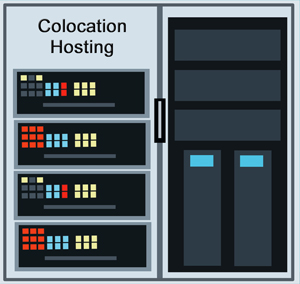
A colo or colocation data center is a multi-tenant version of the single company enterprise data center. The colo operator provides the facility, security, environmental control, backup batteries and generators, rack and cage space, and wiring. They also generally have multiple carriers with a presence in the building. You get easy access to massive amounts of bandwidth that might be harder to come by where you are located. That includes fiber, wavelength, and dark fiber services depending on your needs.

The advantage of colocation is that you are saving money vs running and/or owning the facility yourself. That’s the upside of sharing costs. It likely won’t affect a small to medium scale business because you’ll have your own racks and perhaps a cage to house them in for security. When you need to make updates, you just visit the facility.

Some colo companies offer extended services. They will maintain the servers, patch the software, add disks and so on using their in-house tech staff. They may also offer to lease you servers, disks, switches and the like so you don’t have to bear the capital expense. Pick and choose the level of support you want. That’s especially great for smaller companies that don’t have large tech staffs.

Cloud Data Centers
They say there is no cloud. It’s only somebody else’s server. That’s about right. The thing we call the cloud looks a lot like a colocation data center. The difference is that the cloud operator owns and runs everything. Resources are shared among tenants but not segregated like in a colo. Instead, most everything is virtualized. You don’t necessarily know what server is running your process or what disk your data is stored on. It’s likely that many companies are sharing all the facilities.

The cloud might offer even greater cost savings than colo. The massive facilities also have reserve capacity so that you can easily scale up or down as your needs change. It is possible to make this automatic or “elastic” so that you pay for what you use on a moment by moment basis.

This is what is known as the public cloud. There are also special versions of cloud data centers. A private cloud uses the same virtualization as the public cloud, but all resources are dedicated to one company. That can be located within your own facilities or in a third party location that might have many other private clouds physically separate in the same building. A hybrid cloud is a mixture of public and private clouds that share data and applications. You may want privacy for sensitive data but a public cloud for web traffic.

What type of data center is the best match for your business? Compare capabilities and costs for general hosting, managed, colocation and cloud data centers to see what works for you.


Click to check pricing and features or get support from an expert technology specialist.


Follow Telexplainer on Twitter


Monday, November 10, 2025

The Cloud Offers Communications as a Service

By: John Shepler

The migration of everything to the cloud has coined a new phrase: “as a service”. This implies the business model of pay-as-you-go rather than owning vast capital equipment and software resources and the support staffs that go with them. You still need in-house support for your staff and to liaise with your cloud service provider, but you no longer have to be involved in all the nuts-and-bolts that make the system work.

In addition to the backroom business software humming along in the background, the cloud now offers to take on your electronic communications with the idea of offering a more features for less cost that you’d likely have if you tried to run everything in-house. The name of this new opportunity? Why, Communications as a Service, of course.

Communications as a Service for your comapnyTwo Flavors of Communications as a Service
If you think of communications as “the telephone”, you are partially right. The landline phone has been the mainstay of business for over a century. It has been joined by the FAX machine to send documents over those same phone lines and the mobile phone that frees us from the wires. The marriage between phones and computers has expanded options to include instant messaging, audio, video and web conferencing, texting, file sharing, call routing and recording, call analytics and integration with business applications like CRM and project management software.

Communications as a Service or CaaS splits off into Unified Communications as a Service or UCaaS and Contact Center as a Service or CCaaS. What’s the difference? UCaaS is intended for use within the company for team collaboration CCaaS is for communicating with customers. You can think of UCaaS as replacing the old PBX business phone system and CCaaS as a technical upgrade to the old call center phone system.

How Unified Communications as a Service Works
With UCaaS the PBX in the closet down the hall or the key telephone set on your desk is gone. If you have a desk phone it connects to your LAN using VoIP rather than its own proprietary phone network. Your new phone system is in the cloud. Since much of your business software is also in the cloud, that makes it easy to integrate traditional phone applications and traditional business software applications.

Phone, or shall we say voice, features including call recording, call forwarding, call routing, teleconferencing, Inclusion of smartphones into the company phone system, and inclusion of work-from-home employees into the company phone system.

But that’s just the start of what can be done. The unification of voice, video and devices means that you are interconnected wherever you are and whatever device you are working from. You don’t have to be near your desk to make or receive calls and you can share documents or collaborate on applications as well as have conversations.

Expanding into Contact Center as a Service
UCaaS is great for interconnecting everyone within a company. Wouldn’t it be great if you could also include customers? That’s been the function of the call center, now renamed contact center. CCaaS supports incoming customer service and outgoing customer marketing.

You still get as many phone sets as you need, but they’re on the network connected to the cloud and not a room full of equipment down the hall. Instead of buying and maintaining all that equipment, you subscribe to the CCaaS system. You’ll get automated outbound dialing, interactive voice response for customer self-service, automatic contact distribution, analytics and other features that have traditionally been part of call center operations.

In addition, CCaaS is omnichannel in that is can communicate with your customers through voice, SMS, video, web sites and social media. Chatbots and virtual agents can handle routine inquiries so that your employees can concentrate on the more difficult issues.

Benefits of Service in the Cloud
With cloud communications as a service, you no longer have to budget large capital outlays for massive amounts of equipment only to have to replace that same equipment years down the road. You are not bothered with having to install constant fixes and upgrades or scheduling time for a vendor to come and service your system. It’s all being done invisibly within the cloud operation. You get the latest features all kept up to date and with enough hardware to run everything. You simply subscribe for as much service as you need when you need it. As your business grows, your cloud service can expand as needed.

You have a choice in how you connect to the cloud. Some companies, especially smaller ones, simply use an Internet service with Direct Internet Access or SD WAN as the most reliable options. For even better performance and reliability a private line direct cloud connection makes the cloud seem part of your facility… as it should.

Are you ready to move up from an antiquated phone system to UCaaS or CCaaS? Talk with a technology expert and find out the features and prices of a system just right for your organization.

Click to check pricing and features or get support from an expert technology specialist.


Follow Telexplainer on Twitter


Thursday, March 16, 2023

On Ramps That Improve Cloud Performance

By: John Shepler

IT infrastructure is now key to your business. It’s a lot more than a few servers in a closet down the hall these days. Chances are that you are using Software as a Service (SaaS) running on popular public clouds like Amazon Web Services (AWS) or Microsoft Azure plus your own private data center. What once was an easy interconnect to everything on a company LAN is now a worrying mix of local and remote connections. Are you stuck with performance that varies constantly and nightmares of security breaches, or is there a much better solution?

Cloud On-Ramps boost performanceWeak Links In The Chain
When equipment or services are remotely located, the first thing everybody thinks of is connecting through the Internet. Broadband is readily available nearly everywhere and very reasonably priced. This is especially true if you just connect through a Cable broadband service. Reliability of HFC (Hybrid Fiber Cable) networks has gotten very good and prices are as low as you’ll find.

The massive adoption of consumer broadband is what has kept prices low even for business broadband. The tradeoff is that you are sharing that connection with dozens or even hundreds of other users. You can’t see them, but you can feel the effect as the Internet speeds up and slows down.

Dedicated Access Improves Performance
The Internet is an amazing data superhighway, but the on and off ramps are where a lot of the congestion is. A good solution is get a private ramp, called Dedicated Internet Access or DIA, between you and your Internet service provider. This is most likely a fiber Ethernet connection but could be Fixed Wireless as long as the path you are using is dedicated for your use only.

Why Not All Private Access?
The next step up is a completely private line from your local network to your cloud service provider. Once again, this would be a fiber optic Ethernet running 100 Mbps to 100 Gbps with guaranteed performance. This is like having your own highway with no traffic other than your company data. It’s the closest thing to a LAN that stretches across the country to include your cloud services.

The drawback to dedicated private lines is the cost, as you might suspect. There is no one else sharing the pipe, so there is no one else helping to pay for it. You have all the bandwidth and the security of a walled-off connection, but you have all the costs too.

An intermediate solution that maintains connection performance and offers high security over long distances is the MPLS network with dedicated access lines. The MPLS or Multi-Protocol Label Switching network is a private Wide Area Network with costs that are shared among many subscribers, but with performance guarantees instead of the “best effort” you get on the Internet. Security is better than the Internet because the network uses a proprietary label switching protocol and not the easier to hack TCP/IP.

Move Next Door To Really Improve Performance
Remember how easily it was to get all the network performance you needed when everything was in the same building and all you needed was runs of Ethernet cabling? You can replicate that by choosing to move your equipment to a colocation center that also houses your software service providers or has dedicated cloud on-ramps.

This is an example of a hybrid cloud. Your servers and storage are in racks in the colo building that supplies power and cooling. It also has direct cable or fiber connections to service providers housed in the same building. Other direct connections go to points of presence for large public cloud services that are located in multiple data centers around the world. By accessing one of these cloud on-ramps you avoid the vagaries of the Internet and connect your private cloud to their public cloud to create the hybrid cloud arrangement.

Of course, this can be expanded to include multiple services providers as long as they have a physical presence or on-ramps available in the data center. Connect to as many as make sense to create a multi-cloud that give you all the services you need. The connection to your business is then through a dedicated private line or Dedicated Internet Access from your colocated equipment back to your offices. This is considerably more cost effective than having many dedicated private lines to widely scattered service providers.

Do you need higher performance than your current connections can provide or have a requirement to interconnect multiple service providers? If so, find out what mix of dedicated, dedicated access and cloud on-ramps would work best for your company.

Click to check pricing and features or get support from a Telarus product specialist.


Follow Telexplainer on Twitter


Tuesday, February 21, 2023

Colocation Hosting vs Cloud Data Centers

By: John Shepler

You’ve run your own in-house data center for years, but business is growing and you’ve hit the limit on what your server room can support. Now you’ve got a choice to make. Lease new space for the additional servers, storage and other appliances you need or consider moving everything to the cloud. It’s a big decision and one that needs careful consideration before funds are committed.

Choose colocation instead of cloud hosting.Isn’t Everyone in the Cloud?
If you read the tech headlines and articles, it looks like everyone is clearing out the old server room and simply leasing cloud services. That does have a lot of attraction. With your data and applications deep within the cloud, you no longer have any capital investment, no power bills, no physical security worries, no HVAC worries, and perhaps less IT support staffing. If you need more bandwidth, server processing or storage, you simply ask the cloud to increase your allowance, perhaps even automaticlly.

Why Wouldn’t You Join the Stampede to the Cloud?
Perhaps you’re feeling a little uncomfortable. You’ve heard that joke: “There is no cloud. It’s just somebody else’s computer.” What it really amounts to is somebody else’s thousands of computers, all nicely divvied-up to share among thousands or millions of clients. The promise of the cloud is that it looks to you like you have your own computing resources all by themselves.

Does that sound exciting or does it give you a bit of a twinge? After all, you’re really happy with how responsive your IT staff is and the control you have over all the equipment and software. There are no other companies sharing your facilities. Security involves keeping bad actors out of the building and on the far side of the firewall. So, is your only choice to bite the bullet and lease a new building for expansion?

Consider the Colo Option
Perhaps a third option is best. Lease space in someone else’s specialized building but keep your computing resources to yourself. This is the idea behind Colo or colocation hosting. These facilities were once called carrier hotels when their tenants were primarily telecom carriers. Now colo is popular with businesses of all sizes.

A colocation facility provides the physical building with controlled access and security personnel. It is staffed 24/7, which may even be more than you are able to provide now. Massive redundant power lines feed the facility so there is never a question of having enough amps to power new equipment. Moreover, that power is backed up by emergency generators and often batteries to keep things running no matter what.

With all that power, you are also going to need to get rid of the heat generated by the electronics. That is handled by redundant HVAC equipment to provide cooling air to the servers and other equipment. Air filters keep the facility dust-free.

What about connectivity? That’s one reason why companies move out of their own facilities and to a colocation center. With so many clients wanting so much bandwidth, major carriers have a presence in the colo. Often you have multiple carriers to choose from and they each have multiple fiber links for dedicated access and Internet service. Not every business is served with high bandwidth fiber yet, but the colocation centers are. They’ll get you as many Gbps as you need along with IP addresses.

Moving to a Colo Facility
When you move to a colo, you lease racks with power and cooling plus connections for bandwidth. Want more security? You can have those racks installed within a locked cage that keeps everybody but your staff out. Your people can come and install their own equipment, do maintenance, and make upgrades as needed.

Many colo facilities also offer additional services if you want them. You can have the colo tech staff monitor, troubleshoot and repair your equipment. You can even lease servers and storage from the colo instead of buying them yourself.

Are you outgrowing your tech facilities but want to explore options other than simply relocating to a cloud? Consider colocation data center facilities as an option that gives you more control but saves money compared to leasing your own dedicated buildings.

Click to check pricing and features or get support from a Telarus product specialist.


Follow Telexplainer on Twitter


Tuesday, July 14, 2020

Yes, You ARE Overpaying For Your Phone and Data Lines

By: John Shepler

With the economic future highly in question, every business needs to take a long, hard look at what it takes to survive. With future income uncertain and likely reduced, a good place to focus is on reducing expenses. Telecom lines, including data, telephone and Internet, can be a major monthly bill. It’s highly likely that right now you are paying more, perhaps much more, than you could be for the same quality of service.

Save on your telecom costs now.Who’s Gouging Me?
Probably no one is cheating you or even taking advantage of your business. If you like, blame it on the gremlins. You know, those sneaky little critters that make everything break at the worst possible time. They also know how to bleed your budget without you ever knowing.

First, Get Rid of the Waste
You are paying for stuff you don’t need. I suspect you are paying for stuff that you don’t even use. How can that be? Anyone who has ever cleaned house has discovered all sorts of unopened christmas presents, products still in their original packaging, and food way past its safe date. The same is true in business. Things get bought. Some never get used. Others are used awhile, then the situation changes and they are set aside… just in case. Just in case never comes back again.

The worst offenders are subscriptions and contracts you pay for monthly but don’t get any value from. Right now, pull the bills for the last few months related to computing and telecom services. Services are especially sneaky at bleeding your budget because they are often out of sight and out of mind. You don’t trip over them like you do a big piece of equipment.

Now, grab a cup of coffee and go to a quiet space with your bills and some highlighters. You have to walk through these from top to bottom and question everything. Are there lines installed that aren’t being used anymore? Are there cell phone numbers that stopped being used when people left long ago? What about special fax machine lines, alarm connections, direct lines to buildings you got rid of? More DID numbers than you can possible use today? Toll Free numbers you don’t even advertise? Highlight them all. They’ve got to go.

Save a Bundle on What You DO Need
Now that you’ve made arrangements to delete all that extra costly clutter that adds no value, you’re left with the essentials. Of course you need phone lines and broadband service. You may need a direct connection to a cloud service provider or another office. You may well want managed security instead of having to keep someone on staff to fend off cybercriminals. Don’t cut so far to the bone that you hurt your ability to do business. Just get a better deal.

There’s a little secret about telecom services that escapes notice most of the time. Business lines, especially the dedicated ones like T1, DS3, SONET and Carrier Ethernet, are sold on contract. Usually you commit for at least a year, but probably take a 3 year contract for better pricing. Nothing wrong with that. It’s what happens at contract expiration that matters.

You might be tempted to simply renew the same contract at the same price, figuring you are lucky to avoid price inflation. Wrong. This industry is highly competitive and technology is advancing constantly. That translates into lower prices, not higher. For the same money you should get more bandwidth. Otherwise you should get a lower price for the next 3 years at the same bandwidth.

When New is Cheaper
Upgrading your technology could actually save rather than cost. Still nursing an old PBX system that needs maintenance and has pricy replacement parts? Have a look at
VoIP cloud service providers and let them manage the switching gear. All you need is phones and a SIP trunk to the cloud. You also gain new features that old analog desk phones can’t support.

Fiber optic bandwidth connections used to cost an arm and couple of legs. Not anymore. If you are in a built-up, not rural, area there is probably lots of fiber in the ground and overhead. Even the cable companies are leasing out extra fiber capacity. You might find that an upgrade in bandwidth could cost less than you pay for copper service now.

Running your own servers used to be the only way to go. Not anymore. In fact, it’s hard not to save money by pulling the plug and getting your infrastructure in the cloud. This is especially true if you need special high capacity lines to handle customer traffic. That bandwidth is likely cheaper at the remote data center and you’ll only need a lower bandwidth connection to manage the cloud services from your location.

Well, what do you think? Is there opportunity for cost saving in your business? Give these ideas at least a good look before you decide you are doing as well as you can. That includes getting a new current set of competitive quotes on all your line services, telephone, wireless and cloud services to see what might be available that you don’t know about.

Click to check pricing and features or get support from a Telarus product specialist.


Follow Telexplainer on Twitter

Tuesday, November 19, 2019

Is Connection Latency Important to Your Business?

By: John Shepler

We may be inclined to think that connection speed is the most important consideration for private lines and Internet access. If web pages are loading slowly and files take forever to move, then clearly the network is starved for bandwidth. Just order more Mbps or even Gbps and everything will straighten out, right? Sometimes, yes. Sometimes no. There is another network consideration that can affect your business big time. That is latency.

Improve your line latency now.What Does Latency Mean?
Latency is a time lag. Nothing happens instantaneously, but if the time lag is short enough it will seem that way. You know the expression, “in the blink of an eye”? That’s low latency.

In computing, you experience latency as applications that just don’t keep up with what you are doing. If you press a key and it doesn’t appear on the screen for a split second, you’ve got latency. If you type a command and nothing happens for a second, that’s latency.

When operating on local area networks and in-house data centers, latency may not be all that noticeable. Programs are responsive. Video is nice and smooth. Files move quickly. If the system can keep up with you, latency just isn’t an issue.

When Latency is Noticeable
You often get your first taste of latency when you connect to the Internet or the cloud. Suddenly things seem to be a tad sluggish. It gets destructive when the system is so slow to respond that it interrupts your workflow. You almost feel like you’ve gone back to the days of batch processing where you submit a program and wait for the results to print out.

Worst case latency shows up in real-time processes. VoIP telephony gets a bad name when latency exceeds a hundred milliseconds or two. On a phone call, you expect to carry on a normal conversation. That includes both sides talking at once sometimes. If you ask a question and don’t get a response immediately, you might start taking agin. Right then, you hear the other person’s response just as you say something else. It quickly becomes intolerable. If you are stuck with the situation, you can work around it by consciously taking turns, like you would with a two-way radio.

Higher Bandwidth, Lower Latency
One cause of latency is network traffic jams or congestion. In any size WAN pipe, expressed by bandwidth in Mbps or Gbps, you can only send so many packets per second. If you try to send more, they pile up in a transmission buffer or, worse, get dropped. The fix for this type of latency problem is to simply add more capacity. If your T1 line is full, a 10 Mbps Ethernet line may be way more than enough. Likewise you may really need 100 Mbps or a full Gigabit per second for the connection to appear transparent.

Another way to relieve latency-induced madness is to prioritize traffic. Real time processes like VoIP telephony and teleconferencing take highest priority and can work great on even limited capacity lines. As long as there is still some bandwidth left, you should prioritize business applications in the cloud next and file transfers and backups last. If you run out of bandwidth so that the lowest level processes never finish or take forever, you need to add more bandwidth, pure and simple.

Higher Bandwidth, Same Latency
What happens if you increase your bandwidth by 10x or 100x and nothing improves? “Hello, is this line working?”

With congestion relieved, something else must be slowing things down. Remember that latency is simply a time delay between transmission and reception and that nothing happens instantly. Signals can move only as fast as the speed of light, which even at 186,000 miles per second turns out to be 186 miles per millisecond. If both ends of the connection are 1,860 miles apart, you’ve got a built-in transmission time of 10 mSec each way or 20 msec total. If you need lower latency than this you’ll just have to move closer.

Know that light through fiber optic cable and transmission equipment may impose an additional penalty over a third more than ideal latency. Still not a big problem, as latencies in the tens of millisecond range are not bothersome for nearly all processes. But, what if that connection goes to a geosynchronous satellite? Now you are talking maybe 500 msec round trip. That’s most definitely noticeable and probably a show-stopper for most phone calls and some cloud services. This is why the new Low Earth Orbit satellite constellations are so eagerly anticipated. At distances of a few hundred miles up instead of thousands, latency can be back to nearly fiber optic line performance.

Other latency issues can be traced to network equipment that isn’t working correctly or the inherent nature of the good old Internet. Remember that the Internet was designed by the defense department to be robust and not particularly efficient. Packet routing can take long and convoluted paths and suffer various levels of congestion within the Internet. If you are using a shared bandwidth service, such as cable broadband, DSL, satellite or cellular broadband, other users can clog the link and up goes your latency. Even more maddening, performance can vary from minute to minute so you have no consistency. Dedicated direct connections to your cloud provider can dramatically improve performance if this is your problem.

Are you having network performance issues, especially if you’ve recently moved from an in-house data center to the cloud? Your cloud service can be working perfectly well even though it seems to drag. You might be surprised by ping testing your line and discovering that it is the weak link in the system. Find out now what low latency bandwidth options are available and what it costs to upgrade and relieve your performance issues.

Click to check pricing and features or get support from a Telarus product specialist.


Follow Telexplainer on Twitter

Monday, December 14, 2015

The Ultimate Wireless Firewall: Networks That Don’t Connect

By: John Shepler

Network security has become a major concern of any business that connects to the Internet. There’s hardly a day goes by that we don’t seen another announcement of a company that has been breached. We may be seeing only the tip of that iceberg. The public reports tend to be about companies that have their customer information compromised, especially credit card numbers. Other businesses might discover intrusions that don’t affect their customers and may elect to remain mum simply to avoid the embarrassment and bad press.

Secure your network before anyone breaks in.Who Can Afford Cyber Security?
The result of all this hacking and cyber warfare is that IT departments have gone on high alert. If they are going to stay connected on the Internet, they have no choice but to pay up for security appliances and cloud based network security. But what about small and medium size businesses? Can your typical doctor’s office or restaurant really afford to pay for cyber defense?

Common Sense Measures
Certainly, any independent professional or small business can take the basic common sense steps to keep casual snoops and hackers scanning for low hanging fruit out of their networks. Nearly every router also includes a firewall function and encryption for Wi-Fi access. Anyone who neglects to change the default login and password and enable the highest level of encryption their equipment will handle, is just too naieve for words.

Public Access Is Always Vulnerable
Even so, there are still those lingering doubts that the network is protected. When you unlock Wi-Fi access so that customers can use your hotspot, you run two risks. First, you open a vulnerability. The vast majority of your customers will only use the broadband access as a convenience. They’re not out to cause you trouble. But… there are characters with malicious software on their laptops who can sit themselves down and troll other customers or try to break into your network. Wi-Fi doesn’t stop at the door these days, so they may be parked outside or even sitting a block away.

Wired Only?
The safest solution is to only use wired access inside the business and avoid Wi-Fi altogether. That may really limit you and your employees by ruling out any portable and mobile devices. The next step up is to have a Wi-Fi router but lock it for employee use only. That leaves customers and guests frustrated, since they’d like to use their tablets while waiting.

Will a Firewall Work?
Is it sufficient to simply install a firewall between your business network and your public-facing Wi-Fi hotspot? The idea makes a lot of business owners nervous. It’s hard to tell, especially when you don’t have a full-time IT department watching everything, whether you are truly protected or not. Consequently, they opt for either locking down their wireless network or not having one at all.

The Two Network Solution
Here’s another approach. Install TWO networks instead of one. The first is your internal business network. This can be high performance Ethernet over Copper or Fiber Optic WAN bandwidth. It might not even connect to the Internet. Either way, connect only your own equipment to this network. If you have wireless access, lock it down. Then order a second Internet connection. This one is for your customers and does not need the performance characteristics of your primary network. A good choice for many small and medium businesses who deal with the public is cable broadband, just like they have at home.

Why Cable Broadband?
The beauty of cable broadband is that it is inexpensive, even for business locations. You get decent bandwidth levels of 10 to 100 Mbps and it's pretty reliable these days. There’s a bonus for businesses with customer waiting areas. You can bundle cable TV service with your broadband for little extra cost. You may want the TV service anyway. Why not add Internet broadband as an extra convenience?

Keep 'em Apart
Here’s what you don’t do. You NEVER connect your business network with your customer network. They remain completely separate. If you get them from different providers and keep the wires apart, there is no chance of an interconnection. If someone sits outside at night and steals your broadband signal or tries to break into the public wireless network, they won’t get far. It doesn't really connect to anything other than the Internet.

What About Your Primary Internet Access?
Most organizations do need some type of Internet access to acquire information, place orders and connect with their customers. If your main business network is not strictly internal to your company, you still need network security between your LAN and the Internet. If you have the expertise on-board, you may be able to install and manage your own firewalls. Most smaller and medium size companies will find it more cost effective to order managed security in the cloud. WAN bandwidth providers who offer this option have the necessary expertise in-house and available 24/7.

For Emergencies Only
I know. There’s a temptation to use that second network for business purposes if your primary network runs out of capacity or suffers an outage. Be very careful. In such an emergency, you may wish to disconnect the public Wi-Fi hotspot or lock it to prevent any but employee access.

Do you need point to point WAN bandwidth, primary dedicated Internet access or separate customer-facing hotspot bandwidth? How about managed security for your company? If so, find out what secure network solutions are available and appropriate for your size business.

Click to check pricing and features or get support from a Telarus product specialist.


Follow Telexplainer on Twitter

Thursday, September 25, 2014

The Software Defined Network Comes to Austin

By: John Shepler

The Software Defined Network (SDN) has been one of those nebulous concepts that is coming someday to do something better than current IT technology. Well, that day has arrived and here’s what SDN is going to do for your company.

Austin Texas at nightWhy Software?
Like software everything, the software defined network is intended to replace fixed hardware functions with reprogrammable software. It’s not really a simplification process. The hardware may be more generic, like microprocessors and digital signal processors, but if you include the lines of code, the component count shoots through the roof. The beauty of software is that all those “soft” parts can be replicated instantly at little or no cost. Even more importantly, software can be changed from afar as needed.

The Idea of Virtualization
You’ve probably run into virtualization in the IT racks. Not that long ago, a server was a stand-alone computer with its own operating system and software load. Each server had a designated function. If it was overloaded, you needed to buy a more powerful computer and swap out the boxes. If the application wasn’t that demanding, the server would loaf along most of the time.

In this type of environment everything needs to be planned up-front and changes are time consuming and sometimes expensive. There’s also a poor utilization of resources. You may need a lot of lightly loaded servers all cooking in the racks in order to run your myriad of business applications.

Virtualization changes all that. The server is no longer a hardware appliance but a software function running on one or more processors. The computer hardware might not look much different, but what used to be one server may now be a dozen running on the same box. Huge applications might span several boxes to get the job done. It’s just a matter of how much in the way of resources an application needs.

Some of what virtualization has accomplished is to reduce the number of physical computers needed since each box is running at a higher capacity. Even more important, a new virtualized server can be installed in minutes since it is simply a software “instance” running on the hardware already in the racks. Don’t need a server anymore? Simply have the software release the resources back into the pool. You don’t even have to set foot in the data center to make this all happen.

Does this sound like “The Cloud”? Virtualization on a huge scale is the magic behind cloud data centers and cloud services.

Virtualization for the WAN
Now consider your telecommunications network connections. Like all hardware based approaches, there are many specialized functions implemented by very specific equipment cards and boxes. Some are in the central office, some in the network path and some at the customers premises. It takes a long time to provision a new service and get everything wired up correctly so that you get the service you pay for and don’t interfere with others or have them interfere with you. The term “nailed up” goes back to the days when physical copper wires were literally nailed up on a board while they were assigned to a particular customer.

If you’ve ever tried to upgrade service, you know what a pain it can be. You need to submit a new order that needs to be processed. The changes to the network for your extra bandwidth have to be engineered. Then a truck has to roll to your location delivering a CPE (Customer Premises Equipment) box with the proper interface for the new service. Bandwidth is typically available in major increments and you better get your order placed well in advance of running out of current capacity.

Now, what if the network could be virtualized like the servers? The hardware becomes more of a life support system for the software. That software can be changed, upgraded or supplemented at will. All of a sudden, network changes become fast and easy. That’s the software defined network.

What AT&T is Doing in Austin
AT&T is launching its software defined network in Austin, Texas with the moniker AT&T Network on Demand. That’s pretty much what it’s all about. Businesses will be able to increase or decrease the bandwidth of their broadband speeds in near real time. In olden days (before SDN) this could take hours maybe days in the case of Ethernet services or weeks or longer for legacy SONET and T-Carrier.

The Carrier Ethernet services over copper and fiber that have appeared on the scene recently were engineered with more of the software defined network idea in place. One of their bragging points is that you can usually get a bandwidth increase by simply calling your service provider and making the request over the phone. No need to keep watching out the window for the service truck to roll in. As long as you have enough port capacity, the carrier will make the changes “invisibly” while you are doing other things.

In fact AT&T’s SDN will let them provision new communication ports in days compared to weeks. That’s an extension of the software-defined philosophy that separates physical hardware from software. Once again, as long as the installed hardware has the capability of handling the demands placed on it, what it does is really a function of software parameters and apps. Look for this approach to expand rapidly throughout the industry. It will be a matter of competitiveness among the communication carriers and other service providers.

Are you limited by your current MAN or WAN network capability? The service offerings are changing fast. Chances are that you can get more capacity and flexibility without a cost increase with MAN and WAN Network Services available now.

Click to check pricing and features or get support from a Telarus product specialist.

Note: Photo of Austin, Texas at night courtesy of Daniel Mayer on Wikimedia Commons.


Follow Telexplainer on Twitter

Monday, August 04, 2014

Is Managed WiFi Right for You?

By: John Shepler

Broadband is everywhere now. In fact, its become an expectation. For consumers, it’s their way to stay connected when there isn’t a wire to plug into. For businesses, it’s a way to offer the benefit of connectivity to their customers and to unchain their employees from the cable tether.

Look into cloud managed WiFi for cost and performance advantages.What about 3G and 4G cellular?
Isn’t cellular the true way to go mobile? Over wide areas, yes. It’s hard to beat cellular broadband on your smartphone. That is, until you reach your monthly usage limit. Then it gets expensive fast. Also, many computers, tablets and other devices don’t have the radios built-in to work on cellular, even if you wanted to pay to add them to your account. The one thing most every device does have is WiFi connectivity.

Enabling WiFi
At the most basic level, you can create a WiFi “hotspot” by simply connecting a wireless access point or WiFi router to your network or broadband connection. This is how it’s done at home and in smaller businesses. As the number of users increases and the area to be covered expands, suddenly managing a WiFi network isn’t so simple anymore. You can either grin and bear the extra effort involved or you can consider moving to a managed WiFi solution.

Managed WiFi in the Cloud
Managed WiFi simply means that a service provider, rather than you, does the heavy lifting of making the larger WiFi network work. A new wrinkle is cloud managed WiFi. This allows a service provider to deploy software updates and generate reports for you behind the scenes. A comprehensive system for cloud managed wireless is the Cisco Meraki system.

What Cisco Offers
The Cisco Meraki access point features high power radios for solid coverage with enhanced receive sensitivity compared to the garden variety WiFi AP. It includes MIMO and beamforming technology to met enterprise-class 802.11ac and 802.11n standards on the 2.4 and 5 GHz bands. The MR34 AP also has a dedicated security radio that scans and protects against security threats, adapts to interference and automatically configures the RF settings for maximum performance.

Security Features
BYOD (Bring Your Own Device) has become a user demand and a major headache for the IT department. If anyone can bring anything onto the network, security goes out the window. Who knows what’s going on?

The Cisco Meraki wireless solution feature set accommodates BYOD by identifying clients and automatically applying access policies by device or user groups. The system automatically assigns firewall and traffic shaping rules, VLAN tags and bandwidth limits to enforce policies by user class. Critical apps are prioritized and recreational apps can be limited for management control.

The cloud based analytics generate extensive metrics such as user visit time, repeat visits, apps used. You can manage WAN, LAN , wireless LAN and mobile devices on your control panel. That includes everything from a single location to a campus wide solution. There’s even an iOS and Android mobile app for network management on the go.

Acquiring Managed WiFi
An excellent approach that works well for both large and small installations is to get your managed wireless solution from a bandwidth provider such as MegaPath. This way you have one supplier for all of your connections, including MAN, WAN and WiFi. MegaPath’s network operations center will continuously monitor, configure and troubleshoot your wireless network on your behalf. They also have the most up to date security features the meet the requirements of the PCI (Payment Card Industry) data security standards.

If you are considering a major wireless expansion or installing WiFi access for the first time, get the details on cloud managed WiFi now.

Click to check pricing and features or get support from a Telarus product specialist.


Follow Telexplainer on Twitter