Showing posts with label latency. Show all posts

Wednesday, February 21, 2024

Colocation Hosting Offers Lower Costs and More

By: John Shepler

Traditionally, having your own data center has been the way to go for medium and larger businesses. It may still be the best answer for your needs. However, there are advantages to moving at least some of your equipment and data to a colocation hosting facility. Let’s have a look at why this might be a great idea.

Colocation Hosting offers advantages for your business. Just What is Colocation?
Colocation sounds like it means having two or more operations in one location. That’s pretty much it. Colocation facilities were originally called carrier hotels. Multiple service providers would locate equipment in the same building run by one of the carriers or a third party who provided common services such as HVAC, AC power, backup generator power, and connectivity as needed. It was a way for carriers to easily exchange traffic on neutral turf and not have to each pay for their own building.

Nowadays colocation facilities or “colos” serve businesses as well as carriers. They are still a great way to connect to the Internet with as much bandwidth as you need at the best prices and connect to various carriers who also happen to be in the facility. Compare that with trying to get 10 Gbps or 100 Gbps out in the boonies.

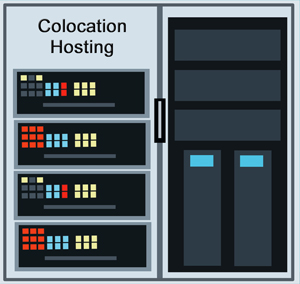
In addition to bandwidth, colocation centers offer rack space, cabinets, cages and the power, cooling and connections to go with them. You generally bring your own servers and storage and take responsibility for maintaining your equipment. Many colos also now offer expanded tech services to monitor and service equipment 24/7 and may even lease you servers and other equipment you would normally buy.

Why Pay Someone Else to Host My Servers?
It may seem logical to keep everything under one roof, but that doesn’t necessarily give you everything you need. For one thing, you have no redundancy in the event of a disaster. A tornado, hurricane, earthquake or flood can wipe out your data center and you’ll be out of business for awhile. If you keep all your backups in the same data center, that could take a long while and very expensive to recreate all the data you need.

By having at least some of your servers and storage offsite, you gain the advantage of redundant facilities. It works even better if your sites are geographically dispersed.

As mentioned previously, you’ll likely find much better connectivity at better prices in a colocation center. Carriers go where many potential customers are clustered so that they can quickly and easily provide service. It’s just a cable run in the colo.

Are you able to provide tech service 24/7? Most colocation facilities have their own tech staffs available round the clock to handle their equipment and often provide a suite of services to their customers.

Think about the cost of expansion. If you are running out of space now, you have a make or buy decision to face. Making means building or leasing a larger facility to accommodate your growing needs, including more backup power, tech support, and security. Buying means avoiding the capital investment in facilities and leasing from a colo, likely at much lower cost that doing it all yourself.

Another area where colos shine is being physically close to your customers to reduce transmission latency. That’s more important if you have latency sensitive real-time applications and if you are selling your service nationwide or worldwide. Some of the larger colos have multiple sites so that you can disperse your equipment as needed.

Is your business growing and creating a need for additional data center capacity or would you simply prefer to lease rather than buy the IT facilities you need? If so, consider the advantages of colocation hosting and get competitive quotes now.

Click to check pricing and features or get support from a Telarus product specialist.


Follow Telexplainer on Twitter


Tuesday, April 07, 2020

You Are Definitely Going to Need More Bandwidth

By: John Shepler

All of a sudden, business as usual isn’t. Forget the norms of office life. They’re gone. Nobody comes in and sits at their desk anymore. The cubicles are empty. The parking lot is empty. Row after row of desktop computers and phones are… off.

Get business products with this theme from our Zazzle store.So, Where Is Everybody?
To be fair, a skeleton crew is in the building. Most everyone else is at home. It’s been a mad scramble to connect remotely by home computer, iPad & smartphone via cable and cellular broadband. Bandwidth usage has soared 30% or more. Video conferencing has come into its own using those built-in microphones and cameras over Skype, Zoom, FaceTime, RingCentral, GoToMeeting, Webex and the like.

Not as Temporary as You Think
You probably think this traumatic upset of normal business practice is a transient thing. Just a few weeks of toughing it out and everything will go back to normal. That’s almost certainly wishful thinking. This pandemic has peaked or is peaking in areas that were hit hard and hit early. But that doesn’t mean it’s over. The horror of infection rates, deaths and failing medical systems will abate in one area after another. But, the disaster will soon pop up in areas that weren’t hit early and haven’t seriously locked down until recently. Think of a rolling disaster, from city to city and even into less populous areas. Just when you think it is all over, it is expected that there will be a re-infection in the Fall and sickness will spread again.

Eventually, there will be effective therapeutics and then vaccines. Those are likely months and possibly a year or more away. Until then, you might not be living in a constant horror movie, but it certainly won’t be business as usual. You might as well dig-in and figure how to run a successful business without large numbers of people rubbing shoulders in one big workspace or cozying up to customers at your place or theirs.

The New Virtual Business Requirements
You are going to need to master distributed processes, secure communications, and remote everything. You’ll need VPNs for security, private and public cloud services to host the software that defines your organization, and lots and lots of bandwidth to tie it all together. “Touchless” will be the new, new thing that everybody wants. That means technology substituting for hands-on.

What types of bandwidth do you need? Certainly, sketchy home broadband won’t do. Your remote employees may not even be eligible to connect to the high performance business grade private lines that commonly link offices, but they will need sufficient reliable bandwidth for both video conferencing with colleagues, management and customers. Bandwidth and latency need to be good enough that the home computer runs like the office computer. Cable broadband may do a decent job but remote areas present a challenge. In some cases, an SD-WAN solution aggregating cable, T1, WISP, 4G and 5G cellular and perhaps even satellite may be a good composition solution.

Especially Demanding Applications
Medical offices, labs, and hospital campuses need really high performance bandwidth. That includes Gigabit Ethernet and 10 GigE fiber, dark fiber and MPLS networks for interconnecting far-flung facilities or collaborating companies. Fortunately these connections are readily available in populated areas, although more of a challenge in rural locations.

Your IT Bandwidth Requirements
Reconsider your own IT Department connectivity needs. They've changed. You'll want your connection to public, private and hybrid cloud services to be high performance, dedicated bandwidth links. This will give you much faster, more responsive and stable connections than the Internet can provide. You'll want the closest to "LAN" quality performance from any of your business locations. This can be achieved with dedicated point to point fiber optic lines, Metro Ethernet services and MPLS Networks that span wide geographical areas, including worldwide service.

After The Disaster
Someday this will all be over, but things might not go back to the way they were. Companies may be amazed at how productive employees are in home offices, even with kids and pets under foot and no supervisor breathing down their neck. Fact is, a lot of socializing went on in those cubicle farms and the office computers hosted a lot of personal web use and email. Letting many, maybe most employees work from home reduces their need for commuting and, perhaps, child care. It reduces your need for real estate and facilities. Managing performance by goal oriented results may finally replace monitoring physical presence as the business norm.

Expect that you will have a lot more remote work and that core teams may be housed in much smaller facilities or even rented meeting spaces. Video conferencing may replace a lot of business travel that was once thought essential. The same level of productivity might, surprisingly, be achieved at considerably lower cost overall with more flexibility. Additional help could be quickly brought on without the delays and expense of relocation.

Now, What do YOU Need?
Has the shock of recent upsets found you scrambling for IT resources, especially bandwidth, secure communications, video conferencing and hosted telephone solutions? We can help you right now. Call toll free 888-848-8749 or tell us what you need to support your business.

Click to check pricing and features or get support from a Telarus product specialist.


Follow Telexplainer on Twitter


Tuesday, November 19, 2019

Is Connection Latency Important to Your Business?

By: John Shepler

We may be inclined to think that connection speed is the most important consideration for private lines and Internet access. If web pages are loading slowly and files take forever to move, then clearly the network is starved for bandwidth. Just order more Mbps or even Gbps and everything will straighten out, right? Sometimes, yes. Sometimes no. There is another network consideration that can affect your business big time. That is latency.

Improve your line latency now.What Does Latency Mean?
Latency is a time lag. Nothing happens instantaneously, but if the time lag is short enough it will seem that way. You know the expression, “in the blink of an eye”? That’s low latency.

In computing, you experience latency as applications that just don’t keep up with what you are doing. If you press a key and it doesn’t appear on the screen for a split second, you’ve got latency. If you type a command and nothing happens for a second, that’s latency.

When operating on local area networks and in-house data centers, latency may not be all that noticeable. Programs are responsive. Video is nice and smooth. Files move quickly. If the system can keep up with you, latency just isn’t an issue.

When Latency is Noticeable
You often get your first taste of latency when you connect to the Internet or the cloud. Suddenly things seem to be a tad sluggish. It gets destructive when the system is so slow to respond that it interrupts your workflow. You almost feel like you’ve gone back to the days of batch processing where you submit a program and wait for the results to print out.

Worst case latency shows up in real-time processes. VoIP telephony gets a bad name when latency exceeds a hundred milliseconds or two. On a phone call, you expect to carry on a normal conversation. That includes both sides talking at once sometimes. If you ask a question and don’t get a response immediately, you might start taking agin. Right then, you hear the other person’s response just as you say something else. It quickly becomes intolerable. If you are stuck with the situation, you can work around it by consciously taking turns, like you would with a two-way radio.

Higher Bandwidth, Lower Latency
One cause of latency is network traffic jams or congestion. In any size WAN pipe, expressed by bandwidth in Mbps or Gbps, you can only send so many packets per second. If you try to send more, they pile up in a transmission buffer or, worse, get dropped. The fix for this type of latency problem is to simply add more capacity. If your T1 line is full, a 10 Mbps Ethernet line may be way more than enough. Likewise you may really need 100 Mbps or a full Gigabit per second for the connection to appear transparent.

Another way to relieve latency-induced madness is to prioritize traffic. Real time processes like VoIP telephony and teleconferencing take highest priority and can work great on even limited capacity lines. As long as there is still some bandwidth left, you should prioritize business applications in the cloud next and file transfers and backups last. If you run out of bandwidth so that the lowest level processes never finish or take forever, you need to add more bandwidth, pure and simple.

Higher Bandwidth, Same Latency
What happens if you increase your bandwidth by 10x or 100x and nothing improves? “Hello, is this line working?”

With congestion relieved, something else must be slowing things down. Remember that latency is simply a time delay between transmission and reception and that nothing happens instantly. Signals can move only as fast as the speed of light, which even at 186,000 miles per second turns out to be 186 miles per millisecond. If both ends of the connection are 1,860 miles apart, you’ve got a built-in transmission time of 10 mSec each way or 20 msec total. If you need lower latency than this you’ll just have to move closer.

Know that light through fiber optic cable and transmission equipment may impose an additional penalty over a third more than ideal latency. Still not a big problem, as latencies in the tens of millisecond range are not bothersome for nearly all processes. But, what if that connection goes to a geosynchronous satellite? Now you are talking maybe 500 msec round trip. That’s most definitely noticeable and probably a show-stopper for most phone calls and some cloud services. This is why the new Low Earth Orbit satellite constellations are so eagerly anticipated. At distances of a few hundred miles up instead of thousands, latency can be back to nearly fiber optic line performance.

Other latency issues can be traced to network equipment that isn’t working correctly or the inherent nature of the good old Internet. Remember that the Internet was designed by the defense department to be robust and not particularly efficient. Packet routing can take long and convoluted paths and suffer various levels of congestion within the Internet. If you are using a shared bandwidth service, such as cable broadband, DSL, satellite or cellular broadband, other users can clog the link and up goes your latency. Even more maddening, performance can vary from minute to minute so you have no consistency. Dedicated direct connections to your cloud provider can dramatically improve performance if this is your problem.

Are you having network performance issues, especially if you’ve recently moved from an in-house data center to the cloud? Your cloud service can be working perfectly well even though it seems to drag. You might be surprised by ping testing your line and discovering that it is the weak link in the system. Find out now what low latency bandwidth options are available and what it costs to upgrade and relieve your performance issues.

Click to check pricing and features or get support from a Telarus product specialist.


Follow Telexplainer on Twitter

Thursday, October 10, 2019

Can Satellite Be Part of Your SD-WAN?

By: John Shepler

Software Defined Networks (SDN) or Software Defined Wide Area Networks (SD-WAN) are being implemented more and more to provide high quality business bandwidth at lower costs. In some cases, SD-WAN is the only way to get decent bandwidth levels in rural and remote areas. You might think of these software defined networks as a potpourri of different connection technologies, but it’s more than that. it’s an intelligent approach to making the most of every connection available, including satellite.

Consider satellite as part of your SD-WAN solutionWhy The Need For SD Networks
Say you want to connect to the Internet or to your cloud service provider. Traditionally, you’ve done that by ordering up a “last mile” connection from your business location to the Internet or a private point to point line between two locations, such as your office and your cloud provider.

That’s great as long as there are providers who can give you all the bandwidth you need and at a price that won’t choke your business. The problem is that you often overpay for premium bandwidth that goes unused or settle for what the budget can handle and regret the performance limitations every day.

In reality, different tasks have different connection requirements. Telephone lines for a call center or even ordinary office use don’t need tremendous amounts of bandwidth but are highly sensitive to latency, jitter and packet loss. Backing up files to a remote data center or storage in the cloud is fairly insensitive to the latency, jitter and packet loss characteristics but needs lots of bandwidth to get done in a reasonable time.

This is where SDN / SD-WAN work their magic. An intelligent processor acts as a traffic manager for each and every packet entering the network. Those voice packets get routed to a dedicated high performance but limited bandwidth circuit like like a T1 or ISDN PRI. File backups can go via cable broadband or as lower priority on the T1 or fiber optic line. Business applications in the cloud need reliability and quick response. They’ll go over a high performance connection.

How SD Networks Optimize Cost
The processing power within the SDN controller makes note of what each type of traffic needs. You’ve told it that. The processor is also constantly monitoring the status of each connection that you’ve provided it. It can truly be a potpourri of T1, DS3, cable broadband, 4G and 5G wireless, Point to Point Microwave, Ethernet over Copper, Ethernet over Fiber, SONET, MPLS networks, DSL, and two-way Satellite.

What’s key is that the controller knows at each instant how each connection is performing. Low cost connections aren’t always low performing. That DSL or cable link might be zooming along right now. The low cost usually comes from these being shared rather than dedicated connections. Other users, not in your company, can be hogging bandwidth and creating congestion to slow you down.

Satellite may well have excellent speed and low packet loss. The geosynchronous satellites now in service do have long latency times that can’t be avoided. That can be an issue with voice and video conversations, but makes little difference for file transfers or downloaded video.

Wireless connections in general have usage limits simply because wireless bandwidth is a scarce resource. SDN needs to be mindful of that in assigning the connections to avoid bandwidth slowdowns or additional charges.

The point is that you don’t need to buy the most expensive bandwidth solution in many cases. You won’t be able to load up that line 100% of the time with traffic that absolutely needs it. SDN / SD-WAN can ensure that your costly connections get used to the max but offload traffic that doesn’t need such high performance to a lower cost link. You also gain the advantage of automatic failover in case one of your links fails.

When Availability Is Most Important
There are many locations in rural America where you can stand outside and waive a fist full of money to buy connectivity and have no takers. This is where an SD network solution can really help. The newer high bandwidth satellites offer fast speeds and quality connections. You can include a dedicated SIP trunk based on a T1 line for your VoIP phone calls to get around the latency issue. it is likely that cellular broadband is also available in most areas. Combine these and you may well get all the bandwidth you need with the performance you also need without having to pay a fortune to bring in a fiber cable… if anyone will even do it.

Are you frustrated with either the cost of connectivity or its availability? This would be a good time to look into SDN / SD-WAN solutions that can give you the performance you need at a cost you can afford.

Click to check pricing and features or get support from a Telarus product specialist.


Follow Telexplainer on Twitter

Thursday, January 10, 2019

SD-WAN vs MPLS Networks

By: John Shepler

Information Technology has changed dramatically in recent years, as has the business enterprises it supports. Most dramatic has been the move to cloud based computing and everything as a service. Last to change, however, has been the way everything connects together. Now that is also being transformed, driven by cost and cloud architectures.

SD-WAN cloud for high performance connectivity


WAN Networking via Individual Lines
Before MPLS, there were dedicated point to point line connections. Every company had one or more T1 lines and eventually DS3 bandwidth and fiber optic OCx circuits. Connecting two business locations together is pretty straightforward. Just order a line that runs directly between them and use that as another portion of your network.

Where it gets complicated and expensive is when you add line after line after line to connect far-flung offices, factories and warehouses. Each of those lines has a monthly lease fee dependent on distance and bandwidth. Each has to be integrated into the network as one big mesh or segmented for traffic control. You soon find yourself becoming a virtual telecom office running your own WAN (Wide Area Network).

The Solid Performance of MPLS
Two competing technologies have been developed to make long distance data connections more available and less costly. The first is the Internet. It’s a public network that is nearly universal and cheap as chips, as they say. The problem is that performance is erratic and security is non-existent.

The other is a smaller private version of the Internet called MPLS or Multi-Protocol Label Switching networks. Instead of one giant internet, you have a multiverse of smaller networks, each operated by an independent commercial vendor. It’s strictly pay to play. Being on one MPLS network generally does not give you access to any other, although there are services that will mesh or combine diverse MPLS networks. More often, you pick the particular MPLS network that has nodes near locations you need to connect.

The beauty of MPLS networks is that performance is guaranteed and security is orders of magnitude above the Internet. In fact, MPLS is sometimes called MPLS VPN just because the unique protocol makes it harder to hack. Your connections are pre-determined so that you can only talk to your own locations. Others have no way to access your data and you don’t even know that you are sharing the network. All of this comes at a price, but it is a much lower price than owning a multitude of leased private lines.

How About That Internet?
For those who don’t have the budget or need to connect with anyone and everyone around the world, especially the general public, the Internet is really the only decent option available. You have access to your customers and suppliers wherever they may be. Connectivity and core bandwidth have improved to the point where performance is generally pretty decent if your applications aren’t too demanding and you don’t mind some variability. Even security can be beefed up to an acceptable level by employing VPN technology such as SSL used in browsers.

SD-WAN, Best of Both Worlds
What SD or Software Defined WAN offers is a hybrid of private line, semi-private MPLS network and public Internet connections all at once. Each has their advantages and disadvantages. Private lines are rock solid, limited to one path only, and pricey. MPLS networks offer a lower cost while maintaining circuit performance and a wide area of connectivity. The Internet is low cost bandwidth and connects just about everywhere.

Can you possibly connect all of these together? That’s the job of SD-WAN. The Software Defined part is the intelligence that manages all of the different lines that you plug into it. You or your service provider explicitly tell the SD-WAN controller that VoIP phone calls go over the private lines or MPLS network and the file backups go over the Internet. If you lose a private line or MPLS connection, the system can create a VPN tunnel through the Internet to route all your traffic instantly. You’ll at least be able to keep doing business, albeit with some performance loss, until your high performance paths are restored.

SD-WAN can be a big money saver by knowing what traffic is either latency sensitive, bandwidth demanding or highly secure, and what traffic isn’t that critical or demanding. It will route packets through the lowest cost routes consistent with acceptable performance. WAN optimization software can also be included as part of the control system to further improve performance and reduce costs.

Have your business needs changed recently or are you suspicious that you may be spending much more than necessary because of the piecemeal way your WAN was constructed over the years? Now would be a good time to take a look at new SD-WAN and other connectivity options that have become available for your business locations.

Click to check pricing and features or get support from a Telarus product specialist.


Follow Telexplainer on Twitter

Friday, November 16, 2018

Dedicated Symmetric Internet Connections

By: John Shepler

Are you frustrated with the performance of the Internet for business use? Are you inclined to think that the entire thing is really more intended for entertainment and casual browsing that actually getting work done in a timely fashion? Yet, there’s really no alternative. Your customers and suppliers and all the information you need is online. Even your software packages and communications may be on the cloud now. Perhaps all you really need is a higher performance broadband connection that is more suited to the workplace.

Get high speed dedicated symmetric Internet access now.What’s Wrong With My Internet Service?
Chances are that your Internet Service Provider is delivering the service you ordered exactly as advertised.There is nothing really wrong with it. It’s just that the particular connection you are using is not up to the job. That’s especially true if you are making demands beyond what the typical Internet user expects. Some of the key parameters you need to be aware of include bandwidth, symmetry, dedication, latency, jitter, and packet loss. Let’s take those one at a time and see why they make a difference.

Bandwidth
Do fire fighters try to put out a blazing building with a garden hose? Of course not. A small pipe can’t deliver the huge volume of water needed. Same with bandwidth. A small or low bandwidth connection might keep up with emails, credit card verification, casual browsing and some video streaming. it can’t keep a dozen, a hundred or a thousand employees working efficiently. Once the “pipe” (yes, it’s actually called that) is at capacity you experience congestion. Too many packets per unit of time. Somebody has to wait their turn… and wait, and wait and wait.

You need bandwidth appropriate to the job. That means you’ll have to kiss DSL goodbye. T1 lines are reliable but way too slow these days. Same for budget cable broadband, 3G or even 4G wireless. Move up to fiber optic service if you can possibly get it without too much construction cost. Otherwise, Ethernet over Copper may work. Depending on the application, you might get by with 100 Mbps to 1000 Gbps DOCSIS cable.

Symmetry
Not all broadband is the same by a long shot. One big difference is symmetry of upload and download bandwidth. Symmetry means how much alike they are. Cable, satellite, DSL and similar connections that primarily serve the consumer market are not symmetrical. They are called asymmetrical. You may get 100 Mbps in the download direction but only 10 Mbps in the upload direction.

What difference does it make? Consumers don’t care. They mostly download. Businesses transfer large files between locations and upload them to remote web servers. Enterprise software packages transfer data in both directions. Offsite backups are primarily in the upload direction. If you can watch videos easily but can’t backup your files, you’ve got a symmetry problem.

Dedication
We’re all dedicated to the job, right? That’s not what this is about. The two choices in bandwidth are dedicated and shared. Once again, those low cost broadband services are actually shared bandwidth. You and a dozen or a hundred other customers are all drinking from the same pipe. When everybody wants service at the same time, there isn’t enough to go around and things slow down. It’s really bad when they slow down during business hours and worse when you are working to a deadline.

Dedicated bandwidth services are yours and yours alone. Don’t get me wrong. The Internet backbones themselves are always shared. That’s not where the problem usually is. The real pinch point is that last mile between you and your service provider. You want that to be a dedicated connection if you expect consistency high performance.

Latency
Latency is a time delay. It’s a pause. Every circuit has latency. Even your local area network has some. The trick is to keep the latency so low you don’t notice it. What adds latency? Long distance connections with lots of equipment on the line. The worst is geostationary satellites. No matter what you do, there’s a half-second or more of time delay between action and response. Ten milliseconds of latency likely won’t hurt anybody. A hundred milliseconds will probably be noticeable. Half a second to a second? Maddening. Real time services such as VoIP telephone and video conferencing will be the most affected. If you need to use a satellite, be prepared to pause to let the other person speak or you’ll talk all over each other.

Jitter and Packet Loss
Jitter is a variation in arrival between packets. It’s another congestion problem. Jitter distorts conversations. Worse is packet loss. That means some packets get sent and never received. Data transfer protocols will simply request a resend. Voice and video will have holes in the stream that add more distortion. If packet loss is too bad due to a nearly unusable connection, even website performance and data backups will slow to a crawl.

Dedicated Symmetric Internet Connections
The gold standard in professional grade business Internet service is dedicated symmetric lines. Even better are dedicated symmetric lines that go directly from location to location, like branch offices or to a cloud service, and avoid the Internet altogether. If you are going to use the Internet, though, give yourself the best performance possible. Insist on a dedicated symmetric Internet access, preferably with a service level agreement. Plan on paying considerably more than you will for a budget connection, but consider it worth the price in productivity and better customer relations.

Click to check pricing and features or get support from a Telarus product specialist.


Follow Telexplainer on Twitter

Tuesday, July 18, 2017

WANs That Act Like LANs

We take our Local Area Networks (LANs) for granted. Every business has them, but they are seldom seen except for that network connector on the wall. You plug-in your computer, printer, phone, etc. and it just works.

Find better Wide Area Network Connections now!Networks vs Utilities
In a way, LANs are now the data equivalent of AC power. You don’t think about it. You just use it. Connections and operations were long ago standardized. You don’t worry about different flavors of Ethernet any more than you stop and think what voltage is coming out of that wall socket.

Now, how about those Wide Area Networks (WANs)? It’s the WAN that gets you out of the building and connected to your other business locations, your cloud services and everyone else in the world. We don’t think about the fact that electrical power is transformed to higher voltages and that there are switching centers between your location and the power generation. It’s just as invisible as the wires running through the walls. If only Wide Area Networks worked the same way (sigh!)

The Difference Between LANs and WANs
The big difference between local and metro or wide area networks is that the local nets tend to be invisible and the longer haul connections may not be. You probably don’t have to be concerned about bandwidth, jitter, latency or packet loss on an in-house network. Wired LANs, especially, do a good job of keeping these issues out of your way. As you leave the premises, those characteristics degrade. Ideally it is not enough to get in your way, but sometimes it’s a major stumbling block.

Where WANs Go Bad
Take the most common WAN we use: The Internet. The Internet is an amazing infrastructure that connects nearly everyone to everyone else. It was designed from the beginning to be extremely robust, so that line cuts and equipment outages are automatically worked around. Its design philosophy and popularity are its limitations. The speed and quality of your connection can vary from minute to minute depending on traffic levels. The least costly connections, like cable and cellular, are shared, increasing the variability even more.

Invisible WANs
If you want the same performance over long distances that you have in-house, you need to order dedicated symmetrical wired, wireless and fiber point-to-point or multipoint services. Yes, a dedicated connection will help Internet performance greatly because most of the issues are in the “last mile” connection to your facility. Dedicated direct lines may make a huge difference in how business critical systems like VoIP telephone and software as a service in the cloud perform. MPLS networks provide similar high performance among multiple business locations, including remote data centers and cloud service providers.

The Almost Invisible WAN
The one sore point with dedicated lines is that can be a bit pricey, especially if you need a lot of bandwidth over very long distances. It’s a cost/benefit tradeoff. Dedicated wins for most medium and larger size businesses, where productivity losses and poor quality voice services are intolerable.

For smaller businesses and less critical applications, however, there is a fairly new alternative that makes the Internet perform more like a direct connection. This is called SDN or Software Defined Network, sometimes also referred to as a SD-WAN or Software Defined Wide Area Network. What the software does is combine multiple lower performing connections to produce a composite service that works much better. The SD-WAN monitors each WAN connection packet-by-packet and routes the most critical packets over the best performing links at that instant. It goes a long way toward making very noticeable Internet services more like invisible direct connections.

Are you frustrated by unacceptably poor Internet or other WAN services or have just hit the limit of your current bandwidth? Discover the range of competitive Wide Are Network connections that are now available for your business locations.

Click to check pricing and features or get support from a Telarus product specialist.


Follow Telexplainer on Twitter

Sunday, June 18, 2017

Faster Internet Connectivity

By: John Shepler

More is often better when it comes to Internet access speed. Yes, at some point the bandwidth of the line is so wide and the latency so low that your connection appears to be transparent. That’s not the case for most of us. We’re bandwidth limited to what we can afford and what is available. So, do we have to settle for limited throughput? Not necessarily, and certainly not until we’ve checked out all the options now available.

Move up to high speed Internet connectivityTimes Have Changed
One thing that holds us back in achieving faster Internet connectivity is the status quo. We’re comfortable with our Internet service provider and may not give it much thought. You might have just lucked into a good broadband service years ago or did a thorough search before selecting your current provider and service level. Just remember… that was years ago. In Internet years, that’s forever!

The Oldies: T1 and DSL
T1 lines and DSL were once the hot tech services. In fact, they may have been the only thing affordable at the time. Sure, there were T3 lines (also called DS3 service) and telco provided SONET fiber, but those were grossly expensive and only ordered if you REALLY needed them.

DSL is pretty much yesterday’s tech. T1 lines, however are still alive and well. They’re either on very old contracts that haven’t been reviewed in years or for special needs like rural locations where there isn’t much else. Todays T1 lines cost about half what they did a decade ago and you can bond them to create higher bandwidths. For most of us, though, there are better choices.

Cable Business Broadband
Today’s most popular entry level broadband service is business cable. It’s 10x to 20x the speed of a T1 line for less cost… if you can get it. In metro areas, no problem. Outside of town, not so much. The DOCSIS standard has been upgraded over the years so that 100 Mbps bandwidth is fairly easy to find. Even 1,000 Mbps is possible with DOCSIS 3.0, the current standard. A max speed of 10 Gbps is possible with the latest release, DOCSIS 3.1.

Note that these speeds are typically only available for download. Upstream capacity is often a tenth the downstream bandwidth. That works great for typical Internet access, but can be a limitation if you upload large files extensively. Also, cable broadband is a shared service. You share the available bandwidth with others on the cable rather than having it all to yourself.

Fiber Optic Ethernet
If future-proof highly reliable high speed Internet access with nearly unlimited dedicated bandwidth and low latency is what you really want, then fiber optic Internet connections are the real answer. The pioneering but expensive legacy SONET fiber services, such as OC-3, OC-12 and OC-48, are being quickly replaced by Ethernet over Fiber or EoF.

Carrier Ethernet is a perfect match to your local area network and offers scalable bandwidth from 10 Mbps to 10 Gbps, and up to 100 Gbps in select areas. It’s the most cost effective service you can get in terms of $ per Mbps. You also have the option of starting with the bandwidth you need today and quickly scaling up as needed in the future, usually with no hardware changes required.

High Speed Wireless
While fiber is the most desirable connectivity, it isn’t available everywhere. This is especially true in rural areas or even just beyond the metro limits. If fiber lines run to or close by your building, then you are in luck. Otherwise construction costs might be totally unacceptable regardless of the monthly lease fees.

If wires, including cable and fiber, aren’t the answer for you, then wireless may get the job done. There are two good options to consider. One is fixed point business Internet that picks up the tower signal using a small antenna on your building. The other is two-way business satellite that uses a small dish pointed at the southern sky to do the same thing.

Fixed Point Wireless
These providers are also known as WISPs or Wireless Internet Service Providers. Small Business Internet is similar to cable broadband but without the cable. You may get up to 50/5 Mbps of shared bandwidth for a very reasonable monthly price with no data caps. Enterprise Business Internet offers symmetrical dedicated bandwidth like Ethernet Fiber from 10 Mbps up to 1 Gbps with low latency for sensitive traffic like voice and video. Like other services, you’ll need to be in a location that is served by a strong WISP signal.

Satellite Wireless
The one nearly universal Internet connectivity service is broadband business satellite. Perched thousands of miles over the equator, satellites the size of school busses beam strong signals that blanket the USA and beyond, including islands and ships at sea. Two-way satellite has long been used by gas stations, restaurants, bank branches and other small commercial locations that have limited access needs. The new generations of “birds” are serious contenders with wireline and fiber. Look for bandwidth options around 15 Mbps now and up to 100 Mbps soon. Latency is pretty much stuck around half a second due to the enormous distances involved. That may or may not be a factor depending on how sensitive your applications, like voice, video and cloud services, are to these time delays.

Did you know that there were so many options to get faster Internet connectivity for your business? Whether you are a large, medium or small organization, check out your options for high speed broadband Internet service at your location.

Click to check pricing and features or get support from a Telarus product specialist.


Follow Telexplainer on Twitter

Wednesday, January 13, 2016

Are Your WAN Circuits Monitored For Quality?

By: John Shepler

As we transition from circuit switched telephony and make the move from in-house data centers to the cloud, our WAN (Wide Area Network) circuits become more critical than ever before. A misbehaving network connection that might once have been a mere inconvenience is now a productivity killer at best and a business shutdown at worst. It is essential that every copper and fiber optic line that leaves the building be running at peak performance all the time. But… how do you make sure that is the case?

Are you WAN Circuits monitored?Do You Know What is Going On Behind Your Back?
Technology has a sneaky side. When your outside network circuits are installed and checked out, the lines are verified to make sure they meet specs for latency, packet loss, jitter and bandwidth. Everything is running great. Tomorrow it’s still running great. But the next day, next week or next month something goes wrong. it might be a subtle change that degrades performance rather than knocking the line out completely.

Where do you point the finger?
The problem could be anywhere in the system. Is your LAN congested or are you dealing with a failing switch? Is it just your computer or telephone set that is having problems? Perhaps it is one of several network circuits that connect you to the outside world. How do you find out for sure?

Circuit Monitoring Is Your Eye on the Network
You can’t just blindly trust that everything is running smoothly. You need a way to look into the system. Likely, you already have that capability. You can run Ping and Traceroute diagnostic tests from your computer whenever you want. That’s great for troubleshooting if you know there is a problem and have time to sit down and run the tests. But what happens when no one is running diagnostics? Hard to say.

That’s where continuous circuit monitoring shines. You don’t have to jump in and run some tests. They are running all the time. Better yet, a monitoring program gives you a chart of how the circuit has been performing over time. Run a diagnostic yourself and you have only a single data point.

Get Automatic Heads-Up Messages
The other beauty of automating the performance monitoring of your WAN circuits is that the monitor can let you know when something goes out of whack. You can get an email when something goes wrong. That way, you don’t have to sit there and watch the screen continuously just in case there is an anomaly. You’ll get notified 24/7. The monitor never sleeps.

Best Deal Ever: Free Circuit Monitoring
The best way to get your WAN circuits monitored is to have it done for free. Ever hear of this? Probably not. This is a fairly new service powered by VXSuite and offered by Telarus on Internet and coax circuits with static IP addresses that they provide. MPLS and other monitoring is available. Telarus is well known for the extensive suite of carriers that they partner with and the best prices on WAN circuits. Now you get this bonus of free circuit monitoring included on both domestic and international circuits.

This circuit monitoring includes a ping and traceroute to that circuit. Packet loss and latency are also measured. If the circuit goes down, you get an email. You also have access to a web-based dashboard to view your current circuit status and performance graphics. A monthly email report is available if you wish.

Do you need WAN circuits you can depend on? Would you like those circuits to be monitored with the powerful VXSuite tools at no extra cost? If so, it is time to get the latest competitive pricing and availability of monitored WAN network circuits for your business.


Click to check pricing and features or get support from a Telarus product specialist.


Follow Telexplainer on Twitter

Wednesday, August 12, 2015

Big Data Needs Big Bandwidth

By: John Shepler

Bandwidth levels are growing almost exponentially. One of the major infrastructure build-outs underway is a move to 100 Gbps or 100 GigE wavelength service on cross-country and international routes. It seems that Gigabit Ethernet was introduced only a few years ago and thought impractical for all but the most demanding business applications. Now GigE is almost considered entry level in some quarters. What could possibly be behind this massive increase in bandwidth demand?

Big Data On Board warning signs. Check 'em outIt All Started With Video
It is said that most of the world’s Internet traffic is now video. That’s right, not telephone calls, not file transfers, not even big graphics. Video alone is sucking up as much bandwidth as it can get. That’s not likely to change, either. SD video has migrated to HD video and 4K video is well on the way. How soon will the marketplace demand 8K video across the board?

Every increase in pixel density cranks up the bandwidth requirement to transport high quality images. Compression can help a great deal, but there’s a tradeoff between picture quality and depth of compression. Broadcasters and video producers really want to transport uncompressed video and leave the compression artifacts to be dealt with in the final link to the consumer.

Send In The Clouds
When cloud services meant taking all night to back up the day's files as a contingency to local storage, bandwidth levels weren’t too demanding. That’s all changed. The cloud is no longer just a non-critical backup service. It’s the main data center for many companies.

What’s sometimes forgotten is that your WAN (Wide Area Network) bandwidth becomes far more critical when key processes move to the cloud. Networking is much easier and cheaper when you’re talking about hundreds of feet within your own facilities. When you have to take that same flood of traffic and send it over a common carrier to get to your remote data center or cloud provider, line demands go way up. Remember, the WAN used to be just to link facilities and for communication with the outside world. Now it’s the main artery for everything you do.

What that means is that WAN bandwidth demands jump by 10, 100 or 1000 times. Other characteristics, like jitter, latency and packet loss, become huge factors in how well your cloud processes perform. If you scrimp in any of these areas, you may find yourself frustrated by underperforming processes and even losing productivity instead of gaining efficiency.

You Think the Internet of People Is Demanding?
Online business applications are generating more and more interesting and potentially useful data. Mobile apps with location services fall into this category. Pretty much anything that you do online has some potential value in customizing services or creating statistical data to improve marketing. That’s a flood of data that has to be handled by wireless and fiber connections.

Human generated big data is nothing compared to what we’ll be dealing with when the Internet of Things (IoT) gets rolling. For every person online, there will be dozens, hundreds or even thousands of “things” chatting wildly and generating volumes of data that would be useful if it could only get where it can be analyzed and put to use. That’s going to multiply the load on every communications channel.

Will they be able to handle it? Not with yesterday’s creaky links. Everything will need an upgrade. It’s in process now. Wireless channels are being expanded as fast as they can be rounded up and auctioned. Current 4G standards will become 5G and then 6G before you know it. But, what about terrestrial lines?

Fortunately, the bandwidth of fiber optic cables is nearly limitless from our current point of view. The 1 to 10 Gbps or so capacity of each strand can be multiplied by multiplexing dozens to hundreds of wavelengths. Wavelengths can be aggregated to create larger services of 100 Gbps and beyond. The build buildout now is 100 Gbps. Soon that will be 400 Gbps and then 1 Tbps, and it will happen sooner that we think.

Is yesterday’s bandwidth keeping you from becoming tomorrow’s high performance company? You should know that bandwidth prices have been falling almost as fast as demand has been increasing. The bandwidth upgrade you need may fit well within your budget. Want to find out? Get prices and availability on high performance fiber optic bandwidth services now.

Click to check pricing and features or get support from a Telarus product specialist.


Note: Products with the humorous theme "Big Data On Board" shown on this page are available through the Gigapacket Zazzle Store.


Follow Telexplainer on Twitter

Wednesday, July 08, 2015

Broadband for the Bandwidth Starved

By: John Shepler

To say that we live in a connected society sounds like belaboring the obvious. It’s seems clear that everyone, and especially everyone in business, has pretty much claimed their piece of the bandwidth pie. But… not so fast. We’re not ALL connected the way we need to be. There are pockets of broadband wasteland out there that are still starved for bandwidth. If you find yourself in this situation, what hope is there?

Do you also need more bandwidth? Products with this theme are available. Click to see the selection.Yes, Virginia, There IS Broadband
Earlier in the century, there were islands of broadband access and vast areas where dial-up access was all that was available. That situation has pretty much reversed. Today, there is almost nowhere you can’t get at least some broadband Internet access. It’s just a question of what type of broadband service is available and how much you are going to pay.

Fiber Optic - The Cadillac of Bandwidth
I’ve said it before and I’ll say it again. We’re heading toward an almost all-fiber world. There really isn’t anything else that has the capacity of glass fiber strands. Try sending 10 Gbps down a copper pair. That’s only going to happen within a building. That signal is certainly not going to make it across town. The same 10 Gbps is child’s play for fiber. One strand with one laser can provide that bandwidth. You can easily multiply that by 10 to 100 times using WDM or Wavelength Division Multiplexing.

Fiber Everywhere?
You might think it’s fiber, fiber everywhere and not drop to drink. Actually, it might be not a drop to be had. Fiber really is everywhere. That long country road? There’s a good chance there’s fiber buried in the utility right of way. Highways, railroads and pipelines are popular routes for fiber conduit. The reason most of this fiber is invisible is because there are few drops, or places to connect with all that fiber.

That’s changing. What’s happening is that both consumer and business applications have become more bandwidth intensive. The cloud? You don’t dial-up into the cloud. You better have a decent bandwidth connection or you’ll wish you kept those servers at home.

The Fiber - Mobile Connection
Another big driver is mobile broadband. Feature phones are pretty much extinct. Everybody has an iPhone or an Android. Now they’ve got to have a 4G LTE smartphone. The latest apps and streaming content demand 10, 20 or 30 Mbps of bandwidth. In the future, even that capacity will seem like dial-up.

What’s fiber got to do with mobile? What gets transmitted from the towers has to get to the towers in the first place. That’s where fiber comes in. The T1 lines that have traditionally fed 2G and 3G cellular don’t have the capacity for 4G and the 5G to come. Carriers have long since realized this and have have been in a building frenzy to get fiber to the towers. In-town that’s no big deal. Out in the boonies? It’s a major construction project. No matter, there is a lot of fiber going in the ground and connecting to cell towers here, there and everywhere.

The end result is two-fold. One, wireless broadband speeds are going up like crazy (wireless is becoming the fiber for portable and mobile applications). The other benefit is that the actual fiber is becoming available in many, many more locations.

What Fiber is Available?
The ancient standard in fiber optic connectivity is called SONET. It’s far from obsolete, since many if not most long haul networks run over SONET rings. SONET makes a great backbone, but it’s often not the best connectivity for business.

The newer standard is called Carrier Ethernet. It’s an extension of the Ethernet that runs on your LAN. Because they are on the same technical standard, you simply plug your LAN into the Carrier Ethernet WAN and your network connects across town, to another state or around the world. Connect to the Internet using fiber and you have high speed access to your employees, suppliers and customers.

Carrier Ethernet comes in two flavors. Ethernet over Copper is the low speed standard. It runs on twisted pair copper and is good for 10 Mbps or so. Ethernet over Fiber starts at 10 Mbps and goes up to 10 Gbps and beyond. That’s the advantage of fiber Ethernet. It’s pretty hard to run out of bandwidth no matter how big your company grows.

Another advantage is scalability. You can start out at 10 Mbps and go to 100 Mbps or 1000 Gbps any time you want. The fiber can handle it. If you install a fast enough port, chances are that you won’t even have to replace equipment. Just call your provider and request a bandwidth increase.

What If There Still Is No Fiber?
Don’t write off fiber until you’ve gotten a new set of quotes. The fiber footprint for every carrier is changing daily. Just because you got turned down last year doesn’t mean you are still in the middle of nowhere. But… sometimes you still are.

For smaller or less bandwidth demanding businesses, such as small retailers and some farms and ranches, the trusty T1 line may still get the job done. You get a solid 1.5 Mbps up and down. That’s certainly good enough for email, much casual web browsing, and even online ordering. Video? Not so much. But, maybe that isn’t your critical need.

The beauty of T1 lines is that they are available nearly everywhere you can get a landline phone. They can also be bonded to double or triple your bandwidth. In some cases, 10 Mbps is entirely possible. That’s about the limit. Prices per line are a fraction of what they used to be, so you might find T1 is your most affordable option.

Can We Ditch The Wires?
Wireless is also more of an option than it used to be. Those same cell towers that are powering 4G smartphones can also feed a fixed receiver at your location that will give you broadband over your LAN. Today, most businesses are within good signal range of at least one cell tower.

For a lot of applications, bandwidth won’t be your problem. Usage will be. Wireless is a scarce resource, so even the so called “unlimited” plans have “fair usage” limits. If you go over, you’ll pay overage charges or have your service rate limited or cut off. Even so, many businesses are still not Internet-intensive and can get their online jobs done without going over, say, 10 GB per month.

Bird Is The Word
If you are so out in the woods that nothing else will work, there’s always satellite. Yes, you do need to be able to peek through the trees to see the southern sky. Yes, you do need to power the satellite equipment. If neither of those is a big problem, you can get broadband service for sure.

Satellite broadband used to be something of a joke. Bandwidth was pitiful and usage limits were paltry. Newer generations of bigger, higher power satellites have made a lot of those problems go away. You can get decent broadband levels, although nowhere near fiber capability. Still, 5 to 15 Mbps is reasonable for many businesses. Like cellular, there are usage limits on satellite and 10 GB per month is not untypical, although there are higher usage plans available. Once again, this is for web access and email, not video streaming.

The other issue you should be aware of is latency. The big birds are flying some 23,000 miles up there and it takes even a radio wave a half-second or more to get up, down and back again. Latencies of 500 mSec to 1 Sec or more mean that telephone calls over satellite are more like two-way radio conversations. You have to wait your turn. The same is true for video conferencing. Expect other cloud services to be similarly sluggish over geosynchronous satellite broadband.

What Flavor of Broadband Will Satisfy Your Bandwidth Appetite?
Options available to many locations include fiber, T1, cellular wireless and satellite. One of these should be usable for your applications. In many cases, you have more than one choice. Sometimes even cable broadband or high speed fixed point to point fixed wireless service are additional options. How do you know what’s available? It starts with a no-obligation quote from multiple service providers that you can request in just a minute or so.

Click to check pricing and features or get support from a Telarus product specialist.


Note: Products with the humorous theme "I Definitely Need More Bandwidth" shown on this page are available through the Gigapacket Zazzle Store.


Follow Telexplainer on Twitter

Thursday, February 26, 2015

Build Your Own World Wide Web

By: John Shepler

You love the World Wide Web… kind of. It’s a thing of beauty when you want to get information anywhere, anytime. It’s gets a lot less pretty when you are trying to share large files between offices, have high quality teleconferences, or interact with your applications as fast as you can. It gets down right ugly when your ISP crashes or gets so congested by people streaming high def video that you can barely get anything done. And then there are the security problems. You either have been hacked, are being hacked or will be hacked soon. Is this really the best one can hope for?

WWW of light network mouse pad. Get one for yourself or as a gift now.The Connectivity Conundrum
What would be ideal is to have the Internet all to yourself. Think of it. Only you, your valued customers and suppliers, and all of your business locations could use the network. Think of the performance! All that bandwidth and no competition. The network really would achieve that ideal of being transparent.

Of course, there is this little matter of not being able to access anything outside of your domain if you are the sole owner and user of the web. That’s not going to work. How will you do your banking, get to Wikipedia or buy and sell anything online?

No, you still need the Internet for connectivity to all the content out there and connections with other people. It would just be nice if you could split the Web in two. One side would be general public access. The other would be internal private communications only.

My Private Internet
Want the network all to yourself? Build your own! That may sound a bit nuts, but it’s how performance demanding companies have been doing it for decades. They sure don’t call it the Internet. That term refers to the Public Internet designed by the government and later made available to everyone. Instead, these “private Internets” are constructed using dedicated private lines.

A private line is just that. You order a point to point line service that connects directly from one location to another via a telecom service provider’s office. The only traffic on that line is what you put on it. The rest of the time it sits idle.

For point to point connections, a dedicated private line can’t be beat. You order all the bandwidth you need. There is minimal latency, jitter and packet loss because these are high performance copper and fiber telecom lines. You’ll recognize them as T1, DS3, OC3 to OC48, Ethernet over Copper and Ethernet over Fiber. In some locations private microwave or even laser line of sight wireless service is available.

Adding More Sites
What if you have more than two locations to connect? Simple. You order more private lines. You could have every location connect to every other location, but the cost of this goes up exponentially as you add sites. A more practical solution is to have each remote location connect to a central headquarters data center. That is where the switching and routing takes place to ensure that all locations can communicate.

Voila! You've just built your own private Internet, also called an Intranet. You now have the high performance, high security… and high cost of going it alone. It may well be worth it. With a Wide Area Network (WAN) under your control, you’ll be able to bypass the public switched telephone network for long distance calls between facilities and create your own private cloud that will be as response as if it was right down the hall.

Hackers getting into your servers? How are they going to do that when there is no outside connection? If your data is really, really sensitive, you can encrypt the transmissions between facilities to completely frustrate anyone who might “tap” the line.

Reducing Costs Without Losing Performance
Owning and managing a fleet of dedicated private lines and the infrastructure needed to route the packets gives you the ultimate in control, but it costs a pretty penny. Is there a way to get the same result cheaper without giving up the superior performance of this arrangement?

There is and it is a public/private hybrid called the Multi-Protocol Label Switching Network or MPLS Network. An MPLS network is a private “Internet” that someone has built with fiber optic connections to many cities and countries. The largest ones can connect hundreds or thousands of business sites worldwide. That’s just like the Public Internet, except that this one is privately run and serves only a limited number of paying customers. There is no access to the general public.

MPLS uses a proprietary protocol to route the data through the network. This makes it hard to hack because the usual IP snooping tools won’t work, especially if you encrypt your "last mile" connections. Any intruders looking to gain access to the core of the network will find that quite challenging compared to the Public Internet. For these reasons, MPLS Networks are called “virtually private” by the nature of their design.

No, this isn’t your own private network. There are many companies using the MPLS network at any given time. Unlike the Internet, the MPLS network is run with sufficient resources to offer each client as much bandwidth as they need with low latency, jitter and packet loss. You also have the option to create classes of service for your own data streams so that VoIP phone calls aren’t disrupted by large file transfers that aren’t so time critical.

You’ll Need Internet For a Complete Solution
MPLS networks sure sound like the closest approximation you can have to the Public Internet without all the limitations. Even with complete high performance connectivity among all your business locations, you are still missing a way to communicate with the general public and use all the resources of the World Wide Web. The answer? Take both.

You can set up two networks within your organization. MPLS for internal communications. Public Internet for going outside. You can manage the merger of this arrangement yourself, or turn it over to the MPLS operator. You still have private connectivity between locations, but you also have the Internet available as a separate data stream in its own class.

Have It Both Ways
That’s right. When you build your own World Wide Web you can have the best of both worlds. You have multiple classes of service that prioritize packets based on their criticality. Real time audio and video streams get the highest priority with critical business applications a close second. Your Internet access is lower on the list, with background activities like data backups to the cloud on the bottom rung.

All of this will be invisible to your employees. They’ll simply experience a high performance network that works extremely well for every application. They might even wonder what their peers at other companies are complaining about.

Would you like to investigate an improvement to your current Internet performance or a cost reduction to a privately run suite of dedicated private lines? Get expert recommendations and competitive cost quotes now. This may be more affordable than you think and well worth making the move.

Click to check pricing and features or get support from a Telarus product specialist.


Follow Telexplainer on Twitter

Monday, December 08, 2014

10 Mbps, 100 Mbps, 1000 Mbps Internet Upgrades

By: John Shepler

Are you feeling stymied by your company’s low Internet speeds? It’s to be expected. Today’s online applications are far more demanding than the static websites and text based email that were the norm when you got your first T1 line. Today, 10 Mbps can be considered entry level for most businesses. Demands for 100 Mbps and 1000 Mbps are entirely reasonable. So, what’s the best way to upgrade?

Business bandwidth for 10 Mbps, 100 Mbps and 1000 Mbps at attractive prices.Movin’ On Up
You can sometimes get away with incrementally increasing your bandwidth as needs grow slowly. Bonded T1 lines can give you 3 to 12 Mbps in 1.5 Mbps steps. You need to order all your lines from the same provider and there will be equipment changes every time you want to step up. Even so, this can be the best option in rural areas where there isn’t much service available.

A competing approach is to order Ethernet over Copper rather than T1. It’s available in most metro areas, although not so much beyond the city limits. EoC can give you higher bandwidth levels, 3 to 20 Mbps, at lower cost than bonded T1 solutions. It’s distance sensitive, so the closer you are to the office supplying your service, the higher your bandwidth.

The best option today is looking more and more like Ethernet over Fiber. Yes, fiber optic service used to be rarely found and very expensive. The legacy SONET fiber services still are pricey, although they’ve come down dramatically in recent years. Ethernet over Fiber is a newer approach that offers a number of advantages for business users.

What Ethernet over FIber Offers
Ethernet over FIber (EoF) is pretty much like it sounds. It uses the same Ethernet protocol that runs on your company LAN, but adds some features that make it suitable for telecom carrier use. You’ll also hear it called Carrier Ethernet or Metro Ethernet. This is currently a metropolitan service. There isn’t much fiber in the boonies, although more is being installed all the time to boost the capability of cellular towers.

Because it’s Ethernet, EoF is easy to connect to your network. Your handoff from the service provider is a fiber or copper Ethernet connection. Plug it into your edge router and you’re in business

Ethernet over Fiber was designed to be highly scalable. That means upgrades are very easy and probably don’t need equipment changes. Compare that to legacy services that always required the carrier to swap out termination equipment and often took weeks and months to complete. With EoF, you make a phone call and your speed will be increased in a matter of hours or days. The latest offerings let your make changes on-demand. You can increase or decrease your bandwidth right from your computer.

How about bandwidth?
Ethernet over Fiber typically starts at 10 Mbps and goes up to 10 Gbps or more. Popular speeds mirror the standard Ethernet LAN speeds of 10 Mbps, 100 Mbps, and 1000 Mbps. Actually, you can get many increments in-between these standards. If you like, start off at 10 Mbps and then upgrade to 20 or 30 Mbps and eventually move on up to 100 Mbps or more.

The one consideration that makes this easy is the port speed you install. That the speed of the connection to the provider’s equipment. You’ll want at least a 100 Mbps Fast Ethernet connection to provide 10 to 100 Mbps. If you expect to go into the hundreds of Mbps, you’ll want at least a Gigabit Ethernet port. Want more than 1 Gbps? Get a 10 Gbps port installed initially so you won’t need equipment changes from running out of port speed.

The Pleasant Cost Surprise
Many traditional and new carriers are now offering Ethernet over Fiber, since it has become so popular. This makes for a highly competitive marketplace and that’s great for you as a buyer. EoF pricing is far more attractive per Mbps than bonded T1, DS3 (T3), or any of the SONET (OC-3, OC-12, OC-48) services. You can easily find yourself paying half or less than you would with other telecom services. You retain highly reliable service with low latency, jitter and packet loss.

Does this sound like just the business Internet access you need now? Check out prices and available of Ethernet over Fiber bandwidth options for your business location now.

Click to check pricing and features or get support from a Telarus product specialist.


Follow Telexplainer on Twitter

Wednesday, August 27, 2014

When Broadband is Hard to Find

By: John Shepler

If your business is located downtown in a major metro area, the idea of network and telecom services being hard to find seems a little odd. You probably have at least a couple of competitive providers vying for your business, as well as the local telephone company. Your challenge is to find the best deal on connectivity, trunk lines and cloud services. There are likely options available that you don’t even know about.

Some places are a bit scarce on connectivity...If you are located in a rural area or working from a home office, this wealth of opportunity may be missing. You may feel that nothing is available or you are stuck with a single option that’s a real stretch for your budget. Actually, there may be more bandwidth options available than you think.

T1 Lines are Readily Available
Businesses with their own commercial addresses have it the easiest. They can almost always get at least some traditional telecommunications services. These include POTS phone service and T1 lines. Both use the same twisted pair copper cables that connect nearly every building.

T1 started out as a telephone trunking service, but has been used for dedicated private lines and Internet access for decades. Each T1 line provides 1.5 Mbps in both the upload and download directions. Today that’s pretty low-end broadband, but it’s more than sufficient for credit card verification, email and simple Web access. You can also run backups to the cloud and connect with headquarters.

Boosting T1 Bandwidth
Not enough bandwidth? T1 lines can be bonded together to create a larger data pipe. Two bonded lines gives you 3 Mbps, 4 lines offer 6 Mbps and so on up to 10 or 12 Mbps. Bonded T1 is highly reliable and readily available. You might find it a bit pricey because there is no economy of scale. Two lines cost 2x one line. Even so, out in the boonies T1 and bonded T1 is likely well worth the cost. That cost has dropped precipitously in the last few years, by the way. If you haven’t taken a look at T1 lately you may be surprised by the value. Even so, expect to spend a couple hundred dollars a month or more for T1 service.

Broadband From Space
Another service almost universally available is two-way satellite or VSAT. Many small retail locations use satellite for their transaction processing and connectivity to HQ. Satellite bandwidth has been similar to T1 at a somewhat lower cost. More advanced satellites now offer bandwidths of 10 Mbps or more for a higher price. The thing to know about satellites is that they can connect anywhere in the country with a clear view of the southern sky. You can even power the equipment “off the grid.” Limitations are that bandwidth is shared and you are generally limited in the amount of data you can upload or download each month. Latency is also high, making the service hard to use for VoIP telephony. Compare that with dedicated line services that offer low latency and have no usage limits.

Broadband From Cell Towers
If your needs are modest, you may get by with 3G or 4G fixed wireless. This is a fancier “all office” version of a smartphone hotspot. If you can get smartphone broadband at your location, this service should work for your office or store. Just know that usage is limited and sometimes involves overage charges. It’s great for transaction processing and simple Internet usage, but not for heavy video usage and software downloads.

What’s Available for the Home Office?
SOHO (Small Office Home Office) users generally choose DSL or Cable broadband because of the low cost with decent performance. It’s not uncommon to get all the speed you need for $50 or so. You won’t find anything like those prices with T1 or bonded T1 lines. That’s because the bandwidth is shared among many customers and is a “best effort” rather than guaranteed availability service.

I often get inquiries from home office users who can’t get or don’t “like” their cable or DSL choices, but are shocked at the cost of more reliable and higher performing business telecom services. Are there any other options available?

You, too, can get two-way satellite service. You may be quite happy with it or be frustrated by the latency (time delay hesitation), usage limits, and interruptions during bad weather. It depends on what you are doing.

Fixed Wireless for SOHO Use
How about fixed wireless? If you can get good cellular service, you might consider something like a “Mi-Fi” hotspot that creates a WiFi hotspot using bandwidth on your 3G or 4G LTE cellular plan. This lets you use your desktop and laptop computers, tablets and other Internet devices on the same Internet access available from your smartphone. Once again, this is “light duty” service that is great for limited or emergency usage, but not for consistently heavy traffic.

Other Wireless Options
Another option that’s available in some areas but not others is non-cellular fixed wireless. These are WISPs or Wireless Internet Service Providers. Generally, these companies install a small dish or antenna on your home or office building and give you a wired connection for your router. You’ll need to look for these locally, as they are typically local enterprises not connected with nationwide providers. You also need to be within line of sight from their tower or towers and not too far away.

Call for Fiber… Maybe
How about fiber optic service? Verizon, Google and other companies have been building out fiber systems in select locations around the country. If you are lucky enough to be within one of these service footprints, you can get a lot of bandwidth for the money with FTTP (Fiber to the Premises).

Finding Home Office Broadband
If you are have a home office, you can try checking for DSL/Cable services or 3G/4G cellular wireless. You can also do an Internet search for satellite broadband from Dish Network, DIRECTV and others. Look locally for non-cellular fixed wireless.

Finding Business Location Bandwidth
If your business has a commercial location, then the Telarus GeoQuote search on Megatrunks.com is for you. This service gives you instant pricing for T1 lines, DS3 bandwidth, Ethernet over Copper, fiber optic and business grade Cable broadband. A quick inquiry will also get you quotes on VSAT and high capacity fixed wireless services appropriate for your business locations.

Click to check pricing and features or get support from a Telarus product specialist.

Note: Photo of Monument Valley courtesy of Josep Renalias on Wikimedia Commons.


Follow Telexplainer on Twitter


Thursday, August 21, 2014

Connectivity Should Be Invisible

By: John Shepler

Buffering videos, garbled VoIP phone calls, slow loading web pages, interminable waits for files to download, jerky video conferencing, hesitation in response from the cloud. They’re all symptoms of connectivity that makes us painfully aware of its presence.

Get the MAN and WAN network performance you need.That’s not what you want. You want connectivity to be invisible, like other utilities. Flip a switch and the lights come on. Turn the faucet handle and out comes the water. Unless something goes horribly wrong, this is how it works every time. So, why do we have lower expectations of our bandwidth connections?

Not So Great Expectations
Perhaps its because so many of us who are in a position to do something about it were around to watch the blossoming of the Internet from a backwater mail service for academics to the primary way we do business and communicate. Perhaps it’s because the technology is still evolving. This is especially true in mobile applications and remote locations, where bandwidth is still a precious commodity and limited in both speed and availability.

Otherwise, it is quite possible to achieve that goal of making network operations a background activity for business users. You can then treat your connected devices as appliances. You turn then on and every function works the same way, all the time. Nothing happens to break your stream of consciousness or give the impression that something is “broken.”

What to Know
You need to be aware of the some key performance characteristics of your network. No, not your LAN. I assume that you’ve already optimized your in-house network. The real Achilles heel is those outside connection, the MAN and the WAN.

The first parameter of importance is bandwidth. The idea behind having “big pipes” is that the conduits are always larger than the quantity of bits per second that you are sending through them. When the circuits can’t handle the volume of traffic, they become congested. It’s like too many cars trying to enter a superhighway. At some point it all clogs up and things slow to a crawl.

Networks, including the Internet, are good at preserving the integrity of the traffic but not so good at keeping the flow moving at top speed when congested. Buffers fill up as each node waits its turn. At some point, packets can no longer be accepted until those in process move on. Does this sound like a busy airport during a snowstorm? The analogy is close.

How Much BW is Enough?
What this all means is that you need to order the level of bandwidth consistent with your current and near-term needs. “Of course,” you say. “That’s obvious.”

Well, it is an it isn’t. There are a numerous ways you can get caught without the bandwidth you need. One is application demand that is creeping up. Those T1 lines you ordered a decade ago have been working reliably until recently. The carrier says they still are. What’s happened is that you’ve added employees, moved applications to the cloud and depend on the Internet for more of your communications. The lines are still working fine. They’re just overloaded. You need more bandwidth.

So, you go out and order a high speed satellite link that has 10x your old bandwidth. File transfers seem to be working fine, but you can’t carry on a telephone conversation because you have to pause for a second between talking and listening. Your cloud business applications also seem to run a lot slower than they did when you ran your own data center. How much bandwidth does it take to fix this situation?

The Latency Speed Bump
No amount will be enough. That’s because your problem is latency, not bandwidth. Latency is a time delay between source and destination. In-house the speed of electrons through wires and photons through fiber is so fast that you’ll be hard pressed to detect it. But, when those locations are connected by a radio wave path that goes up over 22,000 miles to a satellite and back down 22,000+ miles, the delay is noticeable, if not downright annoying. A round trip takes something like half a second… even at the speed of light.

Network congestion can contribute to latency, but an uncontested network can still have latency issues depending on path length and any buffering delays introduced by equipment in the path.

Other Sources of Network Congestion
Congestion can also be caused by contention between your needs and those of other companies sharing the MAN or WAN network. You may have installed more than enough bandwidth for your needs, but the network doesn’t have enough for yours plus everyone else’s. This is a classic issue with the Internet and mobile cell towers. Too many users at once can overwhelm the system and force everyone to take turns using the limited resources.

What can you do about that? First, keep your in-house communications on dedicated private lines or through an MPLS network that guarantees performance. Choose symmetric services with the same bandwidth in the upload and download directions unless your are sure your needs are asymmetrical.

For Internet connections, which we all need, you can bypass most of the “information slow lane” problems with a dedicated Internet connection. This gives you the best performance in terms of bandwidth, latency, jitter and packet loss. The actual core of the Internet is really pretty good. It’s the last mile connections, especially those shared with other users on “best effort” services like DSL, Cable and cellular, that get easily overloaded.

How to Choose
Ultimately, it’s a cost vs performance tradeoff. Cable broadband works great for residential and home office users and can work just fine for businesses that don’t have critical requirements. Most medium and larger businesses, however, need to move up to private lines and dedicated Internet connections if they want their connectivity to become invisible to users.

Do you wish your connectivity was more invisible that it is now? Look into high performance MAN and WAN bandwidth options that are available for your business location.

Click to check pricing and features or get support from a Telarus product specialist.


Follow Telexplainer on Twitter

Monday, July 14, 2014

The Office to Data Center Connection

By: John Shepler

Outsourcing IT applications to the cloud has become so popular that the connection to the cloud is sometimes given little consideration. Why should it be when all the action is in the remote data center? That center has a wealth of connectivity options both to the Internet and dedicated private lines. But, how do you connect with the cloud? Does it matter?

The stairway to heaven or at least to a remote data center is a dedicated bandwidth connection.The Ubiquitous LAN Connection
To understand why office to data center connections are so important, let’s take a look at what you have now. You have your own data center right down the hall, in the basement or the next building over. Chances are that nobody gives a second thought to how they connect with that equipment because everything connects through the company LAN. All of the network equipment runs at the same speed, 100 Mbps or 1000 Mbps most likely, so one Ethernet jack is pretty much the same as another.

Performance Taken For Granted
The beauty of the in-house network is that it is well controlled and that high bandwidth and low latency are fairly easy and inexpensive to come by. After all, it’s just a copper or fiber cable running hundreds of feet at the most. Fast Ethernet and Gigabit Ethernet switches are standard. Bandwidth, jitter and latency? You can pretty much take them for granted.

If your network is converged, with voice, data and video all running on the same network, your job is a little harder. You likely need to prioritize traffic so that the sensitive audio and video streams aren’t interrupted or delayed by less sensitive data transfers. Even so, on the local network this is under your control

The Trouble With Telecom
The challenge begins at the edge of your network. This is where you hand off control to a third party. Unless you are leasing dark fiber or have a wireless or optical laser link, you need a carrier to accept your signal and transport it across town, across the country or even around the world. Your wide area connections can be as robust as your local network connections… but they aren’t necessarily.

This is where you can get into trouble. Metro and long haul connections come in many flavors, each with its own classes of service, guaranteed bandwidth, latency, jitter and packet loss.

Shared vs Dedicated
Two major categories of bandwidth service are shared and dedicated. They mean what the names imply. Shared bandwidth means that you share a pool of bandwidth with dozens or hundreds of other users. Dedicated means that you have exclusive use of a line. Whatever you don’t use sits idle.

Why would anyone opt for shared bandwidth when they could have an exclusive channel? It comes down to cost. Telecom lines are less expensive than they’ve ever been. Even so, the cost is not trivial. Consumer Internet broadband is set up as shared bandwidth in order to get the monthly charge down to something most people can accept. The same is true of 3G and 4G cellular wireless and satellite. Wireless bandwidth is scarce and expensive, so there are usage limitations imposed above and beyond the shared usage.

When Sharing Works and When It Doesn’t
For things like email, web surfing, downloading short video clips, online purchasing and other activities that aren’t very resource demanding or time critical, shared bandwidth offers an excellent tradeoff between price and performance. This is why many small businesses opt for commercial grade cable broadband as their Internet connection. For home offices, shared bandwidth is almost universal.

Where sharing become a problem is when applications are sensitive to time delays. VoIP telephony can’t take much in the way of latency caused congestion, packet loss or jitter without sounding bad or dropping calls completely. The same is true for video conferencing. One often forgotten time sensitive application is the business critical cloud application.

What Makes Cloud Stormy
Cloud and other remote data center applications have unlimited resources, right? So why should they not perform even better than when you hosted them yourself? The answer is that pesky connection back to the office. You might assume a perfect connection, but it probably isn’t so. If you are using shared bandwidth, it really isn’t so.

What happens when there are even short time delays in packets to and from the cloud? You experience hesitation in the application. You send a request. You’ll get a reply… eventually. That’s likely no more than seconds at worst, but the seeming randomness of the delays is enough to drive a user crazy. The more annoying it gets, the more productivity suffers.

The Dedicated Line Solution
The answer to effective remote data center connectivity is to make your WAN as transparent as your LAN. You do this by ordering a dedicated connection with symmetrical bandwidth and guaranteed performance for bandwidth, latency, jitter and packet loss. It’s a direct connection between you and the data center without going through the Internet and its potential bottlenecks.

Fortunately, this has become affordable for all but the smallest operations. Gigabit Ethernet and 10 GigE are now readily available for most business locations. Even 100 GigE is starting to be installed for the largest and most demanding users.

Are your applications suffering from lower than expected performance since you moved to a colocation facility or cloud service provider? If so, it’s time to look into what’s available in the way of high speed dedicated bandwidth connections.

Click to check pricing and features or get support from a Telarus product specialist.


Follow Telexplainer on Twitter