Showing posts with label telephones. Show all posts

Friday, August 28, 2020

When Your Broadband Isn’t Stable Enough For VoIP Phones

By: John Shepler

People may point and laugh when you tell them your phones are still on analog landlines. Do you have to crank the phone or spin the dial? Very funny… especially when it turns out the joke is on them.
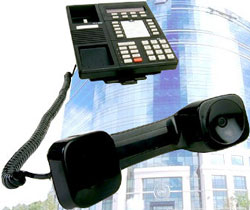
Get better VoIP phone quality nowThose old twisted pair lines were designed to have decent voice quality and rock solid stability. Yes, they can degrade with time. That usually shows up as noise on the line until you can’t make or receive calls. After a quick service call, everything is back in order for another year or two or a decade.

Oh, but that’s so old fashioned. The new phone line is the Internet. You can ditch the separate wiring and expensive line to the phone company when your computers and telephones share the same broadband connection. You can also get more advanced features, such as phones and computers that work together to support customers.

The only real hitch is that sometimes the new phones don’t measure up to the old phones. Oh, the handsets are great. They’re marvels of electronic engineering. Somewhere, somehow, the performance is getting lost. Calls may start out fine and then get garbled. The distortion can be so bad you can’t understand the caller. Worst case the call gets dropped…. and you slam that fancy handset back in the cradle. Not too hard, though. Those phones are expensive.

Where It All Goes So Wrong
The problem with VoIP or Voice over Internet Protocol telephony isn’t the fundamental digital technology. It’s that Internet thing. The Internet serves everyone, goes everywhere and is cheap as chips, as they say. Anyone and everyone is online doing pretty much everything possible. Your phone call goes into the fray like every other session and winds up at your VoIP service provider. It’s also completely democratic. Your call is no more or less important than somebody streaming a movie or placing an online order.

What you may not realize is that your old phone calls were really dedicated private connections between you and the party you are talking to. The line itself from your building to the phone company is just a pair of wires that go all the way there. A switching system then connects your line to the other party’s line. You have a dedicated circuit for the duration of the call. If the system gets overloaded, the next caller gets a busy signal. On the Internet, nobody gets a busy signal. The system simply slows down or drops bits. That’s what wrecks nice clean phone conversations.

Is There a Way to Make it Better?
The fundamental problem is more bits per second than a connection can handle. First, stop letting your computers and phones fight for the bandwidth. Set your router up to give phone calls priority. Whatever they don’t use can serve the other equipment. If those operations don’t have enough left over, you are going to have to order a higher bandwidth line.

Another thing to know is that the first mile is the worst mile for an Internet connection. The core of the Internet has much higher performance than most local Internet Service Providers. The cheaper the connection, the more likely it is that you’ll be in contention with other users. Dump the shared bandwidth services like cable and cellular broadband in favor of a dedicated Internet connection, like a T1 line. The 1.5 Mbps bandwidth of T1 is probably not going to meet your other needs, so consider this just for the phones. Otherwise get a higher bandwidth service for everything using Carrier Ethernet over copper or fiber.

Get Off The Internet
If you really want to get control of call quality, replicate the old dedicated phone line but with newer technology. What you need is a dedicated line service from your company to your phone service provider. Most PBX systems can use a T1 line, ISDN PRI (another flavor of T1), or a SIP Trunk. SIP Trunking is designed to directly support VoIP telephony.

Note that these dedicated lines go directly from point to point. There is no Internet connection involved.

If you want to tie together several business locations, an MPLS network may be cost advantageous. This is like a private Internet. The difference is that the line quality is carefully maintained by the service provider and is not the free-for-all you get on the Internet. Does it cost more? You bet. It may well be worth it, though, for customer satisfaction and employee productivity.

Are you frustrated with the quality of your phone service or the performance of your entire network? It’s time to take a look at voice and data connections that will get the job done and probably save you more money than they cost.


Click to check pricing and features or get support from a Telarus product specialist.


Follow Telexplainer on Twitter


Wednesday, October 01, 2014

Best Way to Manage Your Phone System: Get Rid of It

By: John Shepler

What is a common denominator for all businesses? Telephones. What’s a common denominator among business phone systems? They need to be managed. Well, what if they didn’t? Would that be a load off your mind and a competitive edge for your business? It certainly could be. Let’s see why. Even more importantly, let’s see how.

More phone features, flexibility and lower costs with hosted PBX serviceThe Trouble With Desk Sets
The legacy business phone is a heavy black box full of analog circuitry and connected to the phone company its own telephone “line”. Today, the phones are lighter, some have digital circuitry, others are cordless with multiple handsets. They still have their own unique “telephone” network wiring.

When you have a single phone or a cordless set with several handsets, managing the phone system is no big deal. There’s really nothing to manage. If you’ve got a dial tone, you’re good to make and receive calls. The one thing you might add is a backup battery if the phone has an AC power adaptor. Legacy analog sets get their power right from the phone line. Newer electronic phones, especially the cordless variety, have DC power supplies that plug into the wall.

Management headaches begin when you get a number of phones sharing outside lines. Sure, each phone can have its own outside line, but that gets real expensive real fast. Plus, not everybody is making outside calls at the same time. Some are calling within the company. Many are not on the phone at all.

Types of Business Phone Systems
The two most popular types of business phone systems are Key Telephone Systems (KTS) and Private Branch Exchange (PBX).

Key systems let you call between phones inside the company using only your internal telephone wiring. That’s a big advantage over independent phones because the telephone company will charge you for every call that has to go through their network. The limitation of KTS is that each line has its own button on every phone and has to be manually selected to make or receive calls. That limits the practical number of outside lines to typically 4 or 6.

Private Branch Exchanges are little phone company switches within your business. You can still make internal calls through the PBX without using an outside line. The PBX system manages a pool of outside lines that are shared among all the phones in the system. The number of lines you need depends on what percentage of employees are making or taking calls from outside the company at the same time. A dozen lines can often serve dozens of users.

Why Get Rid of Your Phone System
Someone in the company, and it may be you, is responsible for telephone expenses. These include local and long distance charges, the cost of purchasing and maintaining the phone system, plus moves, adds and changes to your telephone assets.

The cost of “moves, adds and changes” comes from the fact that each phone has a dedicated line that goes to the KTS or PBX. The connection tells the system which phone is picked up or needs to ring. If you want to move a phone to another desk, you have to also move the connection in the phone wiring or reprogram the system so that it knows the new location. Otherwise employees have to change phone numbers every time they are relocated. Add a phone? You’ll need to add a phone jack at that location and a line back to the system.

The larger the company, the more phones there are, the more phone wiring there is to wrangle and the more expensive the phone system becomes. Worse, if your company grows beyond the capacity of your system, you’ll have to upgrade it if possible or rip it out and put in a new one if not. At some point the technology will become obsolete and it will get really pricey or impossible to keep the beast running. Then you are looking at a major capital investment.

How to Get Out of the Phone Business
Whatever business you are in, it is probably not the telephone business. You simply need those phones to get your job done. Even call centers are focused on the services being provided and not the telephone equipment itself.

What if you could just buy or rent the telephone sets as you need them, plug them into your existing computer network and let somebody else worry about buying and maintaining all that expensive switching equipment?

You can with a service called Hosted PBX or Hosted VoIP. Both mean the same thing. VoIP is the technology that turns telephone sets into network peripherals. Like all computers, the phones have their own internal address on the network. They can be plugged into any network jack and will work just fine. No need to change any wiring.

There is no KTS or PBX on your premises. A much larger “Cloud” system is located at the service provider’s data center. All you have on-site are telephone sets called SIP Phones and a special router or call controller to direct phone calls to the provider. You no longer need outside lines to the phone company. Instead, you have a digital SIP Trunk that connects your location to the provider.

The Pay as You Go Advantage
What’s happened is that you have traded a large initial investment in a phone system and the ongoing costs to maintain it and make changes for a simple “cost per seat” for each phone. Some providers include all new SIP phones when you sign up for service. They’ll send more when you expand the business. No need to pay up-front for phones and lines that will sit unused until you need them. If you need to downsize at some point, you return the phones and stop paying for the ones you no longer need.

Advanced Features
Chances are that your existing business phone system doesn’t have the ability to include smartphones or integrate with computers for efficient call center operations. You many not even have the functionality to support auto attendants or hunt groups for multiple agents for your call center. The hosted system will not only have many more advanced features that what you probably have now, but will be kept up to date as new features are offered. You never have to upgrade your phone “system” because the system is provided for you in the cloud.

Are you feeling limited by the functionality, inflexibility or high costs of your current phone system. Before paying a small fortune to upgrade your in-house equipment, take a closer look at Cloud Hosted PBX Business Telephone Service.

Click to check pricing and features or get support from a Telarus product specialist.


Follow Telexplainer on Twitter

Tuesday, February 24, 2009

IP Phones Are In Demand

Enterprise VoIP is growing like crazy, but consumer adoption of IP phones is lagging far behind. That's the assessment of a recent study of the IP phone market. Is it that residential users aren't embracing new communication technology the way businesses are, or is there another explanation?

IP networks have been chipping away at the switched telephone network franchise for years. The reasons for this are both technical and financial.

For the consumer, the primary impetus has been to leverage their relatively expensive broadband (compared to dial-up) Internet service to also provide telephone services. There are many residential VoIP phone companies that offer bundled local and long distance service along with a dozen or two calling features all for one bundled price. For many consumers that price is lower that what you get ordering from the incumbent local telephone company.

There have also been a wealth of bundled CLECs or competitive local exchange carriers that competed with the incumbents, but changes in the telecom rules make leasing the telephone wires to your house too expensive for CLECs to offer an overall cost savings.

How do VoIP providers compete? They avoid the cost of leasing phone wires by using broadband services you already pay for. That can be either DSL or Cable, but the point is that most people buy broadband for their computers. VoIP uses the same connection as an alternative "phone wire" without additional cost. They also let consumers save money by reusing the phone they already have. You unplug your telephone set from the wall and plug it into an ATA or Analog Telephone Adapter box that is provided by the VoIP company, usually at no extra cost.

This is one reason that there is little to no demand for consumer IP phones. The residential marketplace isn't sophisticated enough yet to take advantage of services, like computer/telephone integration, or additional phone services, like videophone, that are practical with VoIP but not over traditional analog phone wires. Most consumers are still using corded handsets or cordless multi-telephone sets like the ones offered by Uniden.

The enterprise VoIP marketplace is quite different. Companies have various reasons for migrating to VoIP, but almost all are related to saving money directly or improving productivity to save money. While it is possible to get a better deal on local dial tone and long distance minutes using SIP Trunking instead of analog lines or T1 PRI digital phone lines, the real driver is the in-house phone system itself.

Traditional PBX telephone systems are large, proprietary and expensive to buy and maintain. They are rapidly giving way to IP PBX systems that are more like computer appliances than dedicated phone systems. IP telephony in-house offers the opportunity to converge the telephone and data networks into a single Ethernet connection to the desktop. Administrative and technical support can be considerably less for one network versus two, once the engineering has been accomplished to ensure quality of service for both voice and data users.

Like consumer VoIP, a business can acquire analog telephone adaptors and continue to use their existing handsets on the company LAN. But many additional features become available by switching to desk sets designed for IP services. The phone itself contains the network interface plus text display, video, and other features that make it as much a computer peripheral as a telephone. These phones are called IP phones or SIP phones. SIP is the switching technology used by VoIP telephone systems. There are many vendors of business IP phones, with Cisco being a major player.

Another point the report makes is that corded phones are the standard now, but will be replaced more and more by cordless and wireless handsets. That includes cell phones that are integrated into the corporate IP PBX systems, and perhaps wireless VoIP phones that will operate over the new LTE cellular broadband and WiMAX wireless networks that are just now starting to be deployed.

Click to check pricing and features or get support from a Telarus product specialist.


Follow Telexplainer on Twitter

Thursday, October 23, 2008

The Painless Way to Find Network Technicians

Your business is big enough and high tech enough that you have an in-house data network and a PBX telephone system. Perhaps you have even converged your networks with an enterprise VoIP phone system. But what you don't have is the budget for a full time IT staff and certainly not a telecommunications department. You need to hire the services you need as you need them. But is there an easy way to find contractors to do this work?

There is now. It's called the VAR Network. VAR stands for Value Added Reseller. These are companies that specialize in the equipment offered by one or more manufacturers. VARs range in scope from authorized dealers that simply stock and ship equipment to full service companies that offer consulting, sales, system design, installation, training, upgrades and repairs.

The VAR Network specializes in two types of technologies. They are business telephone systems and computer networks. If what you need is help with either of these technologies, then the VAR Network is your place for one stop shopping. The VARs that are part of this network can help you with everything from replacement parts to turnkey systems.

Here's how it works. You simply browse to the VAR Network site and look for the link that best describes the services you need. That could be network equipment, high speed Internet service, phone system hardware, telephone service, or VoIP equipment & service. You can simply start your request by selecting telephone or data networking. Or just put in your zip code and let the site guide you through a structured inquiry.

What happens next? Your request is matched to participating VARs in the database. These are dealers and technicians who have registered to become members of the VAR Network. The are distributed geographically across the United States. You'll only be contacted by VARs that serve your area and have the capabilities that you request. When a VAR calls, you can get into a more detailed discussion or set up a meeting.

How much does all of this cost? Absolutely nothing to you the customer. VARs support the network based on the new business it brings them. They compete to get the best leads by providing superior service that may include both the system and the connectivity you require.

Do you have a need for technical support? Perhaps something you've been putting off because you weren't sure where to get the right help? Here's your chance to get the service you need without any more grief. Simply visit the VAR Network right now and get your inquiry started. The system is available 24/7 online so anytime is a good time to give it a try.


Follow Telexplainer on Twitter

Friday, October 03, 2008

Oh, Give Me a Home Where the Elephants Phone

"I'm sorry, the elephant isn't available. Would you care to hold the lion?"

Oh, that joke was a lot funnier back when telephones had operators... and lines. Now that about a quarter of us don't even have a landline, we'll have to come up with cellular-centric humor if we want anyone to get it.

"Hey, do you know how to make an elephant phone?"

"No?"

"Well, you start out with a three foot long plastic case." (ROSL)


That's "rolling on the Savanna laughing", just in case you wondered.

Anyway, what's inspired all of this is a recent news story called "Elephants 'Phone' Friends With Rumbles" offered by the Discovery Channel. It's about a study of how elephants find their way back to their herd when they have wandered too far away to rely on sight or smell.

Turns out that elephants have their own wireless communications based on infrasonics. This is the range of audio frequencies below human hearing but still useful to animals. In this case, 13 to 35 Hz. Elephants are so large that they can resonate to emit powerful vocalizations in that extremely low frequency range. Those rumbles can travel over a mile and a half to reach distant herd members.

Even more interesting, elephants seem to have developed a form of audible Caller ID. Scientists discovered that an elephant was more inclined to respond to a rumble if they had a close affiliation with the caller. Otherwise they might choose not to answer.

Elephants also increase the power of their infrasonic vocalizations when they have to communicate over longer distances. That's not unlike the way cell phones automatically adjust their transmitter power depending on how close to the cellular tower they happen to be.

As humans we think we are so smart inventing all this sophisticated new technology, when nature has already developed analogous systems that do essentially the same thing. Perhaps infrasonic communication isn't totally lost on people. Ever notice how you can "feel" the rumble of the pizza delivery car pulling into your driveway, even in the dead of winter with the doors and windows shut? There may be a little pachyderm packed into all of us.

If you sense that kinship, you might be interested in knowing that October is Elephant Awareness Month, with special doings related to the Elephant Sanctuary in Tennessee. You'll enjoy the many elephants there, and at the Performing Animal Wildlife Sanctuary (P.A.W.S) in California.

Of course, if you expect to communicate with your human friends over long distances you'll want the best technology can offer in the way of wireless communications. That's what you find at Cell Phone Plans Finder. Check today's specials. Many great phones are available free, some even with cash rebates.


Follow Telexplainer on Twitter

Thursday, August 07, 2008

Ignore That PBX Behind the Curtain

You work in a two person office but you know that you're better than that big firm down the street. You just don't sound like it. Especially since you haven't quite got the cash flow to hire a full time receptionist and your one partner answers the phone, "hello there." The other partner works from a home office 500 miles away and is on the road most of the time anyway. Isn't there some techno magic that can make bankers, suppliers and customers think they're talking to a Fortune 500 Corporation?

Of course. Don't you know that in the virtual world all things are possible? In this case the magic you need is a solution called "virtual PBX", but not just any virtual PBX system. You want iTeleCenter.

Here's why. If you really worked at that big firm down the street you'd be using a real PBX or Private Branch Exchange telephone system. That's the technology that puts a phone on every desktop, gives you an extension or directly dialable phone number, lets you transfer calls at will and get an outside line by pressing the number 9. PBX phone systems are de rigueur (French for you're behind the curve if you don't have one) for big business. The one thing they are not is cheap.

So you've got a couple multi-line phones you bought at the office supply store and hope you can grab the incoming calls before your genius but oh-too-casual partner can answer. What iTeleCenter can do is to transform your existing phone or phones into a professional grade PBX telephone system. Take note. This is really important for anyone who has nightmares about the bottom line turning red. iTeleCenter uses your existing phones regardless of whether they are gigantic executive desk phones, cordless handsets, cellphones, or candlestick phones like the ones Al Capone used in the Roaring 20's. OK, not the last type unless you buy a modern replica.

Most virtual PBX systems are based on VoIP. You have to buy all new phones of a particular type enabled for the service and connect them to your broadband Internet service. But if you can't afford a PBX system, chances are you've got the cheapest DSL or Cable Broadband you can get just for Internet access. Those connections are problematic for decent voice quality. Problematic in that just as you're closing a major new client, some kid gets home from school and starts downloading videos that hog all the bandwidth assigned to your area. Your voice gets distorted, you start to cut off each other's speech, and the call dumps mid-sentence. Bye, bye big contract.

iTeleCenter is so virtual that it stealthily enables all your regular phones to be big business phones. You keep the same phones and phone lines. They just have more functions. What functions? How about a customizable main greeting, also called an auto-attendant? This is the first thing that callers hear and will direct them to the proper extension. Don't let your partners record this. Have it professionally done by iTeleCenter.

Extensions? Sure. They're numbered from 1 to 999. You can have an extension ring to yourself, your partners and employees at their desks or wherever they may roam, even sub-contractors and third party support vendors. Each extension has its own login with call forwarding, mailbox and message notification settings. Go ahead and give yourself 3 or 4 extensions called "departments." Major sales prospects will think your company has gotten huge overnight. Those extensions, by the way, can also be configured for FAX on demand, message taking voicemail, question and answer, greeting only or automatic call distribution.

There's a lot more to iTeleCenter including toll free numbers, call screening, integration with Microsoft Outlook, dial-by-name directory and music on hold. But rather than spend hours reading about it, why not take a 7 day free trial? If you like the way it works, and how could you not, plans start at under ten bucks a month. Don't stay small-time a minute more, when you could be sounding big, big, BIG. Learn more and start your iTeleCenter 7 day free trial right now.


Follow Telexplainer on Twitter

Wednesday, September 19, 2007

Motorola RAZR 2, The Razor Phone Legend Lives On

Motorola's RAZR V3 is undoubtedly the most sensational and well received business phone of all time. So how do you follow a winner like that? With the RAZR 2, of course. Motorola's razor phone legend lives on with upgrades that keep it at the front of the pack. Its multimedia features also make it a highly desirable personal cell phone.

Here's what stays and what's new in the RAZR 2. First of all, don't worry about a bulging phone. The technology upgrades have been integrated without fattening up the chassis. The RAZR 2 V9m is still a svelte 0.5 inches thin and weighs in at a mere 3.6 ounces. Battery life is up to 250 minutes of talk time and up to 280 hours on standby.

The most noticeable difference in razor families is the new large color display on the outside of the case. No more little bitty window. This is a high resolution color 320 x 240 pixel screen displaying over 65,000 colors. The main display is also 320 x 240 pixels but is upgraded to display over 262,000 colors.

All this resolution is put to good use for taking and viewing still photos and downloading videos. The digital camera is now 2.0 Megapixels. It can be used in a camcorder mode to capture video up to 2 hours in length. Yes, you too can make a full length movie right on your cell phone. At 15 frames per second and 176 x 144 resolution, however, you won't exactly be shooting content for the resurgence of the drive-in theater.

Bluetooth wireless is implemented extensively in the RAZR 2. You get support for the usual hands-free headset, but also streaming stereo music to external A2DP Bluetooth devices. You can also print your photos directly from your phone using a BPP or Bluetooth Basic Printing compatible printer.

The RAZR 2 V9m is optimized for Sprint's multimedia services. These add-on plans offer you Sprint Navigation turn-by-turn directions, Sprint TV video, Sprint Music streaming radio and downloadable music over-the-air. The technology that makes this possible is EV-DO cellular broadband, available in most metro areas, plus expandable memory capacity up to 2 GB.

What are the hottest cell phone deals available right now, including free cell phones? Use the Cell Phone Plan Finder to check out the top phones and associated wireless service plans.


Follow Telexplainer on Twitter

Tuesday, September 18, 2007

VoIP That Sounds Better Than TDM Phone Calls

There is a conventional wisdom that says VoIP phone calls will always sound worse than traditional circuit switched calls using the time-honored TDM transmission system. What's more, the impression is that technology limitations ensure that VoIP can never even equal the voice quality of TDM calls. What if I told you that VoIP can sound at least twice as good as TDM and perhaps even good enough to transmit high fidelity music? Would you buy that? Actually you already can.

Astounded? I'll bet. The image of IP telephony has been severely tarnished over the years. It started with PC softphones using dial-up Internet services to make computer to computer phone calls. As long as this stayed in the realm of a hobby or a means of conversing around the world for free, it was OK. The fact that that the voices sounded like they were coming from the moon was less important than avoiding outrageous international phone rates. Everything was fine until low-end Internet Telephony started being sold as a replacement for "real" telephone service.

Even over broadband connections, poorly implemented consumer and business VoIP solutions can leave a lot to be desired. The all too familiar clipped conversations, vocal distortion, echoes and even dropped calls are seen as a necessary evil that comes with lower cost phone services. What gets lost is the fact that VoIP telephony offers opportunities to improve phone system performance, not degrade it.

All of this has made some businesses goosey about using VoIP. Even new IP PBX installations implement VoIP only for calls within the organization. A TDM interface card terminates the calls to the public switched telephone network before they leave the building. Sip Trunking from enterprise level providers such as BandTel is now convincing corporate telecom managers that they can maintain TDM voice quality while saving money over terminating calls themselves. But what about actually improving voice quality? Is this for real?

It is, but it's not widely deployed as of yet. The secret is in the CODEC you are using. A CODEC, coder / decoder, is the chip that takes an analog voice signal from your handset and converts it to and from digital packets that can be conveyed over a computer network. The grandfather of all CODECs is G.711, an ITU standard that was developed to implement digital trunking over 50 years ago. This is the one that all phone companies use to transmit long distance calls. It's also the default CODEC for digital handsets, including IP phones. Why? Because you can be sure that no matter who you call, they have G.711 available.

G.711 is called the "toll quality" standard CODEC. That's because it replaced existing analog carrier telephony standards with the same bandwidth per channel. That bandwidth is 3 KHz, ranging from 300 to 3300 Hz. You wouldn't be impressed with an AM radio that had a frequency response of 300 to 3,300 Hz, but this is what we've come to accept as the gold standard for telephone calls. Sometimes this narrow bandpass is sold as being tuned to enhance voice signals, since it does tend to filter out low level power line hum and high frequency hiss. But it also cuts out so much of the vocal range that it can be hard to understand some speakers.

What's better? A wideband CODEC gaining acceptance is G.722. It's also an international standard. Wideband refers to the fact that G.722 offers a frequency response of 50 to 7,000 Hz. That's better response than many small radios and enough to make voices sound natural, not "tinny."

Oh, but how much bandwidth is that going to consume on the network? The same, actually. The bandwidth for G.711 is 64 Kbps. The bandwidth for G.722 is also 64 Kbps. How can that be? Compression. G.711 is an uncompressed datastream. G.722 requires more sophisticated processing to cram more vocal range into the same bandwidth. Think of it a little like MP3 encoding for music. With clever algorithms, you can eliminate redundant and unnecessary data bits that won't be noticed by the listener.

How can you improve the voice quality of your VoIP phone system? If your handsets and system support G.722, use this CODEC instead of G.711. If your system only supports G.711 or the lower bitrate G.729 CODEC, you'll need to upgrade to experience wideband voice. Polycom is a leader in improving VoIP sound quality, calling their approach HD Voice. They implement a standard variation of G.722 plus careful voice processing for echo cancellation and noise reduction in their handsets and systems. You can listen to recorded samples of voice and music that make the improvement very apparent.

Implementing HD Voice or G.722 within your company gains the immediate benefit of less fatiguing, easier to understand phone conversations. As long as your telephony remains packetized, such as over a point to point T1 data line to another branch office, you maintain the advantage of wideband voice signals. The fly in the ointment is that inevitable connection to the outside world. Right now all calls will be converted to the G.711 standard as soon as they touch the PSTN. And there goes the quality improvement. Only by using a voice and data extranet to your customers or suppliers, or by sharing the same SIP trunking provider that keeps your calls as packetized voice, can you currently enjoy extended quality telephone calls outside your company.

Click to check pricing and features or get support from a Telarus product specialist.


Follow Telexplainer on Twitter

Wednesday, May 09, 2007

How T1 Lines Support VoIP Telephony

T1 lines have long been the preferred trunking option for traditional PBX business telephone systems. But how do T1 lines support enterprise level VoIP phone systems?

Many medium and large companies are augmenting their legacy PBX phone systems with VoIP, wiring new installations as converged voice and data or even going so far as "fork lift upgrades" when the older system just isn't economical to upgrade anymore. The well-documented reasons for this trend are enhanced features that improve employee productivity, cost savings by converging both computer and voice networks into a single LAN, and ease of moves and upgrades. But one thing hasn't changed. That is the need to connect to the PSTN or Public Switched Telephone Network.

The PSTN, the common denominator in universal telephone service, is still a largely analog and TDM (Time Division Multiplexing) based system. Smaller organizations with need for only a few outgoing lines will likely find that standard analog business lines make the most sense for their limited key telephone systems and small PBX or IP PBX systems.

An opportunity develops when the business grows to the point where it needs 6 to 12 outgoing lines and a broadband Internet connection. At that point, T1 Integrated service starts to be more cost effective than multiple analog lines and a separate broadband service. A device called an IAD or Integrated Access Device connects to both the phone system and the network router to provide voice and data service. The Integrated T1 line feeds the IAD and may even dynamically assign bandwidth so that broadband speed is maximized when there are few or no phone calls in progress.

Enterprise VoIP systems use IP phones or ATA analog telephone adapters to connect the phones to the corporate LAN. All internal calls are handled by the system and incur no telephone company charges. Point to point T1 lines extend the LAN to connect other business sites into a single large network. VoIP calls transverse this WAN (Wide Area Network) connection, as do site to site data transfers.

T1 trunk lines are needed for the inevitable calls outside the organization. A corporation and its suppliers and major customers may be connected on an Intranet to transport voice and data. For connection to the outside world, calls have to be terminated to the PSTN. A voice gateway performs the conversion between the packet and switched networks. A single T1 trunk offers up to 24 individual telephone lines. The T1 PRI variant offers 23 lines plus a signaling and data channel that can speed call connections and offer services such as Caller ID. The T1 or T1 PRI line connects to the phone service provider to offer incoming, outgoing, local, long distance, or any combination of these phone services.

Do you use T1 lines to transport your PBX or IP PBX outside calls? If so, our expert consultants would like to save you money on your T1, Integrated T1, Point to Point T1 or T1 PRI service as soon as possible. Get an instant online quote or talk to an T1 line expert right now at T1 Rex.

Click to check pricing and features or get support from a Telarus product specialist.


Follow Telexplainer on Twitter