Showing posts with label data centers. Show all posts

Wednesday, August 12, 2026

Make Data Centers Community Friendly

By: John Shepler

There is a huge tech standoff underway right now. It’s between the nearly insatiable demand for additional data centers and community refusals to allow them to be built. Is there any way to satisfy both groups? I think there is.
Why We Need More Data Centers
Why is there such a building frenzy for data centers all of a sudden? Most business IT and e-commerce is well established. What’s new is the recent introduction of powerful Artificial Intelligence or AI tools. AI, itself, isn’t all that new. It dates back to the 1950’s. Over the decades these software applications have been expanded to play chess, answer Jeopardy questions, scan medical images, and search data bases.

In the last few years, more powerful and general purpose applications like ChatGPT, Claude, Gemini and Microsoft Copilot have been introduced and business has gone wild. Every company is afraid that every other company is going to gain a competitive edge by enhancing employee productivity or simply eliminating staff. So, just about everyone is trying their hand at using AI tools. Those tools are supported by powerful processors located in… you guessed it… data centers.

Is This Revolution for Real?
Like the Internet boom that really picked up steam in the 1990’s, AI is likely to transform how we work & live. Also, like the Internet, it isn’t going to happen suddenly and all at once. The Internet and e-commerce took a generation to fully develop. It’s likely AI will follow a similar path to widespread adoption.

What that means is that this immediate need for near-infinite new data centers is probably overblown. Once everyone has had a chance to play with the tools to see what they can do, businesses are going to reconsider how many tokens they really want to buy for experimentation. Some applications will show great promise. Others will turn out to be blind alleys with no return on investment.

In the long run we are going to live in a more technical world and data centers are going to power it. We've been through the massive buildout of factories and shopping centers. We’re now going to switch to data centers and have to figure out how to integrate them into our environment.

Why Are Data Centers a Problem?
Companies building new data centers are naturally trying to get the most benefit from the least cost. That means siting where power is readily available and taking advantage of where land is flat and cheap, especially if TIF (Tax Increment Financing) districts or other tax incentives are available. Communities anxious to bring in new tax revenue have jumped at the chance to get someone to build business infrastructure, only to have regrets later.

A data center isn’t like a factory or shopping center. Once construction is completed, it supports only a few of tech and maintenance jobs and doesn’t primarily serve the local community. Fiber optic Internet means data centers can serve customers anywhere.

What communities are disappointed with is the rise in electric bills for everyone as the massive power needs of the data center are supported, often with new power construction needed. Another complaint is noise. Giant fans for cooling and diesel generators or turbines for power are upsetting to residents in the countryside or subdivisions near where data centers are sited. The power is often needed to supplement limited utility sources as well as backup. Finally, cooling can mean a massive draw on local groundwater that threatens utility users.

How to Make Data Centers Community Friendly
The key to success here seems to mean structuring a deal where both sides benefit. The data center companies need to show a favorable return on their investment or it makes no sense to build, at least in that location. The communities need to be sure that benefits exceed the costs including financial, social, and environmental or they will reject the application.

First is the run-up in electricity rates. Electric bills have been steady for years as heavily using industries relocated overseas and energy saving from things like LED lights and TV sets replaced earlier power hogs in the home. Data center power demand has introduced a new upswing in the need for power generation. One solution is re-commissioning shutdown nuclear plants. New smaller and faster to bring on-line nuclear generators are nearing deployment but won’t be a big factor for years.

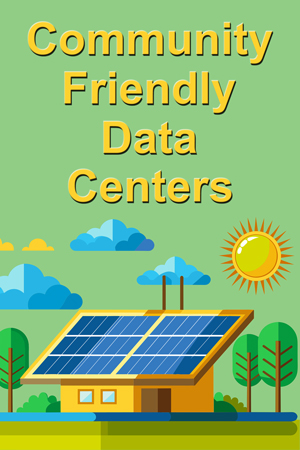
Coal plants get the thumbs down for environmental, but fuel cells using natural gas, like the ones from Bloom Energy, are quiet and more acceptable. Solar, wind and battery don’t cause environmental problems, but can still get objections depending on where sited. OK. Those data centers have enormous flat roofs that can be built to support significant solar power production during the day when demand is highest all-around. Data center companies can also fund off-site solar fields to the feed the grid. Construct extra capacity and utility prices for everyone else should come down, not go up.

Battery storage for overnight and inclement weather is quite practical. Tesla is deploying utility battery storage worldwide. Once again, if the data center funds more capacity than it needs, the community will benefit and should welcome the addition.

Siting is critical. You can’t stick a giant noisy facility near a high-end subdivision and not get serious blowback. Better to get way out in the countryside or in some undesirable area where abandoned factories are decaying or landfills are being reclaimed. Using closed-loop water or refrigerant for cooling limits the drain on well water. Heat dissipation will have to be done without roaring like a jet engine.

Now, forget trying to get tax incentives. Pony up the same taxes as anyone else and create a decommissioning escrow fund for when the facility has reached its useful life and everyone should be happy. Any extra contributions for local schools or roads just sweetens the pot.

If these data centers really are as valuable as promoted, there should be enough money to satisfy both shareholders and community stakeholders. You’ll know the tide has turned when people start requesting data centers be built nearby.


Friday, June 21, 2024

AI Is Going to Eat Your Bandwidth

By: John Shepler

We may be nearing the end of the age of person to person communications, or at least human communication dominating the use of telecom resources. The decline began when computers started using our phone lines to exchange data. It’s only accelerated since nearly all computers are now connected to the Internet at broadband speeds. Even so, much of that computer activity is in the service of people accessing websites, messaging and sending email, posting on social media, watching videos, backing up their files and doing their jobs. Not for long. Pretty soon machines will cut us out of the loop and simply talk among themselves.

Beware the Internet of Things. Join the fun!The Rise of Artificial Intelligence
The scary thing about artificial intelligence, or AI, is how insidious it is. It’s actually been creeping in for decades, probably since the start of the computer age. There’s a lot of AI in search engines, although we may not think of it that way. Most software, in fact, has been adding analytical and decision making capability deep under the hood. You may not be specifically asked your preferences, but that doesn’t mean the program isn’t figuring things out or selecting what information to display and how.

More recently we’ve seen an explosion of “chat bots”, intelligent assistants such as Siri and Alexa, and some quirky writing and photo capabilities in ChatGPT. In fact, it’s the last one that has fueled an explosion of interest and investment in what is called Generative AI, the tech that “creates” all that new content at the push of a button.

NVIDIA can’t make big enough processors on a large enough scale to sate the demand. Data centers are expanding to host more and more servers and new centers are rapidly under construction. One big worry is where all the energy is going to come from to feed the exponentially demanding power-hungry AI processes. Some data centers are being built right next to power plants to grab and many megawatts as they can.

How Nuts is This Going to Get?
One might suspect that we’re in an AI mania combined with a speculative bubble in anticipation that artificial intelligence will render pitiful human capabilities and their jobs obsolete in the matter of a few years… or less. The computer age has certainly eliminated or greatly reduced some roles, like telephone operators and adding machine clerks (human computers), but added new ones as fast or faster. The new AI fever sees the elimination of writers, graphic artists, analysts, software coders, customer service representatives and even law clerks as imminent.

Not so fast. The chat bots I’ve dealt with are complete simpletons that can’t solve much of any real problem. The writing is tedious. The artwork is artificial at best, and inane at worst (how many extra fingers can you add to a person’s hand?). Self driving trucks? Look out when they come barreling around a curve during an ice storm.

I suspect the AI crazy has hyped up expectations far beyond what is really going to work anytime soon. However, that doesn’t mean there isn’t a real germ of innovation underway. One example is the “Internet of Things” that is being touted as the real driver of 5G wireless. Better, faster, cheaper and smaller electronics makes it possible to add both processing and communications to any device. That can be any tool, any monitor, any control system, and most products. It is only logical that these “things” will communicate with other “things”, including computer systems, without our constant knowledge or intervention. The more of these “robots” that are deployed, the more sophisticated the software needed to keep them employed efficiently.

What to Likely Expect
Yes, technology marches on in the name of progress. We’re not going back to living in mud huts or slaving in dingy factories, and the nature of what we do at work will continue to evolve. The increase in productivity should improve our standard of living if we’re smart about it as a society. At any rate, the demands on technical infrastructure are surely going to accelerate.

You can expect more devices on every network, talking faster and demanding faster results. The “cloud” may become an “overcast.” Both fiber optic and wireless bandwidth requirements will move up another order of magnitude or more. A 100 Mbps connection may have been plenty not long ago. Now we clamor for a Gigabit line, with 10 Gbps an emerging business standard. How long before 100 Gbps is routine and 1 Tbps starts looking like a requirement? Within the data center, this could be tomorrow. For access, maybe the day after tomorrow.

How about your business? Are new tools, processes and devices straining the capability of your data center or WAN network? We can help. Get pricing and support on bandwidth and hosting for your current and future needs right now, before those needs become a crisis.

Click to check pricing and features or get support from a Telarus product specialist.


Follow Telexplainer on Twitter


Note: This article was not generated by any AI. It was written by one human (myself) who only worries about the machines scraping the Internet and regurgitating copyrighted material far and wide without any thought of compensation to the author, a real and present danger.

Tuesday, October 31, 2023

Gigabit and 10 Gigabit Metro Fiber Ethernet

By: John Shepler

Have you ever wished that you could stretch your LAN to cover other locations around the block or around an entire city and suburbs? You can. Best of all, you don’t have to do it personally. A Metro Fiber Ethernet connection will plug into your LAN at one location and plug into your LAN at another location.

Get quotes on Metro Fiber EthernetThe Problem Connecting Multiple LANs
Most all private networks are now Ethernet LANs or Local Area Networks. Within your realm, you have complete control. You string the cabling. You provide the switches and routers. You hook up the user equipment. You manage the entire network operations.

It doesn’t matter what the company next door or across town is doing. They won’t be bothering your network. They have their own to serve their employees.

This is all well and good until you get another location that is not on your campus. What are you going to do to tie them together? You could go into the business of pulling a fiber bundle across town. Just get the rights of way, bring in the trenching equipment and get to work. It keeps you in control, but it gets really expensive really fast. It also takes forever and may be blocked by city organizations that just don’t want you doing it.

The Internet Will Interconnect Your Locations… Sort of
Hey, the Internet is available. It goes everywhere. You probably have service at each of your locations already. Why not simply exchange files and route phone calls over the Internet?

Actually, this works after a fashion. You can connect anything to anything over the Internet. However, you need to be mindful about how you do this or you’ll find out it is nowhere near the expectation of a transparent line connection.

The Internet is so available and so cheap because of scale. It does connect everybody to everybody else, and they are all on one big party line. No way do you have any say over priority of traffic or who is accessing that traffic. It’s a big happy family and everybody potentially has their nose in everybody’s business.

There are ways to make this work better. First, get dedicated access. No, you won’t have a private connection through the Internet, but you can order a private line to the Internet. That helps greatly with keeping your service consistent.

Also, make sure you encrypt the daylights out of anything you send through a public network. If not, you are just asking for eavesdroppers to lick their chops as they read through all your sensitive documents or tap into your phone calls and video conferences.

To really make the Internet seem like your private lane, take a look into SD-WAN, or Software Defined Wide Area Networking. This is a technique of combining multiple internet connections of different types, such as wireless, fiber, copper, and cable, using software to pick the best path for each packet despite constantly changing network conditions. It sets priorities and knows that data backups take a back seat to interactive cloud services.

Better Yet, Go Private
Now we’re getting to Metro Fiber Ethernet. It’s a service provided by a commercial carrier but not part of the Internet. You get a LAN to LAN connection between your locations. You can set it up as point to point, like a direct line. You can also set it up as multipoint to multipoint for any number of locations in the area. They’ll all be on that one big LAN. Another flavor of this service is a direct to cloud connection that connects you to your cloud service provider through a local data center.

Sometimes the Metro designation is a bit limiting. You need to connect to cloud services or branch offices in another city, state or even country. Many fiber optic network providers have connections that go far beyond your city and may have interconnections with other networks to extend the reach across International borders.

You can also contract with a private service provider called an MPLS or Multi Protocol Label Switching network. These are wide area service providers that are privately owned and not accessible by the general public. They will guarantee performance and connect your far flung empire with low latency and high bandwidth. Security is enchanted because this type of network has its own protocol that differs from what runs on the Internet.

Do you have a need to interconnect business locations with speed, reliability and privacy? Gigabit and 10 Gigabit Metro Fiber Ethernet might be just what you need at a reasonable cost. For even higher performance 100 Gbps bandwidth are also supported in key metro areas.

Click to check pricing and features or get support from a Telarus product specialist.


Follow Telexplainer on Twitter


Monday, February 22, 2016

Managed Cloud Solutions Are Your Business Edge

By: John Shepler

Computing is a two-edged sword. One edge is the business purpose why you invested in technology in the first place. It may be the only way that a business such as yours can even exist. The other edge is what that technology does to hold you back. It sucks up massive amounts of capital and expenses. It requires special teams of experts to keep it going, especially if you require an uninterrupted online presence 24/7. Then, to add insult to injury, everything goes obsolete and needs to be replaced. Is there a way to gain the benefits of computing technology without the equal and opposite liabilities?

Managed Cloud Services are available to meet your specific business requirements. Find out more.Enter The Managed Cloud
Gone are the days when you had to do everything yourself. Companies that have evolved their computing resources over the decades became complacent with the incremental creep of adding more and more central resources to support an ever growing and more sophisticated suite of applications. You don’t have to have it all in-house any more. It’s a choice.

The alternative is the managed cloud. Think of your data center as being magically levitated and swept away to a distant location. You still have all the needed resources at your disposal. They are just located somewhere else.

Isn’t that a zero-sum game? It can be, but if you do it right, you gain something through expertise, efficiency and economy of scale.

Do You NEED Cloud?
Managed services run the gamut from simple dedicated servers collocated in a massive data center to public, private and hybrid cloud services. Cloud and colocation might sound the same, but colocation servers are a relative fixed structure that takes time to physically upscale and downscale. Cloud services are based around hypervisors, software that can quickly increase or decrease resources as needed.

If your needs are simple and relatively unvarying, a dedicated server might be all you need. You can rent space and install your own equipment, or rent what you need from the data center, along with the technical support to set everything up and perform maintenance and repair as needed.

Where the cloud shines is applications with requirements that vary wildly. For example, you may run an online store that has seasonal or infrequent peaks of activity that dwarf the usual traffic levels. If you depend on buying and setting up more hardware servers, the peak opportunity may have come and gone before you have the additional resources in place. Your site will stall or crash, frustrating customers who will take their business elsewhere.

Choose Your Cloud Carefully
Cloud services generally fall into one of three categories: private, public and hybrid. A private cloud is something like a private dedicated server or your in-house data center, except for the extra ability to scale up and down rapidly. Cloud systems are based on virtualization that takes a pool of hardware resources and allocates the elements efficiently, based on need.

Private means that even through you are contracting for services from a remote provider, the environment is single-tenant. You are using these particular resources and not sharing with anyone else. That’s peace of mind knowing that your network, compute and storage resources are dedicated to your applications only.

Public clouds are called multi-tenant. There is an enormous pool of hardware resources that are divided up among many simultaneous users. Public clouds are popular because they offer a nearly infinite pool of computing and storage resources for any one user. It’s a more efficient way to allocate resources and is reflected in a lower cost to each user.

Hybrid clouds are a combination of public and private clouds. You run your most sensitive applications on the private cloud and general applications, such as ecommerce, on the public cloud. By mixing and matching to the performance and security requirements of your applications, you get the best of both worlds, without having to pay up for resources you aren’t using.

It’s Time For Your Cloud
You’re aware of the industry buzz. Everyone company seems to be heading to the cloud, if they aren’t already there. It’s a major paradigm shift in how computers are used by business. You must be automated and connected to be competitive. But, you don’t have to be in the business of buying, running, maintaining and upgrading all of that equipment and software.

The efficiency of cloud solutions can’t be underestimated. By paying only for what you use at the moment, you get out of the business of having to anticipate your future needs and taking the calculated risk of buying too much too soon or losing business because you underestimated. The cloud will let you react to business surges, steady growth, or the unfortunate need for downsizing, should the market conditions dictate.

Time to upgrade, find a more cost effective solution or dip your toe in the world of cloud hosted services. Many solutions and expert consultation are available right now.

Click to check pricing and features or get support from a Telarus product specialist.


Follow Telexplainer on Twitter

Monday, February 09, 2015

The Cloud Needs Low Latency

By: John Shepler

It makes so much economic sense. Instead of getting a bank loan and making a major capital investment in your own server farm and data center, you simply contract with a cloud service provider and pay only for what you use when you use it. No more having to predict how business will be next year or even next quarter. You can roll with the punches with on-demand cloud services.

Cloud Computing Data Mouse Pad. Get one for yourself now.It Seems So Easy
The solution is deceptively simple. Clean out your current data center or don’t build one in the first place. Rent what you need from one of a myriad of cloud service providers. All you need is a simple link from your facilities to theirs and nobody on the network will know the difference. After all, how can they tell whether the servers are down the hall or across the country? Few users do anything but run the applications anyway.

The Hesitating Network
There’s an old saying that goes something like this: “On the network, the printer on the other side of the country is as close as the one in the next office.”

That’s an ideal. In reality it can either seem just that close or really a thousand miles away. The server three states over works the same as the one in the basement used to. Somehow, though, it’s developed a hesitation. You have to wait for the system to respond now. Worse, yet, that hesitation seems to vary. You really don’t know how the system is going to perform from one day to the next.

The Infinite Cloud That Isn’t
One used to be able to blame system performance lags on lack of resources. When everyone is running big jobs at the same time things slow down a bit. If you were clever, you tried to get your work done at odd hours before the thundering herd got to work or when they went to lunch. Let somebody else deal with the congestion. It’s the equivalent of drive-time traffic and no more fun.

That was one thing the cloud was supposed to fix. A major benefit of cloud data centers is that they have massive resources. Any given tenant can expand or contract the number of servers and the amount of storage they are using in real time. You aren’t supposed to run out of capacity ever. Yet, it seems like the cloud has less capability than you had before. How can that be possible?

The WAN Gotcha
One big thing that is often forgotten is that the printer in the next office and the one across the country have to be connected by something. That something is your WAN network connection. When all of your network resources were sitting on the LAN, the point was moot. There was plenty of capacity and the links were short enough that network performance just wasn’t an issue. You might say that the network became “transparent.”

Now, your network includes both the sporty LAN and metro and wide area connections that can be anything but sporty. In fact, they can be downright sluggish. That’s because there’s a difference between your local networks and the ones that run by telecom carriers. Local networks can be fairly easily engineered to have enough performance to appear transparent. That’s both harder and more expensive to do over long distances.

What’s Holding Back the WAN?
There are a few technical characteristics that spell the difference between transparent and not so transparent connections. These include bandwidth, latency, jitter and packet loss. You want to maximize the first and minimize the other three.

It’s tempting to jump to the conclusion that sluggish network performance is a result of too little capacity. When you start to use most of the available bandwidth most of the time, you can have periods of congestion where there are just too many packets to send down the line at the same time. Easy solution? Increase bandwidth. A double, triple or 10x bandwidth increase should solve the problem immediately… or will it?

One issue that no bandwidth increase can fix is latency. This is a time delay for packets to traverse the network. We think of electrical transmission being instantaneous from source to destination. At the local level, that’s a really good assumption. Once you leave the premises, though, even the speed of light may not be fast enough.

Minimizing Latency
Clearly, one way to minimize the time delay of transmission is to minimize the distance involved. Even at light speed, you can only go 186 miles in a millisecond. That’s 10 mSec for 1,860 miles. In fact, even that isn’t really possible. In real world glass fiber, you may be looking at more like 15 to 20 milliseconds one way or at least 40 milliseconds round trip. If you happen to be using a geosynchronous satellite link for part of the trip, that expands to a quarter to half a second.

Most applications aren’t going to be impacted by a 40+ millisecond delay, although half a second is definitely going to be noticeable and perhaps difficult to live with. This argues for using a terrestrial fiber link to the cloud (which is actually on the ground) and using the shortest path possible. A point to point dedicated private line is most likely the highest performance you can achieve. You may be able to get equivalent or nearly equivalent performance through a privately run MPLS network at a lower cost.

How About The Internet
Oh, yes, the Internet. It sounds like the ideal resource. It goes everywhere and connects everyone. The cost is amortized over so many users that the Internet is going to be your low cost solution. Security is certainly an issue, but encryption can create tunnels that give you a virtually private network that emulates a truly private network.

That emulation may fall short, not for security reasons, but in performance. The Internet is not engineered to minimize latency or jitter. It’s architecture is designed for resilience. If you lose a connection between servers, the network will automatically reconfigure to heal itself and keep the traffic moving. Unfortunately, that means your packets may take different paths on different trips. They may also encounter bottlenecks if particular nodes get overloaded.

Does this mean you can’t use the Internet to connect to the cloud? For maximum performance or highly sensitive interactive and real-time applications, you’ll do better with private lines. Otherwise, you might be satisfied with a private/public hybrid called DIA or Dedicated Internet Access. You still share the high performance backbone of the Internet core, but you connect via a private line that minimizes latency, jitter and packet loss during that critical first mile.

Finding a Better Cloud Connection
There is a range of cloud connectivity options available for most business locations. You should look at the cost/performance tradeoffs involved with each of these and then choose the link you need to make your connection to the cloud as transparent as you need.

Click to check pricing and features or get support from a Telarus product specialist.


Follow Telexplainer on Twitter

Monday, February 02, 2015

Do You Still Have Broadband?

By: John Shepler

If you’ve had the feeling that Internet broadband speeds have been accelerating lately, you’d be right. Broadband service was an amazing improvement on dial-up access when it was first introduced and then quickly took over. For a lot of years a few Mbps seemed plenty fast enough. Then 10 Mbps became the benchmark to shoot for. Now businesses are moving quickly to 100 Mbps and beyond, while the FCC is codifying 25 Mbps as the threshold where broadband begins. What does this really mean and what does it portend for the future?

Broadband Cable Dripping Data iPhone 6 Case. Get one for yourself now.What Does The New Standard Represent?
Official broadband standards have never been a leading indicator. They are set after a technology is well proven and the need clearly demonstrated. The move from 4 Mbps to 25 Mbps is quite a jump and it tells you something important about where bandwidth requirements are going. Is 25 Mbps the end of the road for awhile? Not likely and here’s why.

Few individuals and fewer businesses are going to pay up for higher line speeds for simple bragging rights. Something is driving the need to upgrade and then upgrade some more. The big factors are the move from local to remote resources and the nature of content itself.

The Rapid Growth of Computing Requirements
Remember message boards? Digital communications used to mean ASCII text transmissions. No need to press up against the speed of light just to get a few KB of characters to a distant server. It was the text-based model of computing that prompted Bill Gates to declare that 640K of RAM was plenty for the original PC, because who could possibly need more? Well, nobody did when the migration was starting from 64KB 8-bit processors. In just a few years, 640 KB was a joke. How long before 640 GB becomes a limitation? Probably sooner that any of us think possible.

Processor speeds have bumped up against some practical manufacturing limits, but the way around that is multiple processors. Memory, both RAM and Disk (now solid state), are sill growing. Bandwidth? Why is anybody surprised that WAN bandwidth requirements are going up when processing capability and memory are steadily increasing?

What's Next?
Computers always seem on the verge of not being able to keep up with us because of the functions we ask them to do. Text? That’s kids stuff. Photos? Easy. HD and 4K video? That’s more of a challenge. Will 4K be fully deployed before 8K starts to take over? What then?

You might think that software is getting less sophisticated because of the relatively small size of downloaded apps compared with some of the huge software packages that used to come in fancy cardboard boxes. That’s an illusion. The real power of of the apps we use is in all of the back-end processing that is going on at some remote server. Now everything is being tied to locality (with GPS) and highly personalized. A lot of this personalization is subtle and automatic. The system watches your behavior instead of you having to manually input a bunch of parameters.

Big data was a big bottleneck when it had to be handled locally. Just how much of a database can you put on a PC and how much grief is it going to be to keep up to date and accurate? Enormous data bases in equally enormous data centers can present a wealth of opportunity. The way the investment in gathering and managing all this data makes sense is to keep it simple for the end user. That doesn’t mean the system is simple. It just means that you and I are only dealing with the tip of the iceberg when we access these systems.

Big Data, Big Support Required
Big Data and sophisticated business applications have driven IT to a new architecture: The Cloud. The cloud pools all the processing and memory you can possibly use in a system that allows individual tenants to scale resources up and down at will. What you don’t need right now can be used by someone else. The resources they release can be put to work on your growing applications. As long as there are sufficient resources above and beyond what everybody needs at the moment, the system appears to be infinitely expandable.

What often isn’t infinitely expandable or even seems that way is bandwidth. The WAN connection, be it a dedicated line or Internet connection, has become the new bottleneck. Think of those clouds as enormous lakes full of data and you are getting your share through an old garden hose.

The way businesses are going to continue accelerating productivity is to let the machines do more and more of the work. Paper pushing is already a thing of the past in most clerical operations. Manually filling out forms is as obsolete as standing at a drill press or using a scythe to cut grain. Make no mistake that performance will continue to increase and probably accelerate. If you don’t make it happen, competitors will. That means more and more sophisticated processing, more mobility, and more data to present in simple, usable formats, more flexibility in manufacturing (think 3D printing) and larger data communication channels.

How Much Bandwidth Is Enough
In the long run, we have no idea how many Gbps or Tbps or Pbps will be needed. Right now, we can make some good estimates on what’s needed immediately and what that will grow to over the next few years.

Single digit Mbps connectivity has had its day. The only place T1 lines are still appropriate is for simple point of sale terminals and remote locations where there really isn’t any better solution. Bonding T1 lines can take you to 10 or 12 Mbps, but that’s just a stopgap. You’ll be needing more in the future.

If the consumer threshold for broadband is 25 Mbps, then that seems like a reasonable amount for businesses too. Granted, most business users aren’t creating or consuming a stream of HD movies all day. But they are accessing cloud applications, doing desktop or conference room video conferencing, sharing large files among business locations and running the phone system in the cloud. Remember that one consumer or a family is using that 25 Mbps. Your business demands per person may not be as consistently high, but you have lots of them on the same line. Productivity is also more of an issue when you are paying people. You don’t really want them sitting around waiting for the computers.

That argues for at least 10 Mbps for really small operations and 25 to 50 Mbps more commonly. Fast Ethernet at 100 Mbps used to be expensive and hard to come by. Now it’s reasonably priced and readily available. It doesn’t seem unreasonable for a medium size office to have 100 Mbps broadband… especially when that 100 Mbps may not cost much more than the 1.5 Mbps T1 line you budgeted for when you first got broadband many years ago.

Larger companies or sophisticated operations creating video content or doing 3D printing on an industrial scale can easily justify Gigabit Ethernet. So can school districts and anybody else with hundreds of simultaneous users.

How about really big companies? The new threshold may well be 10 Gbps Ethernet or 10 GigE. That service is readily available in metro areas and 100 GigE is starting to deploy nationwide on some carriers. This is where the upper end will be soon. Can Tbps service be far behind? It’s in development now.

Ethernet is the Way to Go Now
Note that all of these recommended services are Carrier Ethernet based. That’s where the industry is going for ease of interfacing and rapidly scalability. Like cloud resources, connectivity changes will be on-demand as well.

How is your company doing for broadband? Feeling the squeeze as you try to get more packets through the old lines? Feeling put upon now that the FCC has declared your connection as below broadband standards? Not to worry. Faster fiber optic bandwidth connections are plentiful and now cost much less than you might think. This is a good day to make a broadband upgrade.

Click to check pricing and features or get support from a Telarus product specialist.


Follow Telexplainer on Twitter

Monday, March 24, 2014

What’s to Become of Data Centers?

Both large scale colocation centers and traditional in-house company data centers are being challenged by cost and technology. Here’s a quick graphical look at what’s going on right now in this infographic courtesy of David Vellante on Wikibon:

The Future of the Data Center

Your Data Center Options
Are you thinking that it may not make sense to invest in a new data center or continue running the one you have now? There are a wide range of options available from colocation at a major commercial data center to cloud hosted services to choose from. Call now toll free at (888) 848-8749 to speak with a product specialist who can recommend everything from WAN connectivity up to complete IT outsourcing or describe your data center needs for quick quotes on appropriate services.

Click to check pricing and features or get support from a Telarus product specialist.


Follow Telexplainer on Twitter

Monday, June 10, 2013

CloudEthernet Forum Ensures Ethernet Will Dominate

After 40 years you’d think that Ethernet pretty much owns the network space. You’d be right. Token Ring...gone. Token Bus...gone. Fibre Channel... not so fast. SONET... alive and well. T-Carrier...still going strong. It’s not an Ethernet world yet, but it will be if some disrupting technology like, say, the cloud doesn’t spoil the party.

Cloud communications services for your business.This is the impetus to the formation of a new industry standards group called CloudEthernet Forum. Founded just last month, this spinoff of the highly successful Metro Ethernet Forum (MEF) looks to “address the need for scaling and enhancing Ethernet technology to meet the stringent demands of delivering cloud services.”

What’s threatening to derail Ethernet-everything is something that Bob Metcalfe couldn’t have foreseen back in the 70’s. It’s the massive expansion of networks from hundreds to thousands to millions to billions of machines all talking at the same time. In the case of virtual machines, they are all talking within the same data center. The rise of the “Internet of Things” is only making this situation worse. Pretty soon everything manufactured will have intelligence, even if it is subtly hidden from view.

The old collision domain Ethernet protocol has long given way to a collision-free topology implemented with switches and routers. This eliminated the throughput degradation caused by all those crashing packets and had the additional advantage of doubling network capacity in full duplex mode. Physical layer Ethernet has evolved from thick coaxial cables to unshielded twisted pair telephone-type wiring to fiber optic strands. The next desperately needed improvement was allowing Ethernet to escape from the LAN into the MAN and the WAN.

This is where the Metro Ethernet Forum came into being. The MEF is an industry standards group comprised of over 200 stakeholders including telecommunications service providers, cable MSO’s, network equipment manufacturers, software developers, semiconductor producers and testing companies. Their 10 year mission has been to extend the Ethernet standards to get past the distance limitations needed to extend Ethernet outside the building or campus. They’ve been so successful that Carrier Ethernet services are now common in Metropolitan Area Networks, nationwide fiber optic networks and worldwide communications. The E-NNI or Ethernet Network to Network Interface ensures that carriers can seamlessly exchange traffic, expanding the service footprints of all participants.

What’s been good for the MAN and WAN is surely good in the cloud, where multi-tenant data centers are rapidly replacing in-house server racks. While it’s possible to build a small cloud with a few racks of equipment, what’s really happening is the building of exponentially larger data centers that need to be located near available sources of power to ensure that they can get the electricity they need to operate. These secure facilities house thousands upon thousands of physical servers that morph into millions and millions of virtual machines. Start of the art Ethernet networks are in danger of straining under the new loads.

What sort of improvements does the CloudEthernet Forum expect to make? VLAN scaling, past the current 4,096 VLAN number limit is on the list. The forum intends to recommend enhancements to minimize the effort required to setup and operate virtual machines. They’ll also work on increasing layer 2 performance that can be degraded by broadcast multicast and unicast traffic. Another initiative will be to support cloud storage requiring connections that are highly resilient with extremely low latency. The big plan is to enable millions of virtual servers and storage devices to work effectively over regional and global networks.

The initial members of the CloudEthernet Forum include Alcatel-Lucent, Verizon, Tata Communications, Spirent, PCCW, Juniper Networks, HP, Equinix and Avaya. This august group will no doubt be expanding soon as standards work gets underway.

What can we expect from Ethernet in the future? Right now the switchover from telecom-based standards such as T1, DS3 and SONET to Ethernet, Fast Ethernet and Gigabit Ethernet is accelerating. There are big advantages in linking multiple business sites with Ethernet services that can create a single bridged LAN for the entire corporation. Scalable Ethernet connections allow companies to order the bandwidth they need today while knowing that they can quickly ramp up their WAN speed when the need arises.

Ethernet is proving itself as a reliable connection to the cloud when high speed and low latency are necessary to maintain productivity. The CloudEthernet Forum will no doubt ensure that communications to and within the cloud are able to expand as fast as needed to meet the growing demands of information technology.

Are you missing out on the performance improvements and cost savings offered by Ethernet connections? Check out the expanded services and pricing available for your business locations.

Click to check pricing and features or get support from a Telarus product specialist.


Follow Telexplainer on Twitter

Wednesday, January 02, 2013

Scalable Cloud Servers Free Trial

You’ve been thinking about moving away from in-house physical servers to cloud servers. It’s the amount of grief involved in making the move and the potential cost that has you spooked. You don’t really need a supercomputer to run your business. You’d just like to have the advantages of elasticity and pay as you go pricing. Is that a reasonable thing to ask?

get a free trial of scalable cloud servers nowYou bet it is! Before you get into a contract with one of the larger cloud services companies, have a look at scalable cloud servers perfect for small and medium business applications, as well as larger corporations. This particular service offers per second billing, the ability to pay only for what you use, free setup, no contract commitments and... there’s a free trial available.

Talk about low risk. Here’s your opportunity to get into cloud computing without a lot of fuss and bother and without committing to something that you’re not sure will work for you. There’s no big learning curve involved, either. These Windows and Linux cloud servers work like physical servers you are already familiar with. Have you spent years running your servers using cPanel and WHM? You can still manage them using CPanel/WHM. You’ll be able to turn up cPanel/WHM-ready cloud servers in a matter of seconds. That’s a lot faster than you could install the software if you were sitting right next to a server in your facility.

What sort of features are available with these scalable cloud servers? You’ll get full root/administrative access and the ability to build, test and deploy servers instantly. Your data is backed up nightly. This is not an oversold service, like some VPS (Virtual Private Servers). You get guaranteed CPU cycles and can burst higher when more cycles are available. If you wish to control your cloud servers programmatically, you can use the RESTful API that is available to control cloud servers.

The company that offers these cloud servers, Atlantic.Net, operates state of the art SSAE 16 (SOC 1) Type II (formerly SAS 70) certified data centers. They are secure, fireproof and climate controlled with multiple direct connections to the Internet. Backup power ensures that your servers will always be running. This is no idle claim. The SLA (Service Level Agreement) is a 100% Uptime SLA that includes 100% network uptime, 100% hardware replacement and 100% infrastructure uptime, all with money back guarantees. The cloud itself is designed for high throughput and low latency, running at 40 Gigabits per second. There are multiple nationwide data centers located in New York, Chicago, Orlando, Dallas, Phoenix and Los Angeles.

You are probably wondering about pricing. It starts at 1.3 cents per hour or $9.49 a month for the smallest server with 256 MB RAM, 10 GB disk, a 2.4 GHz Xeon processor and a 10 Mbps network connection. It goes up from there, of course. The largest server has 16 GB of RAM, 4 x 2.4 GHz Xeon processors 750 GB of disk storage and a 70 Mbps network connection.

Cloud servers offer the benefits of owning your own server without the commitment of buying the hardware, maintaining it, paying for power and environmental controls, upgrading software and then going out to buy more when you run out of capacity. You know that can take days or weeks instead of the seconds it takes to turn up another cloud server.

Are you at least curious if cloud services are a better approach than the legacy techniques of operating in-house physical servers? Get a free trial of scalable cloud servers and give it a try before you make a final decision. Remember, even after you order one or more cloud servers, you can shut them down at any time and pay only for what you’ve used to date. It’s like having a massive data center all to yourself without having to pay for the infrastructure.

Click to get more information and view sample videos.


Follow Telexplainer on Twitter

Monday, December 03, 2012

Cloud Computing Appropriate For Small Business

Cloud computing is all the rage among medium and larger enterprises. You might say that there is a veritable stampede from local data centers to cloud based services. Small businesses may be left scratching their heads trying to figure out if the cloud makes any sense for them or if it is simply overkill for their size organizations.

Cloud services designed with the small business in mind...In reality, cloud computing may make even more sense for smaller companies that it does for large ones. Why? It’s because major corporations have major budgets for large IT staffs and in-house data centers. The idea is that if you integrate everything under your control, you’ll logically have the lowest costs, greatest security and fastest response times.

There are many cloud examples that prove this is obsolete reasoning. Hiring a specialist service, the cloud, can actually lower your costs, improve security and allow you to react to changes in business conditions much faster than doing it all yourself.

For smaller businesses, the cloud may well become your IT department or an adjunct to a consultant that works on a less than full time basis. Cloud service providers have the expertise in-house that you can’t really afford. This means that you can get top-notch support by people who are trained in the state of the art included as part of your monthly fee.

Let’s take a look at typical cloud computing solutions that are appropriate for small businesses. One service that nearly every business, including SOHO (Small Office, Home Office), is embracing is cloud backup storage. The value in remote backups is that even if your local office is wiped out by fire, flood or tornado, your business records remain safely intact. Storage tends to be very affordable and more cost effective than buying more and more stand alone disk drives. The beauty of the cloud is that you don’t have to worry about filling up the next disk drive. Storage is virtualized and nearly unlimited.

An extension of online storage is backup and disaster recovery. These systems give you an easy to use control panel so that you can figure out what files to bring back down when needed. One thing to remember about online backup is that the limiting factor to how fast you can upload and download is the speed of your bandwidth connection. It’s not much of a problem on upload because files are being transmitted in the background as you work. Only a little bit of data needs to be sent to the cloud every hour.

The real limitation is when your entire office or local file storage is wiped out. You’ll be glad you have backup storage in the cloud so you can stay in business, but it can take days or weeks to bring everything back down. You’ll need to pick and choose which files are most important to continuing business and get those back first. The rest can be restored as a background activity.

Some cloud solutions get around this by having mirrored storage in both the cloud and in a secure appliance located in your office. This makes it really easy and fast to get a file you may have accidentally deleted and fast to restore an entire system because so much of the data is local. Of course, if the disaster is extensive and all of your on-site equipment is destroyed, you’ll still need to get everything back from the cloud.

By the way, a big advantage of cloud solutions is that you can be quickly back in business at another location. This is especially true if some or all of your connectivity is via the Internet. Set up shop at home, a temporary rental office or at the local coffee shop. As long as you have bandwidth, you’re in business.

Web servers are another technology that makes sense in the cloud. Many companies already rent shared or dedicated server space from companies that specialize in selling these plans. There is no need for anything more sophisticated unless you have the type of business with such variations traffic that you wind up paying to support the maximum number of visitors possible. Cloud servers can be scaled up and down almost instantly. You pay only for what you need right now and add more capacity during the holiday season or other high traffic times.

The old fashioned way to get the computer tools you need for your business is to buy software packages and then spend some time maintaining and upgrading them over the years. The new approach is called SaaS or Software as a Service. The actual software resides on a cloud computing platform remotely. You use the office systems or specialized software by connecting to the cloud. The cloud provider takes care of patching and upgrading the system so you have no maintenance headaches and no need to invest in expensive software. Once again, you pay for how much you use by the month.

Security is now moving to the cloud. The truth is that few businesses have security experts on staff and the attacks are getting bolder and more sophisticated. A simple anti-virus program may no longer be enough to prevent an intrusion or shutdown of your business. The way to have the latest network security is to buy a cloud based solution that acts as a firewall between your business and any potential trouble makers. Like software, security as a service is maintained by experts who have nothing else to do but stay on top of threats.

Finally, even your telephone service may make more sense in the cloud. Hosted PBX or Hosted VoIP systems move all the call switching to a cloud service provider that also makes the connection to the public phone system. All you have at your location is IP telephones and perhaps a specialized gateway device. You pay by the phone by the month and some providers even include new business phones as part of the deal at no extra cost.

Is it time to reconsider the costs and performance of the IT systems used in your small business? There are great deals to be had that can help you avoid investments, lower expenses and keep up with the latest technology. Get competitive quotes from cloud computing providers and see what works best for your company.

Click to check pricing and features or get support from a Telarus product specialist.


Follow Telexplainer on Twitter

Monday, September 03, 2012

MegaPath Puts Your Complete Office In The Cloud

You’ve been interested in cloud services, but it seems like ordering all those different services and then getting them to work together is more grief than just keeping everything separate. Now there’s a new solution that bundles all the IT services you need to run a small business at bargain pricing.

Save money and gain capability for your office with a complete hosted solution...The thing about smaller businesses is that they don’t have or want to pay for enterprise level technology. The big VoIP phone systems and on-site data centers are ridiculous expenses for companies that only have a few or a few dozen telephones and computers. You may think that the big cost savings are only available through economy of scale. That used to be true, but hosted solutions have changed all that. You can get better pricing, more features and better performance even in a small retail store or professional office.

The magic behind this is called hosting. You might think of hosting as something that powers your website. Up till recently, that’s all that hosting was about. The big change underway is to use the same principles that work for website hosting and apply them to telephone, email, security, data backup and more.

MegaPath Complete Office Solutions bundles scalable voice, data and hosted IT solutions in a package that is designed to increase productivity and save you money. They can do that because MegaPath is a major competitive carrier and provider of IT services. They have massive data centers of their own and can provide you both the hosted services and the business bandwidth to make them work.

That’s important because you need to get to your services in the cloud. If all you have is an unreliable Internet connection or too-small bandwidth line service, even the best hosted services will fail. Get your bandwidth and cloud from the same reliable provider and you’ll have an ally to ensure it all works together optimally.

Here’s what Complete Office Solutions includes. First, you get a hosted voice solution as your business telephone service. Hosted voice means that you no longer have a key telephone PBX system to maintain. All of the switching, including in-house, local and long distance calls are handled by the hosted switching equipment in the cloud. You still have telephones, but they are IP telephones that connect to your company network, not to the telephone company. Your network connection is extended to MegaPath using their bandwidth solutions that are carefully managed to ensure that voice quality is maintained.

By the way, the new telephone sets you’ll need are included in your service price. There is no capital investment required. You pay a very reasonable price per seat per month for everything. You’ll have free use of either of two sophisticated office phones, the Cisco SPA 303G or the Polycom SoundPoint IP 335. These phone give you advanced calling features such as unlimited national calling, call forwarding, call waiting, caller ID, call transfer find me / follow me, HD voice, voicemail and options that include hunt groups, auto attendant and analog faxing.

By the way, this hosted system is easily scalable. That means that you can add seats and even other business locations without the expense and upset of ripping out equipment and installing something with more capacity. All the capacity you’ll ever need is right there in the cloud. All you add is more seats as you need them, any only pay for what you are using.

Beyond business telephone, you’ll have broadband access, 5GB of initial data backup and hosted Exchange email. Hosted SharePoint for collaboration is also available as an optional service. The bundle includes free equipment and free installation. It’s everything you need for a modern business.

Are you ready for a more modern and more integrated office technology solution without the pain of capital investment or the need to get everything working yourself? You may be ready for a cloud hosted business communications solution available on a pay as you go basis. It’s the new way to get the IT and telephony services you need to run your business.

Click to check pricing and features or get support from a Telarus product specialist.


Follow Telexplainer on Twitter

Thursday, July 19, 2012

Cloud Server vs Cloud Backup

Cloud backup services have become popular with both consumers and businesses. Most of us have at least some files stored online for sharing and mobile access, above and beyond encrypted backups. All together, there is a stampede of data moving toward the cloud.

Why moving your business to a cloud server makes sense...We’ve gotten comfortable with online file storage. How about cloud computing? There is a definite trend in this direction, but it hasn’t taken off yet the way cloud storage has. There are strong indications that cloud computing will be just as popular as cloud storage in a few years.

Why is that? Some of the motivation to adopt cloud servers are the same as for cloud storage. The server in the sky is accessible from anywhere on any device. That’s a lot different from the legacy practice of going to where the computer is when you want to use it. Today we want our applications and our data available on desktops, laptops, notebooks, tablets and smartphones. The common denominators are the web browser and a wired or wireless broadband connection. Thanks to the proliferation of WiFi hotspots, it’s pretty easy to get connected away from the office even if you don’t have 3G or 4G capability on your device.

When it comes to backups, there’s another factor to consider that isn’t getting much attention yet. That is the speed of restoration when you lose your files. This factor could become the tipping point that moves everything to the cloud.

The problem becomes apparent when a local disaster completely destroys your facilities. This could be a tornado, hurricane, earthquake, wildfire, flood or something else that comes out of nowhere to engulf your business. If all you have is local computing and storage, you could be in a world of hurt for years. it’s not uncommon for businesses to fold once they realize that all their customer records, inventory, accounting and other files are unrecoverable. If you’ve been smart enough to add a remote backup service for your computer files, your electronic files will still be available. That’s the good news. The bad news is how long it takes to get them back.

One reason that moving files to the cloud is fast and easy is because we do it one or a few files at a time. Think about updating a website design or posting a YouTube video. These transfers go pretty fast. Your automatic backups are no annoyance, either. Most automated systems only transfer the files that have changed recently and they do it in the background. You may not even know a backup is going on. Corporate backup processes to remote data centers tend to run late at night when nobody is around.

Going up to the cloud is fast and easy. Coming back down may be easy but it is rarely fast. Let’s say that your old offices have been wiped off the face of the Earth. You set up new offices, buy some new computers get everything warmed up and ready to go. The only thing you need now is your original files so you can pick up where you left off. You log into your cloud backup service and start the recovery process. Have a cup of coffee while you wait. It could take a little while.

Two large cans of coffee and a week later, your files are still downloading. What? How can it possibly take so long? You’ve checked your T1 line and it is running at full speed like it always does. How can it take weeks to download a few electronic files?

Well, it’s not slow servers at the other end. It’s not your T1 line. It’s not your new computers. Everything is working just the way it should. What’s wrong is that your collection of files in the cloud is far, far larger than you ever thought possible. The files may upload in dribs and drabs, but they all have to come back at once. Those dribs and drabs happened every day over the course of a year or two, maybe many years. You’ve got Gigabytes, Terabytes, maybe Petabytes spinning on drives in the cloud data center.

Meanwhile, your T1 is downloading them at 1.5 Megabits per second. At 8 bits per byte, that’s a bit under 200 KB per second. It will be a week or two before you get the first hard drive’s worth of data back. It might be smarter to just pull down the files you need one at a time, as you need them, and let the full restore process run over night... for month or so.

Would a faster connection help? You bet it would. A 15 Mbps Ethernet over Copper line will move things along 10x as fast. A OC-3 fiber optic line at 155 Mbps would boost the file transfers another order of magnitude. Clearly, if you want fast transfers to and from the cloud, you are going to need a fiber optic link and the faster, the better.

Here’s another approach. You set up that new office, boot your brand new computers and log into your cloud service provider via your favorite web browser. You won’t even be able to lift that coffee cup to your lips before your entire software suite and all files are available. Oh, look. There’s your old desktop just as you left it when you ran for the tornado shelter.

How is this possible? It’s because you are running your business on virtual servers in the same cloud where your files are stored. Your local computers are only needed for access. In a pinch, you could take your laptop or tablet to a coffee shop or hotel and work out of there until you have new a new office. You don’t need massive bandwidth because all the heavy lifting is done in the cloud. You just need enough speed to access the system and get data in and out as needed.

OK. You’re probably wondering what happens if disaster strikes the cloud, right? That’s certainly possible. It will take a bigger disaster to wipe out the cloud because those data centers are built with redundancies on top of redundancies. The best way to protect against this is to have your data backed up in a different data center than where it normally resides. Some cloud providers can set this up for you. The backup and recovery process will be a lot speedier than downloading to your office because the data centers are tied together with very high speed fiber optic line services.

Should you consider running your businesses processes on cloud servers or at least doing remote backups to the cloud? If you are at all concerned about business continuity, it makes a lot of sense. Get competitive quotes for cloud computing and storage solutions and see how affordable this might be for your size business.

Click to check pricing and features or get support from a Telarus product specialist.


Follow Telexplainer on Twitter

Wednesday, July 11, 2012

What is Cloud Computing For Business?

You’re hearing about “the cloud” just about everywhere these days. Most often, it’s related to one of the huge cloud players like Amazon, Google or Apple. What about every other business from small retailers to medium size manufacturing companies? Is there a cloud that makes sense for them? Just what is a cloud, anyway?

Are you missing out by not being in the cloud?You may be shocked to learn that there’s nothing fundamentally new in the cloud. In fact, you’ve been using clouds your whole life. Don’t think so? Consider this: The oldest cloud in the world is the public telephone system. It’s historically based on huge centralized switching systems providing the “cloud computing.” The thin clients, if you will, are the passive telephone handsets invented by Bell, plus the much newer mobile phones.

The whole idea of a cloud is that that all the brains of the system reside in a large facility run by a specialized service provider. The use of a cloud symbol is meant to imply that everything you need is inside, but you don’t need to see in there or be concerned about what makes it work. That’s the service provider’s job. You are one of many users of the system. It’s a principle called “multi-tenanancy.” Each of the users, or tenants, is isolated from the others and has the sense that they are the only one on the system. In reality, there may be hundreds, thousands or millions of other users accessing the system at the same time.

One nice thing about clouds is that not knowing all the details of what’s going on in the cloud means you don’t have to be responsible for making it work. That’s somebody else’s worry. Think about those old-timey telephone sets. Were you expected to fix them when they didn’t work? Hardly. Back in the day, Ma Bell would rain fire and brimstone upon your head if you took a screwdriver to anything that belonged to them. You didn’t even own the phone, you rented it. The telcos still will come after you if you try messing with their network. Just so you know where the dividing line is, that grey box on the side of the building is where your wiring stops and theirs starts.

Compare this with what we experienced with the advent of personal computers in the late 1970’s. Prior to the PC, nearly all computers were large mainframes housed in their own temperature controlled data centers. You used the system via your own workstation which was nothing more than a video terminal or teletype machine. Like the telephone, these user interfaces were as simple as possible. All the real processing was done in the mainframe. You could even rent time on somebody else’s mainframe by dialing-in on a time sharing account.

When the PC came along, the architecture was modeled on replicating the mainframe computer on a scale designed for a single user. Everybody who used one was expected to become a “sys op” and know the ins and outs of the operating system, hardware and applications. You were now both the computer operator and user. PCs were heavily advertised as being the modern replacement for old-fashioned mainframes and their smaller cousins, the minicomputers.

We’ve lived in this decentralized world for several decades. However, the worm, as they say, has started to turn. The mainframe is rising from the ashes like a Phoenix and is reborn as the cloud. Once again, operating systems, applications and most hardware is being sucked into a centralized data center and we are going back to being computer users rather than computer operators.

So, is everything old new again or is it really different this time? There are a lot of parallels. The old corporate mainframe is the new private cloud. The old time share system is the new public cloud. The old terminals are smartphones, tablets, netbooks, and PCs and laptops “thinned out” to be life support systems for web browsers, the new user interface.

Even the telephone system is in retrograde. The in-house PBX phone system that replaced dozens or hundreds of phones connected to the telephone company, is itself being replaced by dozens or hundreds of IP phones connected by SIP Trunks to Hosted VoIP solutions in the cloud.

Why is this happening? Should we be embracing the new cloud overlords or take our PCs and private data centers underground to assert our independence?

The answer is based in economics. Having your own computer empire gives you ultimate control, but it costs a fortune to buy and maintain. With the advance of technology, you wind up buying all new equipment and software as fast as the old investments are depreciated, maybe faster. Worse, if you guess wrong in your business forecasting, you are stuck with resources you pay for but never use. Or, you find your business tied up in knots with too few resources and a long procurement cycle to expand them. By the time you’ve corrected for the under spending, the business cycle has gone over the top and you are back to being stuck with too many underutilized resources... again.

Lack of scalability in hardware, software and data center personnel to make it all work is a business liability in volatile times. Savvy managers start thinking that it makes more sense to just rent what you need while you need it. If you guess low and run short, just go out and rent more. If you guess high and business collapses, turn those resources back to the provider and rent only what you need right now.

This is the main problem that the cloud is designed to solve. You pay for what you need while you need it and no more. The “what” includes servers that do the processing, disk storage to hold your files, bandwidth to communicate with the outside world, and telephone switching for your voice communications. Cloud services are priced on how many resources of a given kind you use and for how long. Services like telephony are priced per “seat” per month. Servers and storage can be ramped up and down as needed, typically using an online control panel. Seats can also be easily added and subtracted.

Another problem that the cloud solves is how to integrate multiple computers with multiple files. Everybody now has multiple devices, like PCs, laptops, notebooks, tablets and smartphones. Each one has some of your files, just not the one that you need right now. If you store everything it the cloud, you can get to it from any device you happen to be using from wherever you happen to be at the moment. You’ll also have the peace of mind of knowing that the cloud system regularly backs up your files so they won’t vaporize when a hard drive fails. That’s something that we humans are particularly bad at remembering to do, but something that an automated cloud process handles with ease.

Now that you know what the cloud is for business, are you missing out by not making the most use of today’s cloud services? Get features, benefits and pricing for cloud solutions that make the most sense for your business.

Click to check pricing and features or get support from a Telarus product specialist.


Follow Telexplainer on Twitter

Wednesday, June 13, 2012

Dual Core, Quad Core, Up to 64 Core Managed Dedicated Servers

It’s no secret that the battle for higher processor speeds is over. After a decades of moving up the Megahertz clock speed ramp, things have leveled off at somewhere 2 and 3 GHz. So, is that it? The end to Moore’s law? Of course not. The quest for speed has simply shifted to a different approach. Instead of faster clocks, the throughput gains are now achieved with multiple cores and processors.

Liquid Web Fully Managed Web HostingThe good news is that there is more than enough processing power to be had. The better news is that you can get that processing at excellent prices including top quality support with managed dedicated servers.

The low end is dual core running on a single processor. From there, you can move up to quad core and HEXA core (6 cores). Not enough horsepower? OK, then it’s time to upgrade to a dual or quad processor dedicated server. Each processor has multiple cores, of course. That extends your server’s core count to 8, 16, 32 or 64 cores.

With that much processing power at your command, you’ll need a few other things to ensure that you get the most out of all those cores. Consider that an AMD Quad x 15 CORES 2.1 GHz Opteron 6272 system with a total of 64 cores has something like 134 GHz of composite processing power and you know that you’ll need both bandwidth and memory to keep the processors loaded.

DDR3 SDRAM ranges from 8 GB on up to 512 GB. SATA Disk Drives range from 500 GB single drives on up to 4x SAS RAID 10 spinning at 15,000 RPM or an 8 x SSD RAID 10 solid state drive. Additional storage arrays can be added up to 14x SAS Drives.

How about bandwidth? Pick either a Fast Ethernet (100 Mbps) or a Gigabit Ethernet (1,000 Mbps) uplink port and 10,000 GB or 12,000 GB of monthly transfer, or an unmetered port with bandwidth ranging from 10 Mbps on up to 100 Mbps.

Who offers these high performance dedicated server options with 100% uptime guarantee and outstanding support? It’s Liquid Web, a managed hosting company with multiple data centers serving over 20,000 clients in over 120 countries for the last 15 years. Their 200+ on-site staff members offer something called “heroic support.” It comes in three levels, fully managed, core managed and self-managed, depending on how much help you need and want.

All Heroic Support options feature 24x7x365 phone, email and live chat support, tier/level 3 technicians, the highest grade, on the site at all times, system level health monitoring, graphing, level monitoring alerts and notification, with a 100% uptime SLA on the fully managed hardware and network infrastructure.

The core managed option adds full installation and support of the core software package, with system updates and patches, security enhancements, full web server support, proactive response and restoration of monitoring events, all with a 30 minute initial response time guarantee.

Fully managed support adds virus and spam protection, full control panel support, updates and patches, external migrations and best effort third party application support.

Do you need higher performance servers to handle your demanding applications? Are you less than impressed with the support you receive now? Are you paying far more than you need to for the resources that you require? If so you may be a perfect candidate for Liquid Web traditional, VPS, cloud or managed dedicated server solutions. Check out their extensive range of services and that unique “Heroic Support.”

Click to get more information and view sample videos.


Follow Telexplainer on Twitter

Tuesday, June 05, 2012

Green Hosting Reduces Environmental Issues

Today is World Environment Day, an occasion to give some thought on what we personally can do to reduce our impact on the environment. There’s a temptation to wince when we hear such talk because the next thing you expect to hear is how much you are supposed to give up. What if you don’t have to give up anything? What if you could get more at the same time that you are helping to alleviate environmental issues? Isn’t that the kind of “green” program that you could get behind?

Put the Earth in good hands with green hosting...Of course it is. Everybody wants more for less. Why, we absolutely salivate at the thought. Fortunately for us, there are opportunities to get just that by carefully selecting our vendors. Some care about the environment, some don’t. Just because they don’t doesn’t mean they are going to give us the best deal. In fact, some of the most responsible companies want to include us in the cost savings they achieve through efficiency.

HostPapa is one of those clever technology companies that offers green services at the same or lower cost than non-green. Their service is web hosting. Let me ask you this: “Are you paying more than $3.95 a month to host your website?”

I’ll bet most of you have to say “yes” to that question. Even the budget hosting companies that give you the bare minimum of resources charge more than that. This is no low-end hosting service, however. It’s 100% green hosting with the performance you need to host your site or blog successfully.

Here’s what’s in the HostPapa plan for $3.95 a month. First off, you get a free domain name for life. That’s gotta save you the equivalent of several months of hosting each year all by itself. Next you get unlimited disk space and unlimited bandwidth. While a personal site might never strain most servers, sudden viral success or commercial popularity can run you out of resources at the worst possible time. Think of the holiday season when everybody is visiting your site, perhaps shopping for gifts. Is that the time you want to run out of bandwidth or find that too many comments have used up all your disk space?

By the way, you get 1 domain name for free, but if you want to add-on other domains to your hosting plan you can do that. Host as many as you have at no extra cost. Many hosting companies make you buy a separate plan for every domain. That includes sub-domains and domain forwarding too. All are included in your plan.

What about other resources like Email? You get unlimited email accounts, POP3/IMAP and Webmail, email forwarding, email autoresponders, email alias, virus scanning, catch all accounts and SMTP with your account. The same is true for databases. This account includes unlimited MySQL 5.1 databases.

You account is controlled by cPanel, the most popular control panel for Linux servers. You’ll have PHP 5 support, web statistics, error logs, 24/7 live support by telephone and chat in multiple languages, plus an online knowledge base and video tutorials.

All of this, and green too. HostPapa purchases 100% green renewable energy, such as solar and wind, to power their data centers, web servers and office power. This is done through green energy tabs or certificates from a certified green energy supplier. By offsetting their carbon footprint by purchasing green energy, HostPapa doesn’t contribute to environmental issues. Wouldn’t you like to join them?

Go ahead and check out the HostPapa $3.95 a month green hosting plan. It’s a 3 year plan that includes one domain name free. You’ll get hosting that you can feel good about, likely with a cost savings over what you current spend for web hosting services.

Click to get more information and view sample videos.


Follow Telexplainer on Twitter

Wednesday, April 25, 2012

Internet Service Without The Outages

The Internet is an amazing place for finding out just about anything related to anything. The sum total of human knowledge is migrating online. Even old books and papers are being scanned and loaded onto webpages and data bases. Combine that with real-time access to shopping, financial services, music and video and you are pretty much attached to the Internet at the hip... or at least the brain. The one major aggravation of Internet everything is when you just can’t get to it.

Get multiple on-ramps for the Information Superhighway...Internet outages are almost always local events now. The network is so large and so robust that the entire Internet just doesn’t go down. It only seems that way. Perhaps it’s your favorite site or application that is temporarily offline. Perhaps you just can’t get to anything at all.

I’ve felt this pain to varying degrees over the years. As a night owl, I know that the wee hours are the time that network administrators target to do their maintenance. That means my ISP can go offline for an hour or two without warning. It also means that any given online service my be down for maintenance with little or no notice.

Then there are the unplanned and uncontrolled outages. Construction work is famous for taking down telecom services. It’s so prevalent it has a name. They call it “backhoe fade.” It’s pretty much what it sounds like. Someone with a backhoe digs in the wrong place and chops through a wire. A year or two ago, they chopped through a fiber optic cable. There were over 100 strands in that cable and my service was on one of the last to be fused back together. No Internet for two days.

Well, not exactly. The cable modem was dead for two days. I was getting things done at any restaurant where they had free WiFi that wasn’t affected. Inconvenient? Yes, but it got me through.

I’m tied to the Internet for my livelihood, but a local outage isn’t the kiss of death. It’s just a major inconvenience. The reason for this is that all of my hosting, dozens of domains worth, is done elsewhere. In fact, I insist on having multiple hosting services located in different data centers in different cities. That way a local disaster won’t take everything down at once. This happened about 8 years back. Remember the 4 hurricanes that hit Florida in 2004? One of them flooded the building my web host was in. Even though they were on a higher floor, the communications lines were affected so no data was going in or out.

This hints at the first thing you can do to protect your business from Internet outages. Don’t put all of your eggs or servers in one basket. You have more protection when the services you use are divvied out geographically. Disasters rarely affect more than a limited area. This is true for cloud services too. Your cloud provider needs to have diverse backup solutions or you need more than one cloud. Nowadays, that also means you need more than one way to get to the cloud.

Backhoe fade is a fact of Internet access, although there are more and less risky solutions. All in all, you are better off with dedicated Internet access that has an SLA or Service Level Agreement. The really cheap Internet services, DSL and Cable, are shared and not dedicated to you alone. They are also treated as “information services” not telecom services, meaning that the providers don’t jump nearly as high or as fast when something goes wrong. T1 lines, Ethernet over Copper, Ethernet over Fiber and SONET perform better, have faster mean times to repair and cost more... as you would expect.

It’s good to have diversity in your connectivity. Two T1 lines are better than one. Ethernet over Copper using multiple pairs is more reliable than anything coming in on a single pair. Even better is copper backup for fiber services, even thought it may be slower. There is no one cable that has both the copper wires and fiber strands in it. A cable broadband service can be an inexpensive backup service to your dedicated lines since it doesn’t use telco wiring. Wireless broadband is an excellent backup that also doesn’t have to be that costly. Your smartphone gives you a level of redundancy when your desktop PC goes down. There are fixed wireless services designed for business backup running on 3G and 4G cellular networks. You can set these up for automatic failover so that service won’t be interrupted if you lose a landline.

How much you need to concern yourself with redundancy and disaster recovery depends on what happens when you lose your connection to the Internet. Is it a minor inconvenience or does everything come to a screeching halt? If that’s the case, make sure you have at least two ways of connecting and getting your work done. They don’t have to be the same bandwidth or guaranteed availability. Just make sure that there is no single point of failure that will knock them both out at the same time. There are lots of different services available. Check prices and features so you can get the best mix of business bandwidth services available for your particular location.

Click to check pricing and features or get support from a Telarus product specialist.


Follow Telexplainer on Twitter

Tuesday, April 17, 2012

Can You Benefit From New Cloud Networks?

You’ve been reading articles, Tweets and blog posts about cloud computing for some time now and wondering if there is any way that this new technology can help your business. It seems like so many of the cloud offerings are targeted toward very large corporations. Is there any way that cloud services can work for the small and medium size companies?

Get competitive pricing and features for cloud services suitable for small and medium size businesses...In fact, the cloud has as much or more potential for reducing cost, speeding processes and improving productivity at small to medium size operations than for gigantic companies. Why? Because large companies have large budgets and large IT staffs that can build their own private clouds if they want to. The smaller company finds it harder to come up with the capital investment and staffing budgets to support this type of innovation.

What the SMBs (Small to Medium size Businesses) need is a cloud solutions supplier who already has the infrastructure and expertise to take them to the cloud. What you need is New Cloud Networks.

What’s different about New Cloud Networks is that they are specializing in the needs of small and medium size companies. They operate their own enterprise quality data center with full server hardware redundancy, dual fiber optic bandwidth connections, two redundant power feeds, redundant uninterruptible power supplies and diesel power to backup the backup power supplies. That gives them a robust hardware platform with 99.999% guaranteed uptime (5 nines).

All of this is virtualized to make it available to even the smallest business. The beauty of virtualization is that you don’t need to invest in more hardware resources than you need just because there is a certain entry level setup to have a data center at all. In fact YOU don’t make any capital investment at all. That’s been taken care of by the cloud vendor. What cloud service providers do is create a massive data center large enough to serve the needs of as many clients as they anticipate. They divvy up this capacity to each client based on how much is needed. The economy of scale means that you can have as much or little capacity as you need and only have to pay for what you actually use.

This is a more profound change in the technology approach for business than it appears at first glance. The idea of not having to raise capital to go out and buy servers and the data center infrastructure that supports them is certainly an advantage. Perhaps even more of an advantage is the agility of being able to scale up and scale down to match business conditions. You can’t really do that when you have long lead times for the procurement and installation process. You can when your resources are in a virtualized environment that takes only a few keystrokes to adjust. Now expenses can track business activity like never before.

What sort of cloud products are available through New Cloud Networks? It starts with cloud computing, of course. That means elastic computing resources that are quickly scaled up and down. Compute cycles are only part of the solution, though. To match virtual servers, you need virtualized storage. This is an infinitely deep pool of disk storage that can be allocated to your company as needed. You don’t go out and buy drives any more. You simply order up more virtual drives. The physical redundant hard drives are already in place and spinning. Likewise, bandwidth is elastic and available to the extent needed to support your computing and storage cloud. There are no long lead times to install a bigger data pipe. You simply use more of the massive capacity that is already wired-in.

By picking the right solutions provider, your small to medium size business can, indeed, gain the benefits of the cloud revolution. Start small with backup storage in the cloud, email hosting, or perhaps a dedicated server or two. Once you see how reliable and cost effective cloud solutions are, chances are you’ll never go back to buying, maintaining and upgrading your own racks of equipment. Get competitive cloud services pricing and complementary consulting by cloud experts now to see just how much you can benefit.

Click to check pricing and features or get support from a Telarus product specialist.


Follow Telexplainer on Twitter